EasyManua.ls Logo

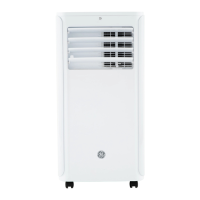
GE APHD10AXWB - User Manual

GE APHD10AXWB
32 pages
Print Icon
To Next Page IconTo Next Page
Loading...
Write the model and serial
numbers here:
Model # _________________
Serial # _________________
Find these numbers on a label on
the side of the air conditioner.
GE is a trademark of the General Electric Company. Manufactured under trademark license.
OWNER’S MANUAL
AND INSTALLATION
INSTRUCTIONS
AIR CONDITIONER
Portable Room
49-5000155 Rev. 1 11-18 GEA
APCD10
APHD10
IMPORTANT SAFETY INFORMATION .... 3
CONTROLS ...........................4
PARTS AND FEATURES ................ 6
INSTALLATION REQUIREMENTS ........ 7
INSTALLATION INSTRUCTIONS ........ 8
AIR CONDITIONER USE ............... 12
AIR CONDITIONER CARE ............. 12
TROUBLESHOOTING ................. 13
WIFI SETUP ......................... 13
LIMITED WARRANTY ................. 15
CONSUMER SUPPORT ................ 16
Before you begin
Record the GE module number and
password for wifi setup. To locate this
information, see pages 13 and 14.
GE Module Number #____________
Password #____________________

Questions and Answers

  • H
    Heidi MillerAug 8, 2025
    What to do if my GE Air Conditioner doesn't start?
    • A
      Amy LewisAug 8, 2025
      If your GE Air Conditioner isn't starting, here are a few things to check: * Ensure the power cord is properly plugged into a grounded, three-prong outlet. * If the power supply cord has tripped, press and release the RESET button. * Make sure you've pressed the Power button on either the Control Panel or the Remote Control. * Test the outlet by plugging in a working lamp to see if it has power. * Check for a blown fuse or tripped circuit breaker and replace or reset it. * Cancel any Time Delay settings programmed on the control panel. * Replace the batteries in the remote control. * Empty the internal water tank, as the unit automatically shuts off when it's full.
  • M
    Monica GonzalezAug 21, 2025
    Why is my GE APHD10AXWB remote control not working?
    • X
      xfosterAug 21, 2025
      If the remote control for your GE Air Conditioner isn't working, the batteries may be dead, so replace them. Also, ensure that the batteries are inserted in the correct position.

Summary

Important Safety Information

Controls Overview

Installation Instructions

Electrical Requirements

Specifies electrical needs and safety for the unit.

Location Requirements

Guidelines for placing the unit for optimal performance.

Air Conditioner Use

Air Conditioner Care

Air Filter Maintenance

Instructions for cleaning and maintaining the air filter.

Troubleshooting Tips

Unit Not Operating

Solutions for when the unit fails to start or function.

Cooling Performance

Diagnosing and fixing problems with insufficient cooling.

WiFi Setup

Limited Warranty

Warranty Coverage

Details on what is covered and for how long.

Making a Warranty Claim

Procedures for submitting a warranty claim.

Exclusions and Limitations

Specifies what is not covered by the warranty.

GE APHD10AXWB Specifications

General IconGeneral
TypePortable Air Conditioner
Cooling Capacity10, 000 BTU
Fan Speeds3
Remote ControlYes
ColorWhite
Operating Voltage115V
Operating Frequency60 Hz
Cooling Amps9.5 A

Related product manuals