EasyManua.ls Logo

GE APFD05 - User Manual

GE APFD05
32 pages
Print Icon
To Next Page IconTo Next Page
Loading...
Write the model and serial
numbers here:
Model # _________________
Serial # _________________
Find these numbers on a label on
the side of the air conditioner.
GE is a trademark of the General Electric Company. Manufactured under trademark license.
OWNER’S MANUAL
AND INSTALLATION
INSTRUCTIONS
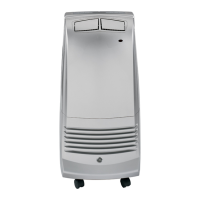
AIR CONDITIONER
Portable Room
49-5000526 Rev. 1 01-21 GEA
APFD05
IMPORTANT SAFETY
INFORMATION ............. 3
CONTROLS .................4
CARE AND CLEANING ....... 7
INSTALLATION
INSTRUCTIONS ............. 9
TROUBLESHOOTING ....... 14
LIMITED WARRANTY ........15
CONSUMER SUPPORT .......16

Questions and Answers

  • J
    joshuadeleonAug 3, 2025
    What to do if my GE APFD05 does not start?
    • A
      Alexander BeardAug 3, 2025
      If your GE Air Conditioner isn't starting, there are several potential causes: * Ensure the power cord is plugged into a grounded outlet. * If the power supply cord has tripped, press and release the RESET button. * Make sure you've pressed the Power button on the control panel or remote. * Check the outlet by plugging in a working lamp. * Inspect and replace any blown fuses or reset tripped circuit breakers. * Cancel any programmed Time Delay. * Replace dead batteries in the remote. * Empty the internal water tank if it's full.
  • E
    Erica FieldsAug 19, 2025
    Why is my GE APFD05 working but not cooling the room?
    • N
      Nathaniel BellAug 19, 2025
      If your GE Air Conditioner is running but the room isn't cooling, consider these possibilities: * Give the unit time to cool the room, especially if the room is hot initially. Ensure the BTU rating is adequate for the room size. * Set the Mode to Cool and the Fan Speed to High; avoid Fan or Dehum modes. * Remove any obstructions to airflow and redirect airflow for better cooling. * Lower the set temperature. * Close doors and windows to prevent cooled air from escaping.

Summary

Important Safety Information

Safety Instructions

General safety precautions and warnings for operating the air conditioner.

Remote Control Battery Installation

Instructions for inserting batteries into the remote control.

Controls and Operation

Control Panel Functions

Explanation of Power, Mode, Temperature, Fan Speed, and Timer buttons on the unit.

Timer Functionality

How to program the automatic on/off timer.

Operational Protection Features

Details on Frost Protection, Overflow Protection, and Compressor Protection.

Drainage Procedures

Instructions for manually draining water and continuous drainage options.

Care and Cleaning

Cleaning Precautions

Warnings and guidelines for cleaning the air conditioner's exterior and interior.

Air Filter Maintenance

Instructions for cleaning the air filter to maintain unit efficiency.

Storage Guidelines

Recommendations for storing the air conditioner when not in use.

Installation Instructions

Before Installation

Important notes on reading instructions, skill level, and required personnel.

Electrical Requirements

Specifications for power supply, outlet type, and circuit protection.

Location Requirements

Guidelines for placing the unit to ensure proper airflow and performance.

Window Panel Assembly

Description of window panel parts and combinations for fitting window openings.

Installation Steps

Detailed steps for unpacking, assembling window panels, and connecting the exhaust hose.

Troubleshooting Tips

Unit Not Starting or Operating

Common causes and solutions for the unit failing to start or operate.

Remote Control Issues

Troubleshooting steps when the remote control is not working.

Cooling Performance Problems

Solutions for when the air conditioner is working but not cooling effectively.

Limited Warranty

Warranty Coverage

Details of the one-year limited warranty for defects in materials or workmanship.

Making a Warranty Claim

Procedures for filing a warranty claim within 90 days and the remainder of the warranty period.

What is Not Covered

Exclusions from warranty coverage, including improper installation and maintenance.

Consumer Support

GE Appliances Website

Information on accessing online support, product information, and purchasing other appliances.

Register Your Appliance

Guidance on registering the appliance online for enhanced communication and service.

Schedule Service

How to schedule expert repair service online or by phone.

Extended Warranties and Parts

Information on purchasing extended warranties and obtaining parts or accessories.

GE APFD05 Specifications

General IconGeneral
BrandGE
ModelAPFD05
CategoryAir Conditioner
LanguageEnglish

Related product manuals