EasyManua.ls Logo

GE CCHS995 - User Manual

GE CCHS995
36 pages
Print Icon
To Next Page IconTo Next Page
Loading...
Write the model and serial
numbers here:
Model # _________________
Serial # _________________
You can find the rating label on
the front under the control panel,
above the door.
OWNER’S MANUAL
RANGES
Electric Double Oven Induction Slide-In
29-6184 11-17 GEA
SAFETY INFORMATION ........... 3
USING THE RANGE
Surface Units ........................... 8
Cookware for Induction Cooktop .........10
Oven Controls ..........................12
Options. . . . . . . . . . . . . . . . . . . . . . . . . . . . . . . .13
Settings ...............................13
Sabbath Mode ..........................15
Oven Racks ............................16
Aluminum Foil and Oven Liners ...........17
Cookware ..............................17
Cooking Modes .........................17
Oven Probe ............................19
Cooking Guide ........................20
CARE AND CLEANING
Cleaning the Range – Exterior ............21
Cleaning the Range – Interior. . . . . . . . . . . . 22
Cleaning the Glass Cooktop ............. 23
Oven Probe ...........................24
Oven Light ............................ 25
Oven Door ............................ 26
TROUBLESHOOTING TIPS ....... 27
WARRANTY .......................30
ACCESSORIES .....................31
PRODUCT REGISTRATION ....... 33
CONSUMER SUPPORT ........... 36
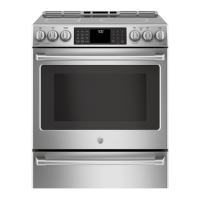
30" Induction Range
CCHS995
GE is a trademark of the General Electric Company. Manufactured under trademark license.

Questions and Answers

  • A
    Andrea CampbellSep 17, 2025
    How to prevent food from drying out in GE CCHS995 Hob warming drawer?
    • L
      Linda HernandezSep 18, 2025
      If food dries out in the warming drawer of your GE hob, cover the food with a lid or aluminum foil to prevent moisture from escaping. Ensure the drawer is fully closed until the latch engages.
  • J
    Joshua DavisAug 25, 2025
    Why does the clock and timer not work on my GE hob?
    • P
      Patricia WilliamsAug 25, 2025
      If the clock and timer on your GE hob aren't working, check whether a fuse in your home has blown or the circuit breaker has tripped, and replace the fuse or reset the circuit breaker. Ensure the range is completely plugged into a live, properly grounded electrical outlet. Verify the oven controls are properly set.
  • H
    haley71Aug 26, 2025
    What to do if GE CCHS995 Hob oven door will not open after a clean cycle?
    • C
      Christopher PerezAug 26, 2025
      If the oven door of your GE hob won't open after a clean cycle, the oven is likely still too hot. Allow the oven to cool below the locking temperature.
  • S
    sheaadamAug 26, 2025
    Why does 'LOCK DOOR' flash on my GE hob display?
    • R
      Rebecca HillAug 27, 2025
      If “LOCK DOOR” flashes in the display of your GE hob, the self-clean cycle has been selected, but the door isn't closed. Close the oven door.
  • T
    Tiffany RodriguezSep 18, 2025
    Why is there water remaining on oven floor after steam clean cycle on my GE hob?
    • W
      William MillsSep 18, 2025
      It's normal for water to remain on the oven floor of your GE hob after a Steam Clean cycle. Remove any remaining water with a dry cloth or sponge.
  • Y
    yfreySep 23, 2025
    What to do if the oven light does not work in my GE CCHS995 Hob?
    • E
      Eugene JohnsonSep 23, 2025
      If the oven light in your GE hob isn't working, first try tightening or replacing the bulb. If the pad operating the light is broken, call for service.
  • D
    Douglas JonesSep 9, 2025
    Why does my GE CCHS995 Hob oven take longer to preheat sometimes?
    • J
      Jessica LopezSep 9, 2025
      If your GE hob oven sometimes takes longer to preheat to the same temperature, it could be due to cookware or food in the oven. Remove these items to reduce preheat time. The number of racks in the oven or different cooking modes may also affect preheating time.
  • M
    Morgan BennettSep 10, 2025
    Why is the display flashing on my GE hob?
    • A
      Audrey HarrisonSep 10, 2025
      If the display on your GE hob flashes, it indicates a power failure. Reset the clock.
  • N
    Natalie MaciasSep 3, 2025
    What does 'F' and a number mean on my GE CCHS995 display?
    • K
      Kelsey NelsonSep 3, 2025
      If you see “F— and a number or letter” flashing in the display of your GE hob, it indicates a function error code. Press the Cancel/Off pad and allow the oven to cool for one hour, then put the oven back into operation. If the function code repeats, disconnect all power to the oven for at least 30 seconds and then reconnect power.
  • J
    Jeffrey CastroSep 1, 2025
    Why doesn't my new GE CCHS995 oven cook like my old one?
    • C
      cdixonSep 1, 2025
      Your new GE hob oven may cook differently than your old one because it has a different cooking system. Follow your recipe times and temperatures carefully for the first few uses. If you still think your new oven is too hot or too cold, you can adjust the temperature yourself to meet your specific cooking preference.

Summary

Safety Information

Anti-Tip Device and General Safety

Instructions for securing the range to prevent tipping and general user safety practices.

Fire Prevention and Cooktop Safety

Guidelines on flammable materials, fire response steps, and safe cooktop usage.

Oven and Glass Cooktop Safety Precautions

Specific safety advice for oven operation and glass cooktop care.

Self-Cleaning and Proposition 65 Warnings

Safety recommendations for self-cleaning cycles and California chemical warnings.

Using the Range

Surface Unit Operation and Features

Explanation of induction surface cooking, controls, and indicator lights.

Care and Cleaning

Interior Oven Cleaning Methods

Guidance on manual, Steam Clean, and Self Clean cycles for the oven interior.

Glass Cooktop Cleaning Procedures

Steps for daily, burned-on residue, and heavy residue cleaning of the glass cooktop.

Troubleshooting Tips

Surface Unit and Cooktop Troubleshooting

Addresses issues with surface units not working or cooktop appearance problems.

Oven Baking and Temperature Troubleshooting

Solutions for food not baking properly or incorrect oven temperature settings.

Oven Operation and Error Codes

Troubleshooting for oven not working, door issues, and display error codes.

Warranty Information

GE CCHS995 Specifications

General IconGeneral
BrandGE
ModelCCHS995
CategoryHob
LanguageEnglish