EasyManua.ls Logo

GE CCHS995 - User Manual

GE CCHS995
36 pages
Print Icon
To Next Page IconTo Next Page
Loading...
Write the model and serial
numbers here:
Model # _________________
Serial # _________________
You can find the rating label on
the front under the control panel,
above the door.
OWNER’S MANUAL
RANGES
Electric Double Oven Induction Slide-In
29-6184 11-17 GEA
SAFETY INFORMATION ........... 3
USING THE RANGE
Surface Units ........................... 8
Cookware for Induction Cooktop .........10
Oven Controls ..........................12
Options. . . . . . . . . . . . . . . . . . . . . . . . . . . . . . . .13
Settings ...............................13
Sabbath Mode ..........................15
Oven Racks ............................16
Aluminum Foil and Oven Liners ...........17
Cookware ..............................17
Cooking Modes .........................17
Oven Probe ............................19
Cooking Guide ........................20
CARE AND CLEANING
Cleaning the Range – Exterior ............21
Cleaning the Range – Interior. . . . . . . . . . . . 22
Cleaning the Glass Cooktop ............. 23
Oven Probe ...........................24
Oven Light ............................ 25
Oven Door ............................ 26
TROUBLESHOOTING TIPS ....... 27
WARRANTY .......................30
ACCESSORIES .....................31
PRODUCT REGISTRATION ....... 33
CONSUMER SUPPORT ........... 36
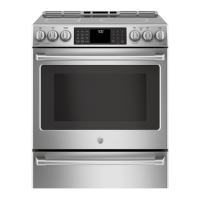
30" Induction Range
CCHS995
GE is a trademark of the General Electric Company. Manufactured under trademark license.

Questions and Answers

  • P
    Peter DavisSep 12, 2025
    How to fix GE hob oven racks that are difficult to slide?
    • P
      Patricia BushSep 12, 2025
      If the oven racks in your GE hob are difficult to slide, especially if they are shiny and silver-colored, and have been cleaned in a self-clean cycle, apply a small amount of vegetable oil to a paper towel and wipe the edges of the oven racks with it.
  • M
    Matthew GarciaSep 12, 2025
    Why does my GE CCHS995 Hob control signal after entering cooking time?
    • J
      Jason WoodSep 12, 2025
      If the control signals after entering cooking time or start time on your GE hob, you likely forgot to enter a bake temperature or cleaning time. Touch the Bake pad and desired temperature or the Self Clean pad and desired clean time.
  • M
    Morgan BennettSep 10, 2025
    Why is the display flashing on my GE hob?
    • A
      Audrey HarrisonSep 10, 2025
      If the display on your GE hob flashes, it indicates a power failure. Reset the clock.
  • D
    Douglas JonesSep 9, 2025
    Why does my GE CCHS995 Hob oven take longer to preheat sometimes?
    • J
      Jessica LopezSep 9, 2025
      If your GE hob oven sometimes takes longer to preheat to the same temperature, it could be due to cookware or food in the oven. Remove these items to reduce preheat time. The number of racks in the oven or different cooking modes may also affect preheating time.
  • J
    Joseph FergusonSep 8, 2025
    Why does my GE hob oven door glass look tinted?
    • C
      Christina MoralesSep 8, 2025
      The oven door glass on your GE hob may appear to be "tinted" or have a "rainbow" color under certain light or angles. This is not a defect.
  • J
    Jeremy AbbottAug 23, 2025
    What to do if my GE oven does not work?
    • J
      Joyce BeckerAug 23, 2025
      If your GE oven isn't working, start by ensuring the range is fully plugged into a properly grounded electrical outlet. Check your home's fuse or circuit breaker and replace the fuse or reset the circuit breaker if needed. Make sure the oven controls are correctly set. Also, verify that the oven isn't accidentally set to Sabbath Mode.
  • J
    Joseph GuerreroSep 6, 2025
    Why is there a strong odor coming from my GE CCHS995 Hob?
    • J
      Jennifer EnglishSep 6, 2025
      A strong odor from the insulation around the inside of a GE hob oven is normal when the oven is used for the first few times. This is temporary and will go away after several uses or a self-clean cycle.
  • J
    James WillisSep 5, 2025
    Why is there a burning smell coming from my new GE CCHS995 Hob?
    • C
      Courtney GarrisonSep 5, 2025
      A “burning” or “oily” odor emitting from the vent of your GE hob is normal in a new oven and will disappear in time. To speed up the process, set a self-clean cycle for a minimum of 3 hours.
  • J
    Julia NovakSep 4, 2025
    What to do when power outage makes clock flash on my GE CCHS995?
    • J
      Jonathan HansonSep 4, 2025
      If there was a power outage and the clock is flashing on your GE hob, reset the clock. If the oven was in use, you must reset it by pressing the Cancel/Off pad, setting the clock, and resetting any cooking function.
  • N
    Natalie MaciasSep 3, 2025
    What does 'F' and a number mean on my GE CCHS995 display?
    • K
      Kelsey NelsonSep 3, 2025
      If you see “F— and a number or letter” flashing in the display of your GE hob, it indicates a function error code. Press the Cancel/Off pad and allow the oven to cool for one hour, then put the oven back into operation. If the function code repeats, disconnect all power to the oven for at least 30 seconds and then reconnect power.

Summary

Safety Information

Anti-Tip Device and General Safety

Instructions for securing the range to prevent tipping and general user safety practices.

Fire Prevention and Cooktop Safety

Guidelines on flammable materials, fire response steps, and safe cooktop usage.

Oven and Glass Cooktop Safety Precautions

Specific safety advice for oven operation and glass cooktop care.

Self-Cleaning and Proposition 65 Warnings

Safety recommendations for self-cleaning cycles and California chemical warnings.

Using the Range

Surface Unit Operation and Features

Explanation of induction surface cooking, controls, and indicator lights.

Care and Cleaning

Interior Oven Cleaning Methods

Guidance on manual, Steam Clean, and Self Clean cycles for the oven interior.

Glass Cooktop Cleaning Procedures

Steps for daily, burned-on residue, and heavy residue cleaning of the glass cooktop.

Troubleshooting Tips

Surface Unit and Cooktop Troubleshooting

Addresses issues with surface units not working or cooktop appearance problems.

Oven Baking and Temperature Troubleshooting

Solutions for food not baking properly or incorrect oven temperature settings.

Oven Operation and Error Codes

Troubleshooting for oven not working, door issues, and display error codes.

Warranty Information

GE CCHS995 Specifications

General IconGeneral
BrandGE
ModelCCHS995
CategoryHob
LanguageEnglish