50 51
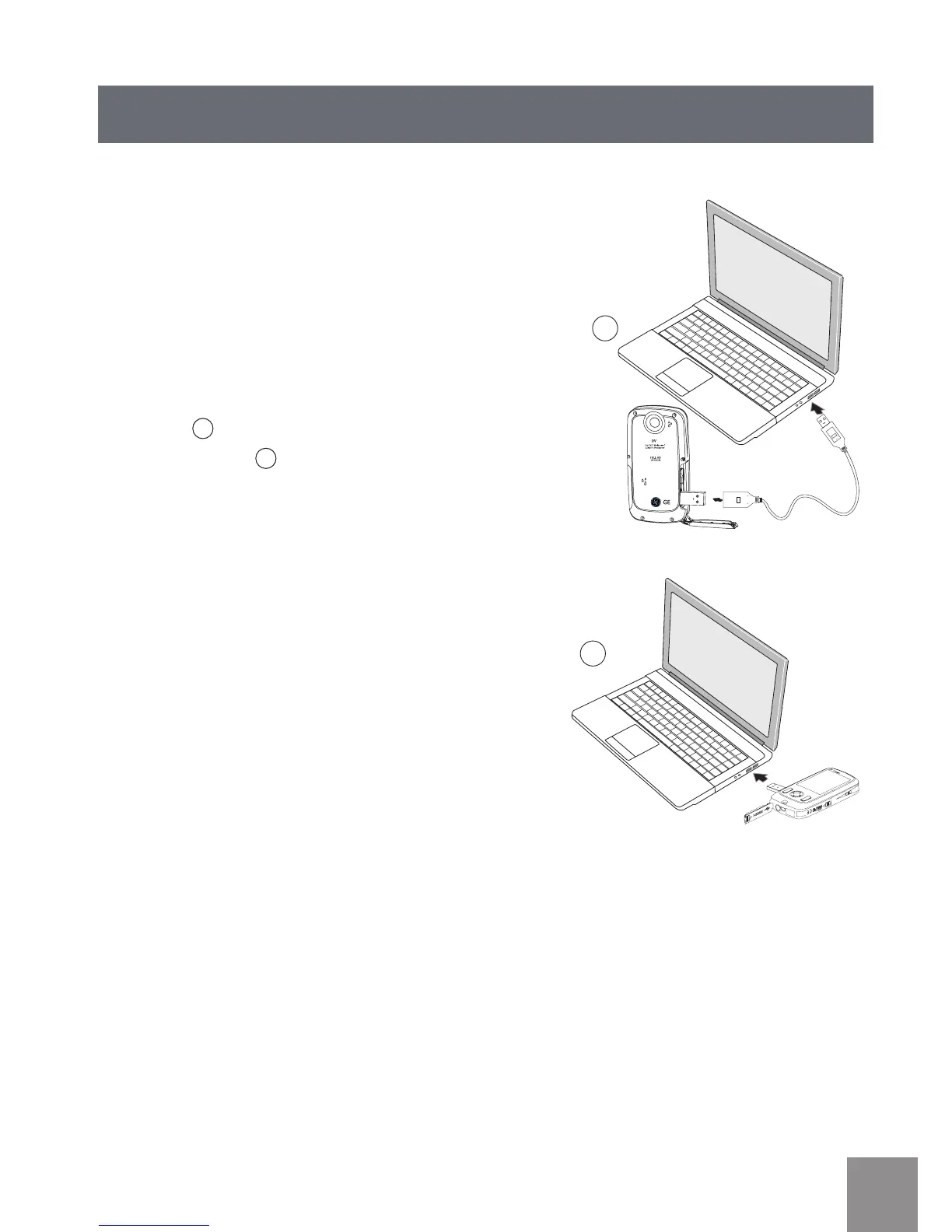
Raccordement à un PC via USB
Copiez des photos et des vidéos du caméscope
vers un PC selon la procédure suivante :
1. Ouvrez le compartiment du port USB/HDMI.
2. Poussez le verrou pour faire ressortir l’
interface USB.
3. Utilisez le câble USB pour relier le caméscope
au PC
1
ou branchez une clé USB au PC
directement
2
.
Votre caméscope supporte Windows 2000,
Windows XP, Windows Vista, Windows 7.



 To Next Page