3
1 How To Install and Use The PC Camera
There are two ways to install Camera Driver:
1.1 Use Installer to install camera driver
Don’t connect the camera to your computer yet!
1.1.1 Install Driver
Insert the CD into your CD-ROM drive; the installer screen will automatically come
up. Click the "Install Device Driver" button to start installing.
Note #1: If the installer screen does not come up automatically, click Start,then Run and
execute the file “launch.exe” on the CD to start theinstaller program.
1.2 How to Use Your PC Camera
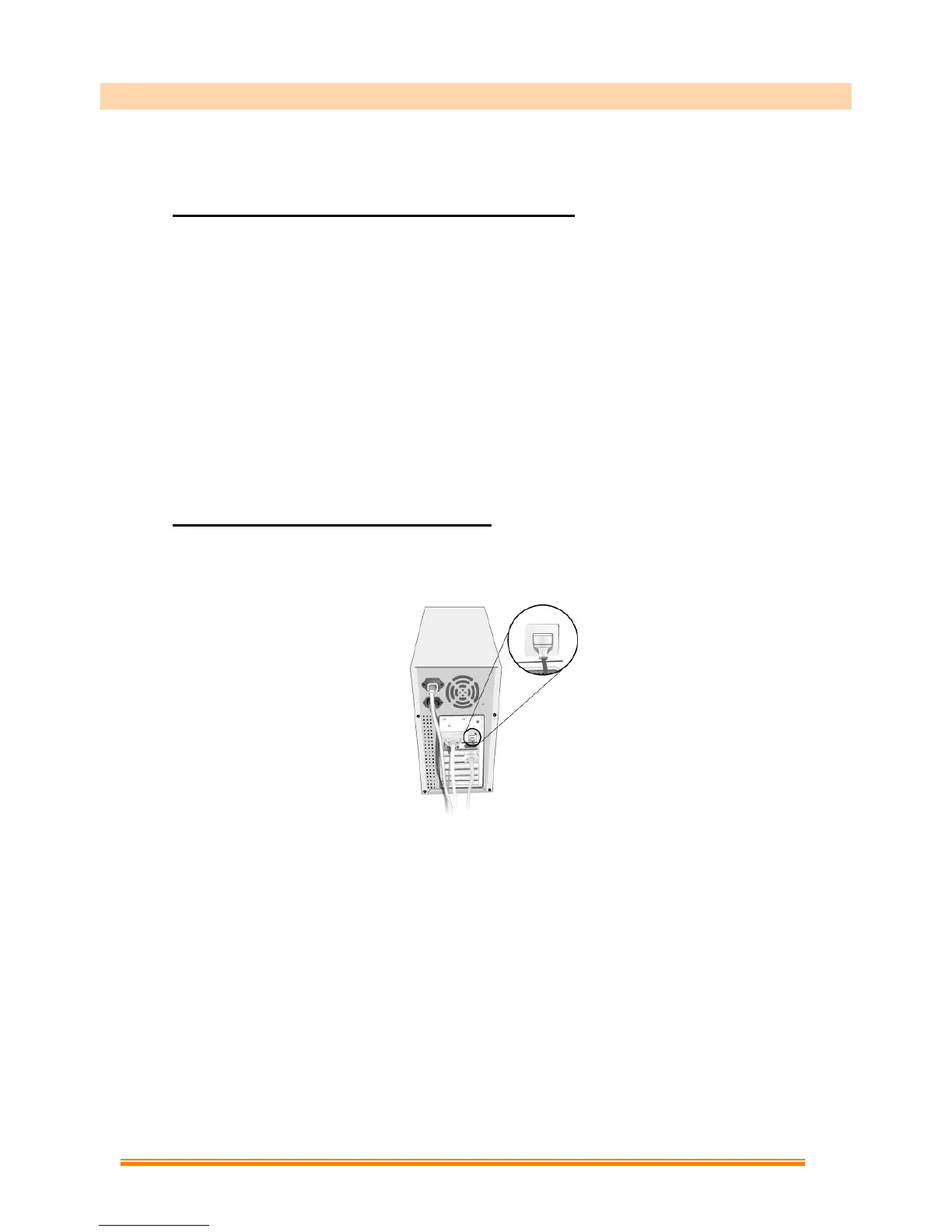
1.2.1 Plug Webcam’s cable to the USB port on your computer.
1.2.2 Start MediaImpression
(1)Select “WebCam”.
(2)Select “Make Movie”


 To Next Page