4
1.3 Special Effects and Face Tracking
1.3.1 Activate your Webcam and open the Property page.
1.3.2 Open the Property page (take ArcSoft MediaImpression as an example):
(1) Close any active video browsing software
(2) Open ArcSoft MediaImpression
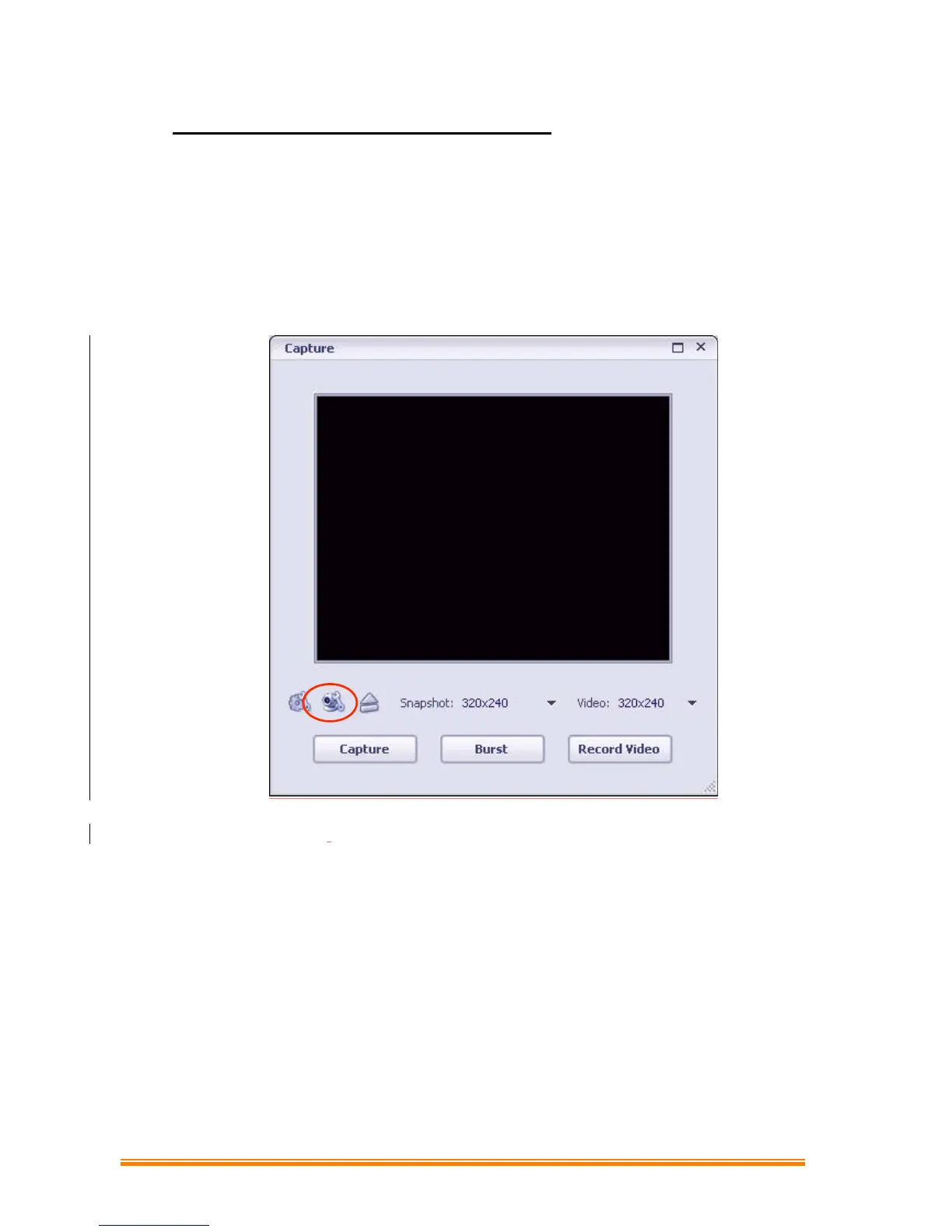
(3) Select“WebCam”and the following figure appears:


 To Next Page