Chapter 1
Getting started
11
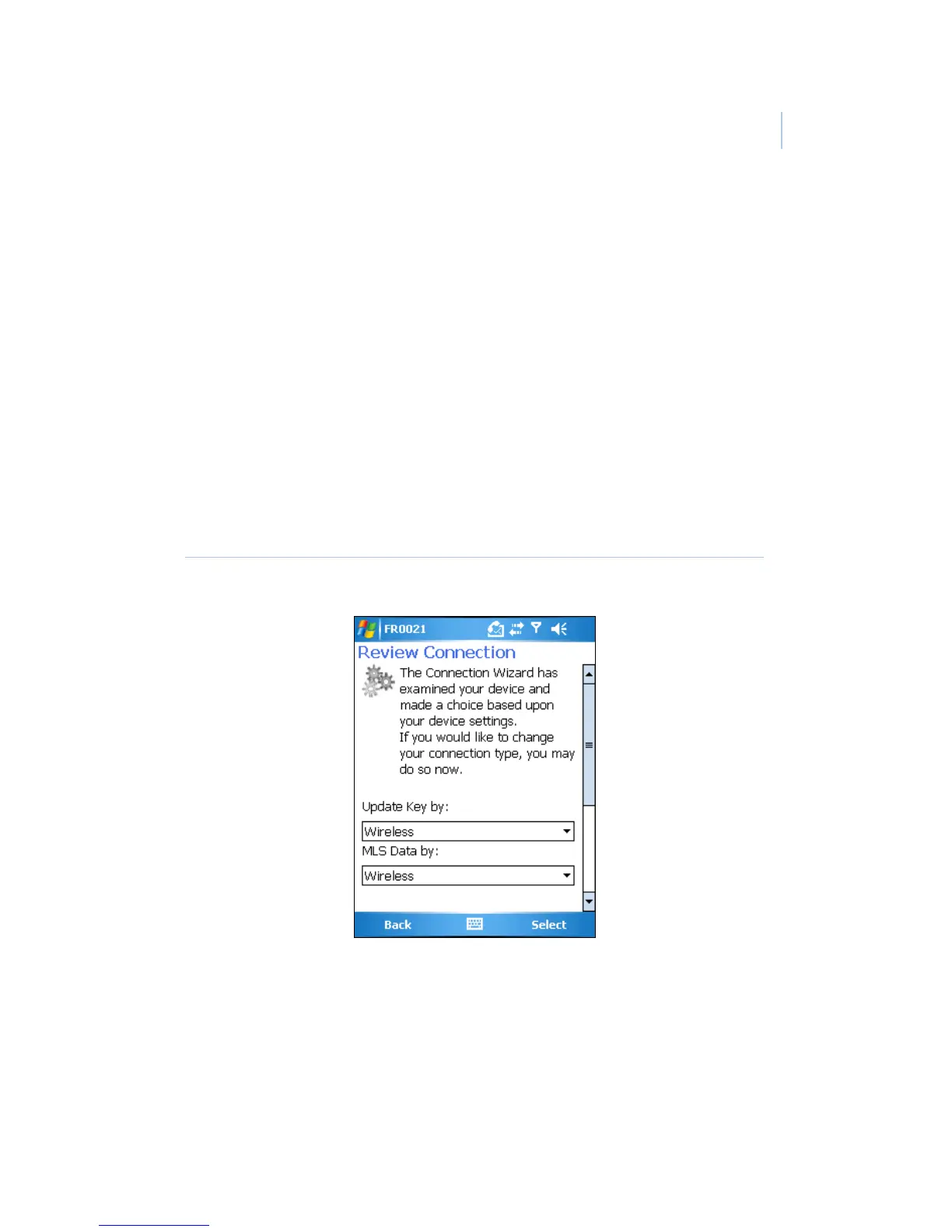
eSYNC connection method
Once your eKEY is registered, the Connection Wizard opens and
prompts you to select your eSYNC method. There are two
eSYNC connection methods:
• PC-Internet
• Wireless
See Connection methods on page 21 of Chapter 2 for more
information about each eSYNC connection method.
Click Begin and follow the instructions in the wizard (Figure 3)
to set your connection type and perform your first eSYNC.
Figure 3. Windows Mobile Connection wizard


 To Next Page