eKEY
User Manual
28
Manual eSYNC
You can perform a manual eSYNC at any time to update your
eKEY software and download listing/roster information.
To perform a manual eSYNC, do the following:
1. Open the eSYNC application.
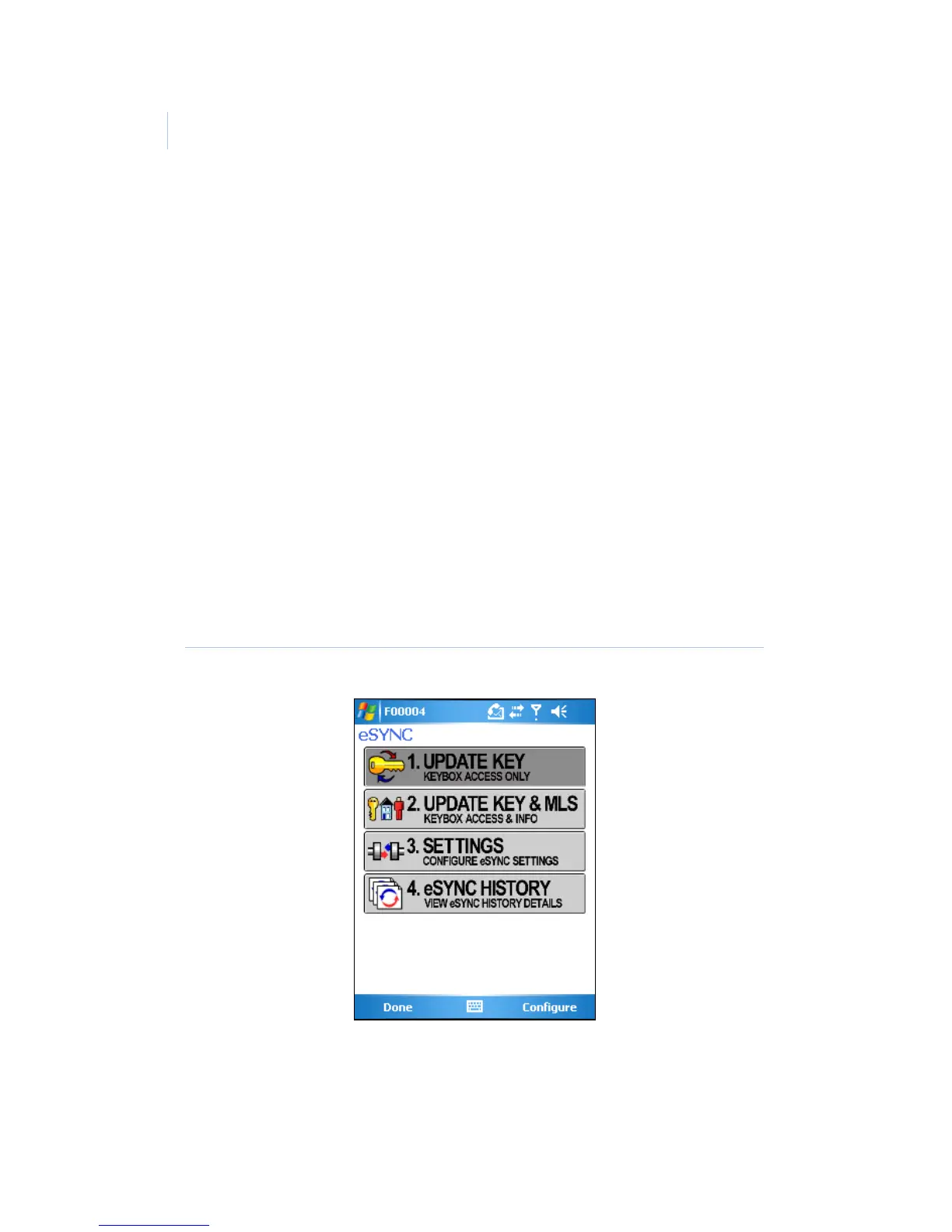
2. Select UPDATE KEY to update your software so you
can access KeyBoxes. If you have eKEY Professional
service, you can select UPDATE KEY & MLS to
update your software and download listing/roster data
(Figure 12).
Note: If you are using the PC-Internet connection on a PDA with the Palm
operating system, you can also perform a manual eSYNC by
initiating a HotSync.
Figure 12. eSYNC menu screen


 To Next Page