eKEY
User Manual
70
Troubleshooting
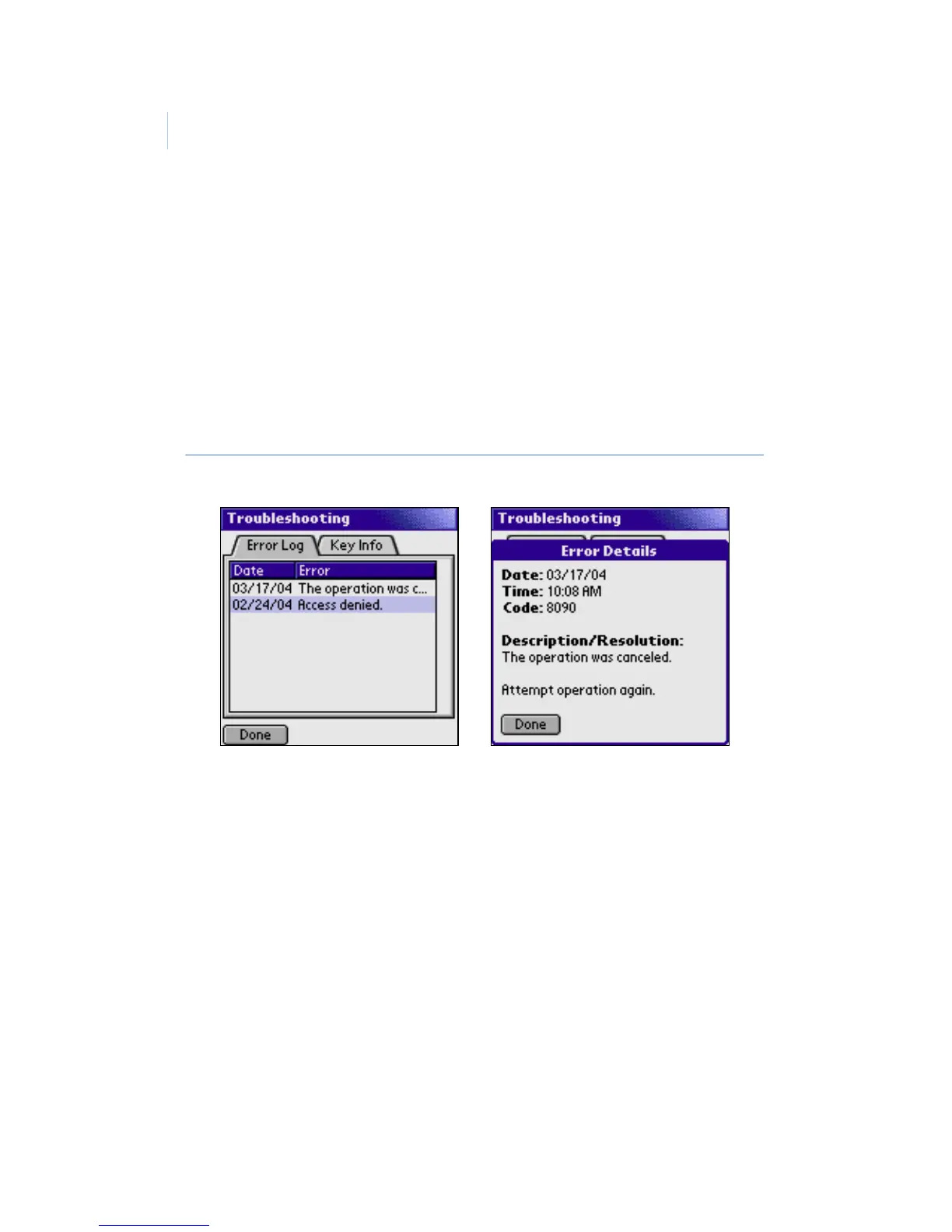
The eKEY application stores the 20 most recent errors that have
occurred. To view the Error Log, open the eKEY application and
select TROUBLESHOOTING from the main menu. In the
Troubleshooting screen, the Error Log tab displays a list of errors
(Figure 38). Tap an error record to view the error details,
including how to troubleshoot it.
Figure 38. Error log tab and Error Details screen
The Key Info tab of the Troubleshooting screen displays your
eKEY serial number. If your PDA is inside the eKEY shell, the
tab also displays the shell product code, battery level, battery
voltage, and firmware version number.


 To Next Page