Chapter 1
Getting started
13
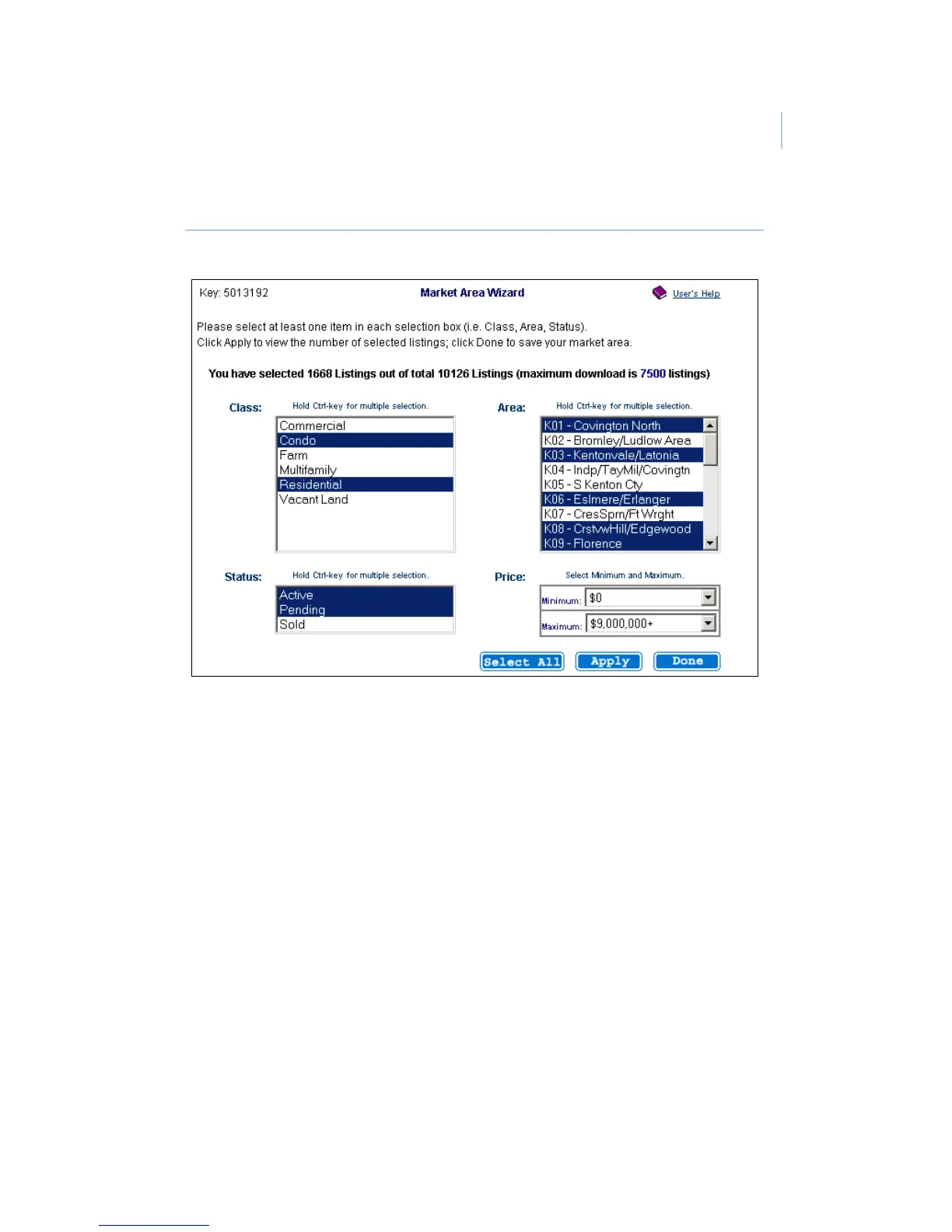
Figure 4. Market Area wizard
8. Click Apply.
9. View the total number of listings selected and make any
changes if necessary, then click Done.
Perform a manual eSYNC to download the listings. If necessary,
connect your PDA to your computer or Supra modem, then open
the eSYNC application. Select UPDATE KEY & MLS to
connect to the network and download the listings.


 To Next Page