Chapter 1
Getting started
17
To reset the fields to zero and create a new calculation, select
File | New. If you want to save a calculation, select File | Save
and enter a name for the calculation. To open a calculation that
you previously saved, select File | Open, then select the name of
the calculation. To delete a saved calculation, select File | Delete.
To view the amortization schedule for a loan calculation, select
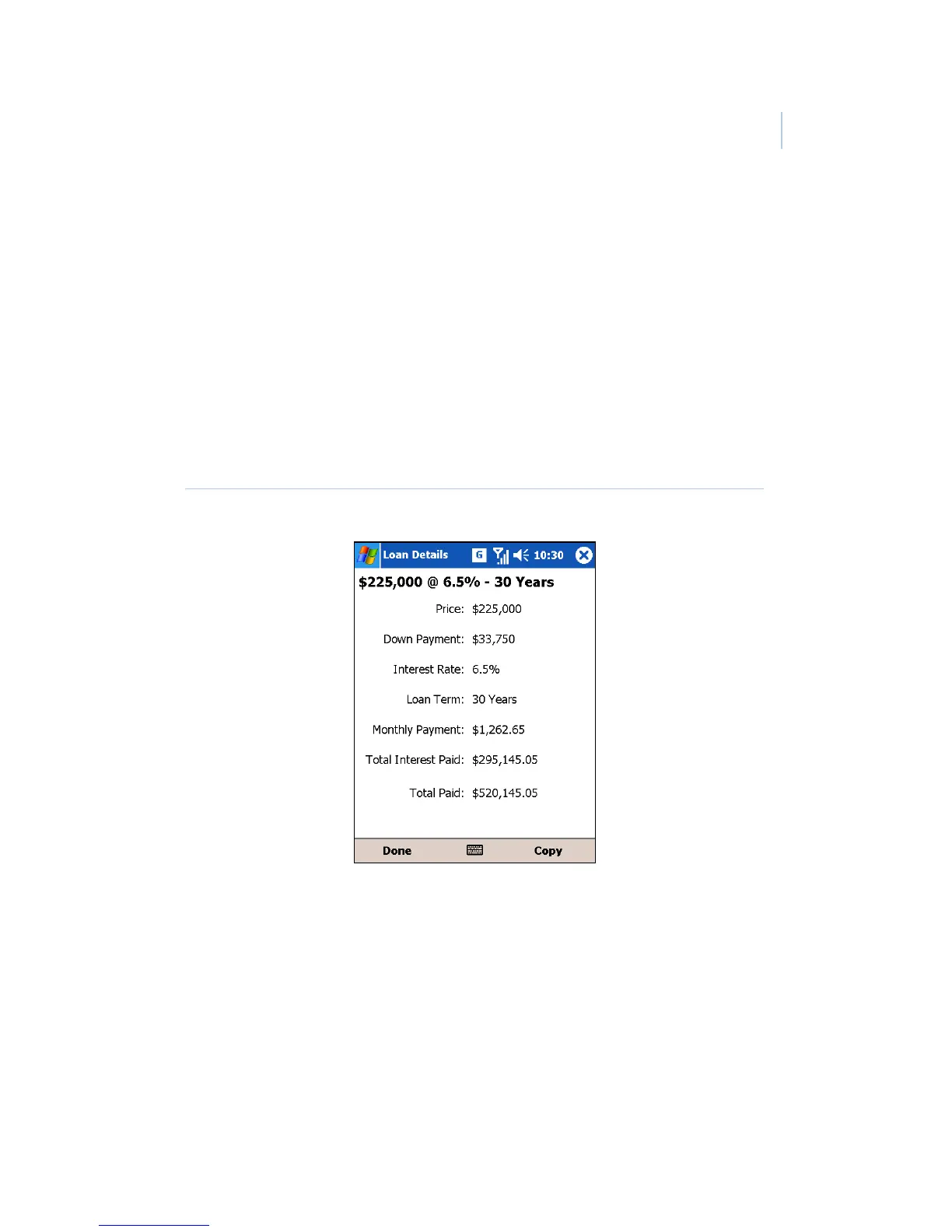
Options | Amortization. If you want to copy the loan details,
select Options | Details to open the Loan Details screen
(Figure 7), then select Copy.
Figure 7. Loan Details screen


 To Next Page