eKEY
User Manual
52
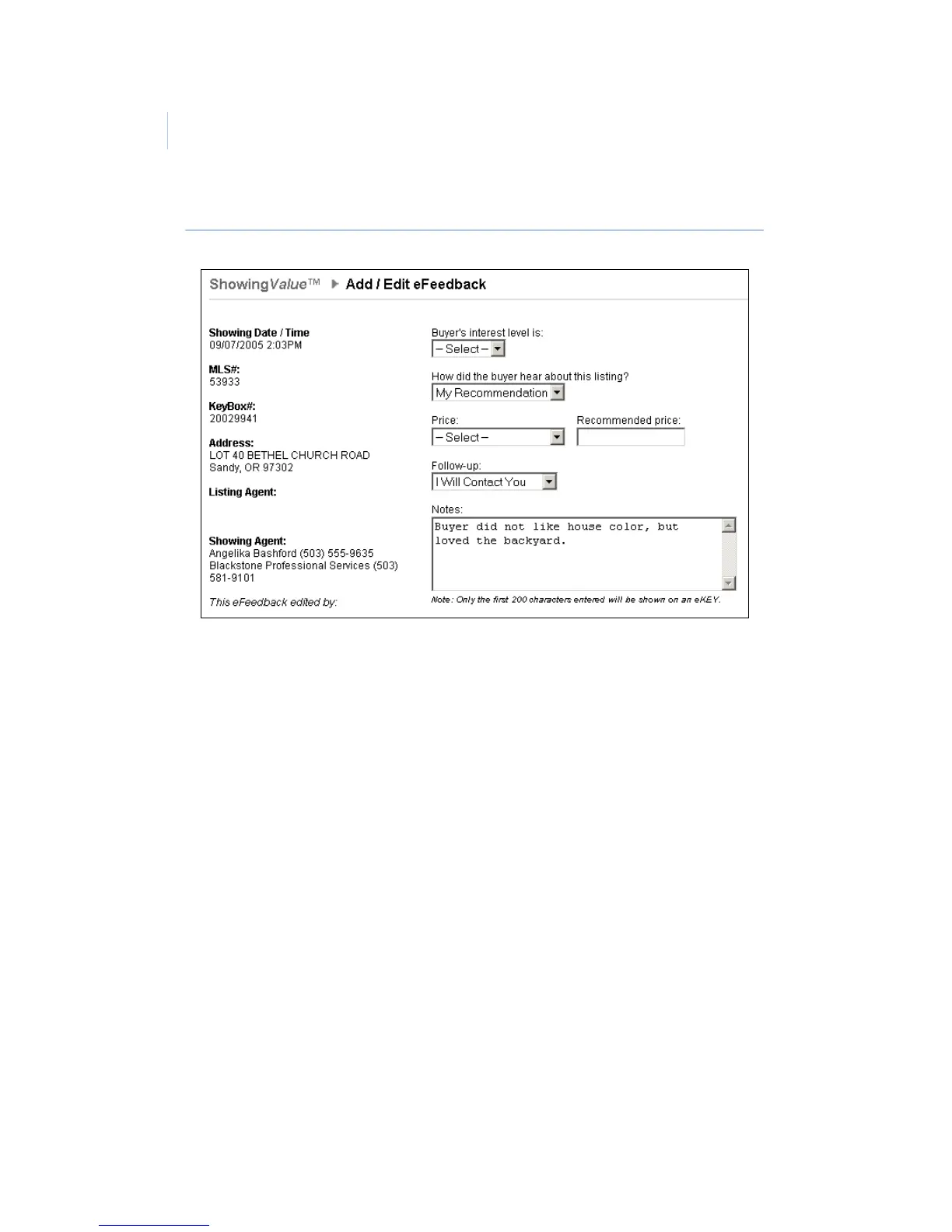
Figure 22. Add / Edit eFeedback screen
eFeedback reminders
Feedback reminders for the properties you’ve shown are
displayed in the third row of your Dashboard. Click the View
button to see detailed showing information for each reminder,
including the date/time, listing number, KeyBox serial number,
and listing address.
To respond to an eFeedback reminder, do the following:
1. Click the Respond button next to the showing record
(Figure 23 on page 53).
2. Use the dropdown menus and Notes field in the Enter
eFeedback screen to provide feedback to the listing
agent.
3. Click Send Now to send your feedback.
To ignore an eFeedback reminder, click the Ignore button next to
the showing record.


 To Next Page