Chapter 5
MLS data
63
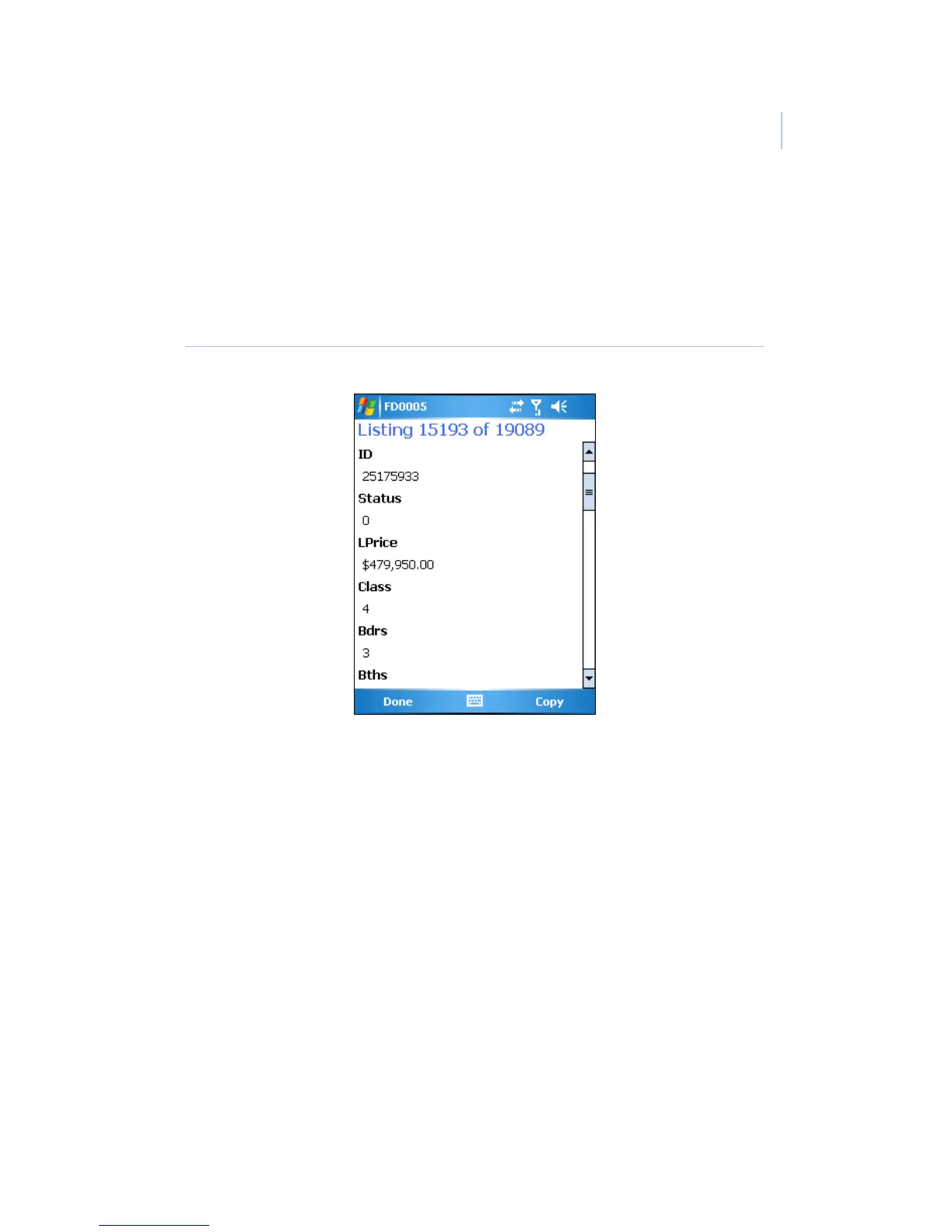
Select an individual record to view detailed information about the
listing (Figure 33), and use the scroll bar to scroll through the
listing details. If a field is highlighted in red, the listing is a
HotSheet listing that has recently changed.
Figure 33. Listing details screen
To display the listing agent’s roster information on a Palm device,
tap the arrow button next to the Agent field. On a Windows
Mobile PDA, select the agent’s name. See Roster on page 66 for
more information on the agent roster.
If you have a PDA phone with the Palm OS, tap the arrow next to
the phone number field to dial the listing agent’s phone number.
On a Windows Mobile PDA phone, select the phone number link.


 To Next Page