EasyManua.ls Logo

GE FUM13 - User Manual

GE FUM13
60 pages
Print Icon
To Next Page IconTo Next Page
Loading...
ge.com
Owner’s Manual &
Installation Instructions
Food Freezers
297252000 162D9627P010 49-60567-1 09-08 JR
Safety Information . . . . . . . . . . . . 2–4
Operating Instructions
Care and Cleaning . . . . . . . . . . . . . . .10–12
Defrosting Instructions
(for Manual Defrost Models) . . . . . . . . . . .9
Features . . . . . . . . . . . . . . . . . . . . . . . . . . . . . . .8
Starting the Freezer . . . . . . . . . . . . . . . . . . .5
Installation Instructions
Preparing to Install the Freezer . . . . . . 13
Troubleshooting Tips . . . . . . . .14–16
Normal Operating
Characteristics . . . . . . . . . . . . . . . . . . . . . . .14
Consumer Support
Consumer Support . . . . . . . . . Back Cover
Production Registration for
Customers in Canada . . . . . . . . . . . . 19, 20
Production Registration for
Customers in the U.S. . . . . . . . . . . . . 17, 18
Warranty . . . . . . . . . . . . . . . . . . . . . . . . . . . . 24
Model number: _____________________
Serial number: _____________________
You can find them on a plate either on
the upper left wall inside the freezer
(Upright models) or on the left exterior
wall (Chest models).
La section française commence à la page 25
La sección en español empieza en la página 43
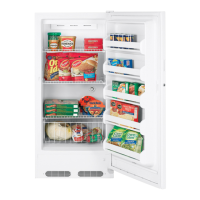
Congelador
de alimentos
Manual del propietario
y instalación
Congélateur
d’aliments
Manuel d’utilisation
et d’installation
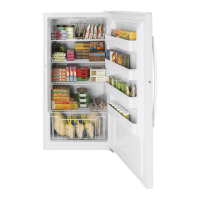
Upright—Manual Defrost
Models:
FUM13, FUM14, FUM17,
FUM21
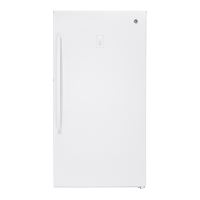
Upright—No-Frost Models:
FUF12, FUF12S, FUF14,
FUF14S, FUF17, FUF17C,
FUF17S, FUF20, FUF20S,
FUF21, FUF21S
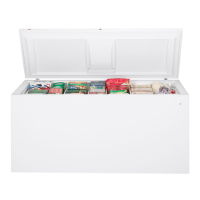
Chest—Manual Defrost Models:
FCM5, FCM7, FCM9, FCM15,
FCM20, FCM25

Questions and Answers

  • M
    Matthew OrtizAug 21, 2025
    Why my GE FUM13 Freezer does not operate?
    • E
      estessaraAug 22, 2025
      If your GE Freezer is not operating, start by ensuring it's properly plugged into the outlet. If it is, check the fuse or circuit breaker and replace or reset if necessary. Also, check if the 'Demo' LED light is on, indicating Demo mode, and if so, press 'Alarm Reset' first, then press and hold '0' and '1' simultaneously with 'Control Lock' for 5 seconds to turn it off.
  • M
    Mr. Andrew AndersonSep 4, 2025
    Why is my GE Freezer temperature too warm?
    • C
      Courtney LeeSep 4, 2025
      If the temperature in your GE Freezer is too warm, start by checking if the door is left open or if packages are preventing it from closing properly. Avoid frequent or prolonged door openings. Also, make sure the temperature control isn't set too warm; if it is, adjust it to a colder setting and allow several hours for the temperature to stabilize. If you've recently stored large amounts of water or hot food, give the freezer time to reach the desired temperature. Finally, if the freezer has been recently disconnected, remember that it requires approximately 8 hours to cool down completely.
  • J
    julianlambertSep 2, 2025
    Why interior light does not work in GE Freezer?
    • A
      Ashley WeissSep 3, 2025
      If the interior light of your GE Freezer isn't working, first ensure there's power at the outlet by checking the fuse or circuit breaker. Also, make sure the freezer is plugged in. If power is not the issue, the LED light may have burned out and needs to be replaced.
  • P
    Phillip GarzaSep 1, 2025
    How to fix noisy GE FUM13 Freezer?
    • F
      fullercatherineSep 1, 2025
      If your GE Freezer is making unusual noises or vibrating, it could be due to a weak floor. Make sure the freezer is on a solid surface and adjust the leveling legs as needed. The cabinet might not be sitting firmly on the floor, so adjust the legs or use shims if the floor is uneven. Also, check if the freezer is touching the wall and, if so, level it or move it slightly.
  • G
    Gabriel MartinAug 30, 2025
    Why GE FUM13 operates too long?
    • C
      Cheyenne PetersonAug 30, 2025
      If your GE Freezer is operating for extended periods, start by checking if the door is being left open or opened too frequently, as well as ensuring that no packages are obstructing the door. Also, make sure the temperature control is not set too cold. Ensure there's adequate air circulation around the cabinet. Remember that hot weather conditions or recently stored warm food can cause the freezer to work harder. If the freezer was recently disconnected, allow it 4 hours to cool down completely.
  • J
    Justin ClayAug 29, 2025
    What to do if my GE FUM13 temperature is too warm?
    • K
      Kelly DunnAug 29, 2025
      If your GE Freezer temperature is too warm, first check if the door is left open or opened too frequently/for too long. Ensure that packages aren't obstructing the door. If the door is not the issue, verify that the temperature control is set correctly and adjust it to a colder setting, allowing several hours for stabilization. Also, consider whether large amounts of warm food have been recently stored, and allow the freezer time to reach the desired temperature. Finally, if the freezer was recently disconnected, it requires about 18 hours to cool completely.
  • J
    Joseph MartinAug 27, 2025
    How to prevent excessive frost buildup in my GE Freezer?
    • S
      Samantha PerryAug 27, 2025
      If you notice excessive frost buildup in your GE Freezer, start by checking if the door is being left open or if a package is preventing it from closing correctly. Avoid opening the door too frequently or for extended periods. Keep in mind that some frost buildup is normal during periods of high humidity; if this is the case, simply wipe the surface dry.
  • J
    Joshua BryantAug 27, 2025
    How to fix a GE FUM13 Freezer that is not working?
    • T
      Timothy SanchezAug 27, 2025
      If your GE Freezer isn't working, first ensure it's properly plugged into the outlet. If that's not the issue, check your home's fuse box or circuit breaker to see if a fuse has blown or a breaker has tripped. Replace the fuse or reset the breaker if necessary. Also, if the "Demo" LED light is on, your freezer might be in Demo mode. To exit Demo mode, press "Alarm Reset", then immediately press "0" and "1" while holding "Control Lock" for 5 seconds, then release.
  • M
    marc22Aug 25, 2025
    How to prevent excessive frost buildup in GE FUM13 Freezer?
    • M
      Michael MontgomeryAug 26, 2025
      If there's excessive frost buildup in your GE Freezer, it may be caused by the door being left open or opened too frequently. Check to see if a package is holding the door open. High humidity can also contribute to frost, so wipe the surface dry.
  • J
    James OwensAug 23, 2025
    What to do if foods are defrosting in my GE FUM13?
    • N
      Nicole WatsonAug 23, 2025
      If foods are defrosting in your GE Freezer, it might be due to a high temperature alarm and flashing temperature display, possibly caused by a power outage. Check if the freezer is properly plugged in and that the fuse hasn't blown or the circuit breaker hasn't tripped. Also, ensure that the door isn't left open or opened too frequently, as this can also lead to defrosting.

GE FUM13 Specifications

General IconGeneral
ColorWhite
Energy Star CertifiedNo
Installation TypeFreestanding
Door SwingReversible
TypeUpright
Defrost TypeManual
Temperature ControlManual

Related product manuals