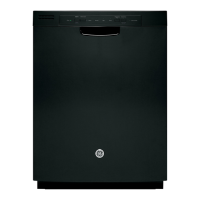
Why is my GE GDF510-640 beeping once every minute?
- DdouglasandersonAug 30, 2025
The beeping is a reminder that the dishwasher door has been left open during operation. It will continue beeping until you press Start and close the door.

Why is my GE GDF510-640 beeping once every minute?
The beeping is a reminder that the dishwasher door has been left open during operation. It will continue beeping until you press Start and close the door.
What causes black or gray marks on dishes in my GE Dishwasher?
Black or gray marks occur when aluminum utensils rub against dishes. Remove these marks with a mild, abrasive cleaner.
Why is there water standing in the bottom of my GE Dishwasher tub?
Standing water can be due to a clogged air gap. Clean the air gap; see the Care and Cleaning section for instructions. It can also be caused by a high drain loop or air gap not installed correctly; refer to the Installation Instructions for proper drain line installation.
What noises are considered normal for a GE Dishwasher?
Normal operating sounds include beeping at the end of the cycle (on some models), the detergent cup opening, water entering the dishwasher, the motor stopping and starting at various times, the spray arms starting and stopping, drain pump sounds during pump out, and the drain pump starting and stopping several times during each drain. These are all normal; no action is required. Rattling dishes can occur if they are not properly loaded; see the Loading section. Rattling silverware against the door during wash can be avoided by placing tall utensils in the upper rack.
How to remove a white film on glassware, dishware and the interior of my GE Dishwasher?
This problem is likely caused by a low quality phosphate-free dishwasher detergent. To remove the white film, run your dishes through a dishwasher cycle with citric acid. Use a WD35X151 citric acid kit found online. Otherwise, use Finish® Dishwasher Cleaner found at your local grocery store. Pour the citric acid in the detergent cup and close the cover.
Why is the start status indicator light flashing on my GE GDF510-640?
If the Start status indicator light is flashing on your GE Dishwasher, it means the door was opened or the cycle was interrupted. Press the Start pad once and close the door within 4 seconds to start the dishwasher. Press the Start pad a second time when the dishwasher is running only if you wish to cancel the cycle.
What to do if the control panel of my GE GDF510-640 responded to inputs but dishwasher never filled with water?
The door may not be completely closed; make sure it is firmly closed. The water valve may be turned off; ensure the water valve (usually located under the sink) is turned on. The flood float may be stuck; remove the Ultra-Fine Filter assembly and lightly tap the piece under the ultra fine filter assembly that looks like a dome. Replace the filter.
What to do if my GE Dishwasher control panel works but it never fills with water?
If the control panel of your GE Dishwasher responds to inputs but the dishwasher never fills with water, make sure the door is firmly closed. Also, ensure the water valve (usually located under the sink) is turned on. The flood float may be stuck; remove the Ultra-Fine filter and lightly tap the piece under the ultra fine filter that looks like a dome, then replace the filter.
What to do if water won’t pump out of my GE Dishwasher?
If water won’t pump out of your GE Dishwasher tub, the drain may be clogged. If you have an air gap, clean it. If the dishwasher drains into a disposer, run the disposer to clear it. Check if your kitchen sink is draining well; if not, you may need a plumber.
Why is there water standing in the bottom of my GE GDF510-640 Dishwasher?
If water is standing in the bottom of your GE Dishwasher tub, the air gap may be clogged; clean it. Also, check if the high drain loop or air gap is not installed correctly and refer to the Installation Instructions for proper drain line installation.
| Brand | GE |
|---|---|
| Model | GDF510-640 Series |
| Category | Dishwasher |
| Language | English |
Ensure correct installation and ongoing maintenance for safe operation.
Follow basic safety guidelines when operating the dishwasher.
Safety regarding water heaters, child entrapment, and proper appliance disposal.
Electrical requirements and safe handling of dishwasher contents and components.
Step-by-step instructions for initial dishwasher setup and operation.
Guidance on using the rinse agent and detergent dispensers.
Information on WiFi connectivity and remote monitoring capabilities.
Best practices for loading racks, baskets, and specific items.
Instructions for cleaning the exterior door and control panel surfaces.
Methods for cleaning the dishwasher's interior tub and removing odors.
Steps for inspecting and cleaning the fine and ultra-fine filters.
Procedures for protecting the dishwasher from freezing and cleaning the air gap.
Solutions for common cleaning problems like spots and filming.
Addressing issues causing cloudiness or film on glassware.
Resolving problems with dishwasher operation, cycles, and water filling.
Solutions for tub stains, utensil marks, and water not pumping out.
Troubleshooting when the dishwasher won't start or control lights are off.
Diagnosing unusual noises and improving drying performance.
Details on what the limited warranty covers and its exclusions.
Specific warranty terms for purchases in the United States and Canada.
Accessing the GE Appliances website and registering your product.
How to schedule service and purchase extended warranties.
Information on connectivity, ordering parts, and customer contact.
Loading...