EasyManua.ls Logo

GE GDT535 Series - User Manual

GE GDT535 Series
72 pages
Print Icon
To Next Page IconTo Next Page
Loading...
Write the model and serial
numbers here:
Model # _________________
Serial # _________________
You can find them on a label on
the tub wall just inside the door.
GE is a trademark of the General Electric Company. Manufactured under trademark license.
OWNER’S MANUAL
DISHWASHERS
49-55122-4 11-19 GEA
ENGLISH/FRANÇAIS/
ESPAÑOL
GDF510-640 Series
GDT535-635 Series
GDP615 Series
SAFETY INFORMATION .........3
USING THE DISHWASHER
Getting Started ........................5
Dispensers ............................8
Appliance Communication .............10
Loading ............................. 11
CARE AND CLEANING ............16
TROUBLESHOOTING TIPS ......19
LIMITED WARRANTY ...........23
CONSUMER SUPPORT ......... 24
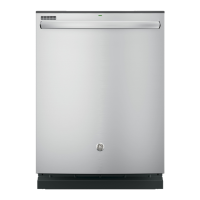
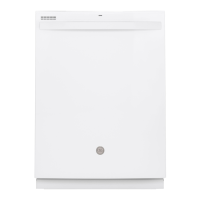
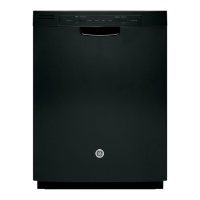
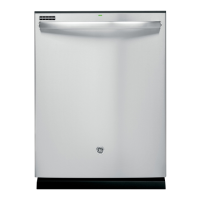
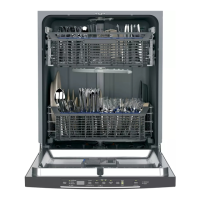
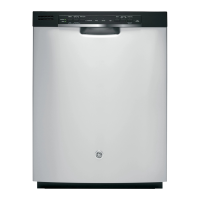
FRONT CONTROL MODELS TOP CONTROL MODELS

Questions and Answers

  • I
    igainesSep 12, 2025
    How to remove black marks from dishes in my GE Dishwasher?
    • D
      Denise JosephSep 12, 2025
      If you notice black or gray marks on dishes in your GE Dishwasher, it's likely due to aluminum utensils rubbing against the dishes. Remove the marks with a mild, abrasive cleaner.
  • S
    Samantha CastroAug 25, 2025
    Why is there water standing in the bottom of my GE Dishwasher?
    • R
      Rebecca FosterAug 25, 2025
      If water is standing in the bottom of the tub of your GE Dishwasher, the air gap might be clogged; clean the air gap, see the Care and Cleaning section. Also, check if a high drain loop or air gap is not installed; refer to the Installation Instructions for proper drain line installation.
  • I
    Ian TaylorAug 26, 2025
    What to do if my GE GDT535 Dishwasher won’t run?
    • N
      Natalie CoxAug 27, 2025
      If your GE Dishwasher won’t run, there are a few things to check. First, see if a fuse is blown or a circuit breaker is tripped; replace the fuse or reset the circuit breaker and remove any other appliances from the circuit. Also, in some installations, the power to the dishwasher is provided through a wall switch; make sure it is on. Finally, the control panel might be locked; unlock the control panel, see the Getting started section.
  • N
    Nicole BridgesAug 28, 2025
    What to do if water won’t pump out of my GE GDT535 Dishwasher?
    • C
      cooksarahAug 28, 2025
      If water won’t pump out of the tub of your GE Dishwasher, the drain is likely clogged. If you have an air gap, clean it, see the Care and Cleaning section. If the dishwasher drains into a disposer, run disposer clear.
  • M
    Michael GouldAug 29, 2025
    Why is my GE GDT535 not filling with water?
    • S
      sheathAug 29, 2025
      If the control panel of your GE Dishwasher responds to inputs but the dishwasher never fills with water, the door may not be completely closed; make sure the door is firmly closed. Also, the water valve may be turned off; make sure the water valve (usually located under the sink) is turned on. The flood float may be stuck; remove the Ultra-Fine Filter assembly and lightly tap the piece under the ultra fine filter assembly that looks like a dome, then replace the filter.
  • F
    flopezAug 31, 2025
    Why does my GE GDT535 beep every minute?
    • S
      stephanie18Aug 31, 2025
      The beeping every minute on your GE Dishwasher is a reminder that the door has been left open during operation. Press Start and close the door to stop the beeping.
  • R
    robinsonstephanieNov 20, 2025
    Why are my dishes and flatware not clean in my GE Dishwasher?
    • S
      Sarah WatsonNov 20, 2025
      If your dishes and flatware aren't getting clean in your GE Dishwasher, several factors could be at play. The Ultra-Fine Filter assembly or Fine Filter might be clogged; consult the Care and Cleaning section for guidance. Ensure your inlet water temperature is correct by running the hot water faucet nearest the dishwasher until the temperature stops rising before starting the dishwasher. Low water pressure could also be the culprit, so check if water is coming out of your faucet more slowly than usual and wait until the pressure is normal (20-120 psi). Other potential issues include a clogged air gap or disposer (clean them), improper rack loading (ensure large dishware isn't blocking the detergent dispenser or wash arms), or a poor-performing detergent (try a highly rated detergent such a...
  • D
    David StoneSep 13, 2025
    Why does my GE GDT535 Dishwasher have long cycle times?
    • R
      richardbrownSep 13, 2025
      Long cycle times are normal for GE Dishwashers. The dishwasher washes by alternating mid and lower spray arms. For the best wash and dry performance, allow the cycle to complete. Also, the turbidity sensor senses how much soil is on the dishes. Heavily soiled dish loads will add more time to the cycle. This is a normal function; for best wash and dry performance, allow the cycle to complete.
  • S
    Susan FisherSep 10, 2025
    How to remove a white film from my GE GDT535 Dishwasher?
    • J
      James WilliamsSep 10, 2025
      To remove the white film, run your dishes through a dishwasher cycle with citric acid. This problem is likely caused by a low quality phosphate-free dishwasher detergent.
  • H
    huffdavidSep 6, 2025
    Why is there cloudiness on glassware after washing in my GE GDT535 Dishwasher?
    • J
      Judith Williams MDSep 7, 2025
      Cloudiness on glassware in your GE Dishwasher can stem from a few causes. A combination of soft water and too much detergent can lead to etching, which is permanent; use less detergent if you have soft water and wash glassware in the shortest cycle possible. Another cause could be low-performing phosphate-free detergent; see A white film on glassware, dishware and the interior in this TROUBLESHOOTING section. Finally, water temperature entering the dishwasher exceeding 150°F (66°C) can contribute; lower the water heater temperature.

Summary

Safety Information

General Safety Warnings and Precautions

Essential safety guidelines for operation, installation, and maintenance to prevent hazards.

Using the Dishwasher

Getting Started: Basic Dishwasher Operation

Initial setup and step-by-step guide for using the dishwasher.

Dispensers: Detergent and Rinse Aid

Instructions for filling and using the detergent and rinse aid dispensers.

Appliance Communication and WiFi Connect

Details on smart features, WiFi connectivity, and remote monitoring capabilities.

Dishwasher Loading Guidelines

Best practices for loading upper rack, lower rack, and silverware for optimal washing.

Care and Cleaning

Cleaning Dishwasher Exterior and Interior

How to clean the control panel, door surfaces, and the dishwasher interior.

Filter Maintenance and Cleaning Procedures

Guide to cleaning the ultra-fine filter and fine filter assemblies for optimal performance.

Protection and Air Gap Maintenance

Tips for preventing freezing and cleaning the air gap device for proper drainage.

Troubleshooting Common Issues

Basic Troubleshooting: Lights, Beeps, and Cleaning

Solutions for common problems like flashing lights, beeping, and poor wash results.

Advanced Troubleshooting: Suds, Drying, and Cycles

Addressing issues like suds, drying performance, long cycle times, and water fill problems.

Specific Troubleshooting: Stains, Power, and Drainage

Resolving specific issues such as tub stains, power failures, control panel lockouts, and drainage.

Troubleshooting Noise and Film Issues

Guidance on resolving operational noise and white film on dishes and interior.

Limited Warranty Information

GE Appliances Dishwasher Warranty Coverage

Details on warranty period, covered parts, exclusions, and service.

Consumer Support and Resources

GE Appliances Customer Support Channels

How to get help, register appliances, schedule service, and find parts.

GE GDT535 Series Specifications

General IconGeneral
TypeBuilt-In
Capacity16 Place Settings
Drying SystemHeated Dry
Control TypeElectronic
Energy Star CertifiedYes
Soil SensorYes
Third RackYes
ColorStainless Steel
FeaturesDelay Start, Sanitize
Wash Cycles5 (AutoSense, Heavy, Normal, Light, Rinse)
Number of Options6 (Delay Start, Sanitize, Heated Dry, Hi-Temp Wash, Control Lock, Wash Zone Lower Only)

Related product manuals