EasyManua.ls Logo

GE GFP1528 - User Manual

GE GFP1528
12 pages
Print Icon
To Next Page IconTo Next Page
Loading...
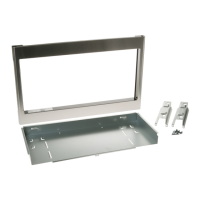
KIT CONTAINS
If you have any questions, call GE Appliances at 800.GE.CARES
(800.432.2737)
or visit our Website at: GEAppliances.com
In Canada, call 800.561.3344
or visit GEAppliances.ca
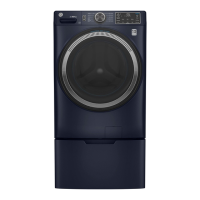
Pedestal/Riser Kit
GFP1528/GFR0728
Installation
Instructions
31-3000210 Rev. 2 04-20 GEA
TOOLS YOU WILL NEED
ʄ
Safety Glasses
ʄ
1/4" Socket & Nut Driver
ʄ
5/8" Open end wrench
ʄ
Gloves
ʄ
Level
Rear Front
IMPORTANT: Shipping bolts should remain in
place during installation.
ʄ
Pedestal or Riser
ʄ
Pedestal or Riser Brackets -
2 each
ʄ
Drawer Divider
(Pedestal Kit Only)
Rear Front
ʄ
Washer/Dryer Brackets - 2 each
ʄ
Installation Screws
(#8-18 x 7/16) - 22
Or
Question and Answer IconNeed help?

Do you have a question about the GE GFP1528 and is the answer not in the manual?

Summary

Prepare the Pedestal;Riser

Install Rear Pedestal;Riser Brackets

Attach rear brackets for different washer/dryer sizes according to diagrams.

Install Front Pedestal Brackets

Install front pedestal/riser brackets onto both sides of the unit.

Prepare the Unit

Install Washer;Dryer Brackets

Lay unit on its back and install front/rear brackets on the bottom.

Attach Pedestal;Riser to Unit

Join Rear Brackets

Connect rear brackets of pedestal/riser to appliance rear brackets with screws.

Level the Washer or Dryer

Install legs, stand unit upright, and level using a wrench.

Join Front Brackets

Fasten screws between front brackets of pedestal/riser and appliance.

Washing Machine Only: Remove Shipping Screws

Remove the four shipping bolts located on the back side of the unit.

Finalize the Installation

Refer to the washer or dryer installation instructions to complete.

GE GFP1528 Specifications

General IconGeneral
BrandGE
ModelGFP1528
CategoryRacks & Stands
LanguageEnglish

Related product manuals