EasyManua.ls Logo

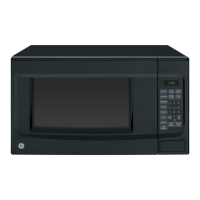
GE JES1095 - User Manual

GE JES1095
40 pages
Print Icon
To Next Page IconTo Next Page
Loading...
Write the model and serial
numbers here:
Model # _________________
Serial # _________________
You can find them on a label
inside the oven.
OWNER’S MANUAL
MICROWAVE OVEN
49-40783-1 05-18 GEA
JES1095
SAFETY INFORMATION .........3
USING YOUR OVEN
Features ..............................6
Controls ..............................7
Power Levels ..........................8
Time and Auto Features ................9
Other Features .......................15
Microwave Terms .....................16
CARE AND CLEANING ..........17
TROUBLESHOOTING ............18
Things that are Normal ................18
CONSUMER SUPPORT
Limited Warranty .....................19
Consumer Support ................... 20
GE is a trademark of the General Electric Company. Manufactured under trademark license.

Questions and Answers

  • B
    Brandon PatrickJul 27, 2025
    What to do if my GE Microwave Oven will not come on?
    • M
      myersyvetteJul 27, 2025
      If your GE microwave oven isn't turning on, try these steps: * Check your home's fuse box or circuit breaker. A blown fuse or tripped breaker can prevent the oven from powering on. Replace the fuse or reset the breaker. * Unplug the microwave oven and then plug it back in. * Ensure the 3-prong plug on the oven is fully inserted into the wall receptacle.
  • B
    Brandon GoldenAug 1, 2025
    What does 'F3' mean on my GE JES1095 Microwave Oven display and how to fix it?
    • N
      Nathan WrightAug 1, 2025
      If you see 'F3' on your GE microwave oven display, it means a key has been activated for more than 60 seconds. Press Cancel/Off to clear the display. This can occur if liquid is present on the control panel, so thoroughly dry the control panel after cleaning.
  • S
    Stephanie SanchezAug 6, 2025
    What to do if 'FOOD' appears on the display of my GE JES1095?
    • R
      Richard RoseAug 7, 2025
      If 'FOOD' appears on the display of your GE microwave oven, it means the control detected that the door has not been opened (food/beverage has not been placed inside). Open the door and place food or a beverage inside.
  • K
    Kayla HallAug 11, 2025
    What does 'LOC' mean on my GE Microwave Oven display?
    • A
      April ConleyAug 11, 2025
      If 'LOC' appears on the display of your GE microwave oven, the control panel has been locked. To unlock it, press and hold the Cancel/Off button for about 3 seconds.
  • A
    Alexandra FreemanAug 16, 2025
    What does 'PF' mean on my GE Microwave Oven display?
    • D
      Dana LynchAug 16, 2025
      If 'PF' is displayed on your GE microwave oven, it indicates that a power failure has occurred. Simply press the Cancel/Off button to clear the display.
  • R
    Rachael PachecoAug 21, 2025
    Why GE Microwave Oven control panel is lighted, yet oven will not start?
    • R
      Russell PattersonAug 21, 2025
      There are several reasons why your GE microwave oven's control panel might be lit, but the oven isn't starting: * The door may not be securely closed; ensure it's properly shut. * You may need to press Start/Pause after making your cooking selection. * Another selection might already be active; press Cancel/Off to clear it. * If you pressed Cook Time, ensure you've entered the cooking duration. * You might have accidentally pressed Cancel/Off; reset your cooking program and press Start/Pause. * If you pressed Defrost Weight, confirm you've entered the food's weight. * The oven could have been accidentally paused; press Start/Pause to resume cooking.

Summary

SAFETY INFORMATION

IMPORTANT SAFETY INSTRUCTIONS

Crucial instructions and warnings for safe appliance operation and usage.

PRECAUTIONS TO AVOID POSSIBLE EXPOSURE TO EXCESSIVE MICROWAVE ENERGY

Specific guidelines to prevent harmful exposure to microwave energy during operation.

GROUNDING INSTRUCTIONS

Details on proper electrical grounding to prevent shock hazards.

USING YOUR OVEN

Features

Identifies physical components and specifications of the microwave oven.

Controls

Overview of the control panel layout and available buttons for operation.

Power Level

Explanation of how to select and use different microwave power levels for cooking.

Cook Time and Multi-Stage Cooking

Instructions on setting cooking durations and programming multi-stage cooking.

Time and Weight Defrost

Procedures for defrosting food using set time or weight, including conversion guide.

Defrosting Guide

A table providing recommended defrosting times and methods for various food types.

Express Cook and Add 30 Sec

Quick methods to set cooking times and add increments for faster operation.

Preset Cooking Programs

Guides for using specific presets like Dinner Plate, Pizza, Reheat, Potato, Popcorn, Beverage, and Vegetable.

Other Features

Explains additional functions like reminders, lock controls, and clock settings.

Microwave Terms

Definitions of common terms used in microwave oven operation.

CARE AND CLEANING

Helpful Hints

General advice for maintaining the microwave oven's freshness and cleanliness.

Interior Cleaning

Detailed steps for cleaning the oven's interior surfaces and parts.

Exterior Cleaning

Instructions for cleaning the exterior case, control panel, door, and power cord.

TROUBLESHOOTING

Troubleshooting Tips

A table listing common problems and their potential causes and solutions.

Normal Operational Characteristics

Identifies normal operational sounds, lights, and vapor emissions to avoid confusion.

FCC Interference Statement

Regulatory information regarding radio frequency interference compliance.

CONSUMER SUPPORT

Limited Warranty Information

Details of the product's one-year limited warranty coverage and claim process.

Customer Assistance and Service

Information on how to get assistance, register the appliance, and schedule service.

GE JES1095 Specifications

General IconGeneral
TypeCountertop
Capacity0.9 cu. ft.
Power Output900 Watts
TurntableYes
Cooking ModesDefrost, Reheat
Turntable Diameter10.6 inches
ColorWhite, Black

Related product manuals