EasyManua.ls Logo

GE JES1142 - User Manual

GE JES1142
24 pages
Print Icon
To Next Page IconTo Next Page
Loading...
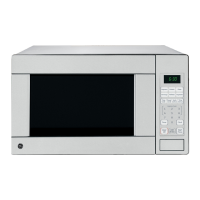
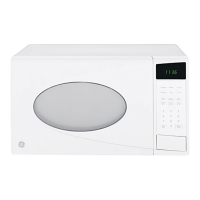
Microwave Oven
3513913700 49-40495 01-06 JR
JES1142
Owner’s Manual
ge.com
Safety Instructions . . . . . . . .2–6
Operating Instructions
Convenience Features . . . .13–15
Microwave Terms . . . . . . . . . . .18
Oven Features . . . . . . . . . . . .7, 8
Other Features . . . . . . . . . .16, 17
Power Levels . . . . . . . . . . . . . . .9
Time Features . . . . . . . . . .10–12
Care and Cleaning . . . . . . . .19
Troubleshooting Tips . . . . . .20
Things That Are Normal . . . . .20
Consumer Support
Consumer Support . . .Back Cover
Product Registration . . . . . .21, 22
Warranty . . . . . . . . . . . . . . . . .23
Write the model and serial
numbers here:
Model # __________________
Serial # __________________
You can find them on a label inside
the oven.

Questions and Answers

  • Z
    Zachary MurphyJul 30, 2025
    Why won't my GE JES1142 start?
    • P
      Phillip ReedJul 30, 2025
      Several factors can prevent your GE microwave oven from starting. It could be a blown fuse or tripped circuit breaker in your home, so replace the fuse or reset the circuit breaker. A power surge might be the cause; unplug the microwave, and then plug it back in. Also, ensure the 3-prong plug is fully inserted into the wall outlet. Lastly, the door might not be securely closed; open it and close it firmly.
  • S
    Shelby RobinsonAug 4, 2025
    What to do if the control panel is lighted, but my GE JES1142 won't start?
    • M
      Michael Wilson MDAug 5, 2025
      If the control panel is lit but your GE microwave oven isn't starting, there might be a few reasons. First, make sure the door is securely closed. If it is, ensure you've pressed the START pad after making your cooking selection. Also, check if another selection is already entered; if so, press PAUSE/CANCEL to clear it. Finally, if you accidentally pressed PAUSE/CANCEL, reset the cooking program and press START again.
  • C
    Christine BlackburnAug 11, 2025
    How to unlock the control on my GE JES1142?
    • D
      Donald NixonAug 11, 2025
      If the microwave oven control is not working, it may be locked. To unlock it, press and hold the PAUSE/CANCEL button for about three seconds.
  • C
    Christopher StephensAug 16, 2025
    What to do if the control panel is lighted, yet GE Microwave Oven will not start?
    • P
      Patrick ByrdAug 16, 2025
      If the control panel of your GE Microwave Oven is lit but the oven isn't starting, consider these possibilities: * Ensure the door is securely closed. * After making a cooking selection, be sure to press the START pad. * If another selection is already in the oven, press PAUSE/CLEAR to cancel it. * If you've accidentally pressed PAUSE/CLEAR, reset the cooking program and press START.
  • L
    Laurie BlakeAug 22, 2025
    How to unlock the control on a GE JES1142 Microwave Oven?
    • F
      francisandrewAug 22, 2025
      If the control on your GE Microwave Oven isn't working, it might be locked. To unlock it, press and hold the PAUSE/CLEAR button for about three seconds.

Summary

Safety Instructions

Important Safety Instructions

Essential safety information and precautions for using the microwave oven.

Precautions to Avoid Possible Exposure to Excessive Microwave Energy

Precautions for safe operation and avoiding microwave energy exposure.

Arcing, Food, and Water Safety

Safety warnings regarding arcing, food preparation, and heating liquids.

Microwave-Safe Cookware Guidelines

Guidelines and tests for identifying microwave-safe cookware.

Grounding and Extension Cord Safety

Safety requirements for grounding, adapter plugs, and extension cords.

Operating Instructions

Oven Features and Components

Description of the microwave oven's physical features and components.

Cooking Controls and Power Levels

Explanation of control panel, cooking functions, and power level adjustments.

Time, Defrost, and Convenience Features

Instructions for Time Cook, defrosting, and convenience features.

Other Operating Functions

Setting the clock, pause/clear, child lock-out, and kitchen timer.

Troubleshooting Tips

Troubleshooting Common Problems

Solutions for common oven issues like 'Oven will not start'.

Normal Oven Operations

Understanding normal sounds and conditions like steam or light reflection.

Consumer Support

GE Service Protection Plus Information

Details about GE's extended warranty and service protection plans.

Product Ownership Registration

Instructions for registering your appliance for warranty and service.

GE Microwave Oven Limited Warranty

Explanation of the limited warranty coverage for the microwave oven.

Consumer Support Resources and Contact

Overview of support services, website, and contact information.

GE JES1142 Specifications

General IconGeneral
TypeCountertop
Capacity1.1 cu. ft.
Wattage1000 Watts
TurntableYes
DisplayDigital
Cooking PresetsYes
Control TypeElectronic Touch

Related product manuals