EasyManua.ls Logo

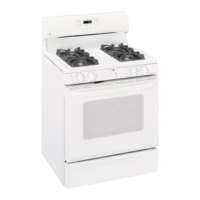
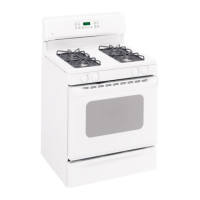
GE JGBP28 - User Manual

GE JGBP28
208 pages
Print Icon
To Next Page IconTo Next Page
Loading...
0
GEAppliances.com
am
Safety Instructions ...... 2-7
Operating Instructions
Aluminum Foil................. 13
Clock and Timer ........... 15, 16
Oven ...................... 10-25
Baking and Roasting ......... 13
Broiling, Broiling Guide ....... 14
Oven Control ............. 10, 11
Power Outage ........... 12, 16
Preheating ................... 13
Sabbath Feature ......... 19, 20
Self-Cleaning ............. 24, 25
Special Features ............. 18
Thermostat Adjustment ...... 21
Timed Baking
and Roasting ................ 17
Surface Cooking ............. 8, 9
Worming Drawer ......... 22, 23
Care and Cleaning
Burner Assembly .......... 27-28
Burner Grates ................. 26
Control Panel and Knobs ...... 32
Cooktop Surface .............. 29
Door Removal ................. 30
Kick Panel ..................... 31
Lift-Up Cooktop ............... 29
Oven Bottom .................. 30
Oven Light Replacement ...... 32
Oven Vents .................... 29
Self-Cleaning .............. 24, 25
Racks ......................... 32
St(]inless Steel Surfaces ....... 29
Storage Drawer ............... 31
Worming Drawer ............. 31
Installation
Instructions ............ 33-44
Air Adjustment ................ 43
Anti-Tip Device ............ 36, 44
Checking Burner Ignition ...... 42
Connecting the Range
to Gas .................... 37-40
Dimensions and Clearances... 35
Electrical Connections .... 41, 42
Leveling the Range............ 43
Locution ...................... 37
LP ............................. 44
Troubleshooting
Tips ...................... 45-48
Accessories ................ 49
Consumer Support
Consumer
Support .............. Back Cover
Warranty for Customers
in Canada ..................... 51
Warranty for Customers
in the USA .................... S0
JGB3000
JGB3001
JGB281
JGB300
JGB400
JGBP25
JGBP26
JGBP27
JGBP28
JGBP29
JGBP33
JGB280
JGB290
RGB790
In Canada contact us at:
www. GEAppliances.ca
Write the model and serial
numbers here:
Model #
Serial #
You can find them on c]label
on the front of the range behind
the warming drawer, storage
drawer or kick panel.
49-8519408-10 GE


Other manuals for GE JGBP28

Questions and Answers

  • R
    rothkelliAug 25, 2025
    What to do if my GE JGBP28 Ranges oven door will not open after a clean cycle?
    • G
      Gerald ClarkAug 26, 2025
      If the oven door on your GE Ranges won't open after a clean cycle, the oven may still be too hot. Allow the oven to cool below the locking temperature.
  • L
    Lori HumphreyAug 26, 2025
    What to do if my GE JGBP28 Ranges oven door will not unlock?
    • T
      Troy JacksonAug 26, 2025
      If the oven door on your GE Ranges won't unlock, it might be too hot. Allow the oven to cool below the locking temperature. Also, avoid locking the door with the door latch unless you are using the self-clean feature.
  • N
    noah16Aug 27, 2025
    Why my GE JGBP28 Ranges clock and timer do not work?
    • S
      Sarah BrewerAug 27, 2025
      If the clock and timer on your GE Ranges aren't working, ensure the range is fully plugged into a properly grounded electrical outlet. Also, check your home's fuse box or circuit breaker; a blown fuse or tripped breaker can cause this issue. Replace the fuse or reset the circuit breaker if necessary.
  • B
    Benjamin BushAug 27, 2025
    What to do if GE JGBP28 oven will not self-clean?
    • A
      Ann GalvanAug 27, 2025
      If your GE Ranges oven isn't self-cleaning, ensure the oven has cooled to room temperature before starting the self-clean cycle. Also, on models with a door latch, make sure the oven door is fully locked by moving the door latch handle all the way to the right. If these steps do not work, consult the Using the self-cleaning oven section.
  • C
    Cody MoralesAug 28, 2025
    Why is my GE Ranges food not baking properly?
    • S
      Shannon CareyAug 28, 2025
      If food isn't baking or roasting properly in your GE Ranges, several factors could be the cause. First, make sure the oven controls are properly set by referring to the 'Using the oven' section. Other potential issues include incorrect shelf position, using incorrect cookware or cookware of an improper size, needing to adjust the oven thermostat, not setting the clock correctly, improper use of aluminum foil, or the oven bottom not being securely seated. Refer to the relevant sections in the manual for guidance.
  • J
    jessica62Aug 29, 2025
    Why is my GE JGBP28 Ranges oven temperature too hot or cold?
    • C
      Christopher LinAug 29, 2025
      If your GE Ranges oven temperature is too hot or too cold, the oven thermostat may need adjustment. Please refer to the 'Adjust the oven thermostat—Do it yourself!' section for instructions.
  • B
    Brandon CervantesAug 30, 2025
    Why does my GE JGBP28 Ranges display flash?
    • M
      margaretlarsenAug 30, 2025
      If the display on your GE Ranges flashes, it usually indicates a power failure. Reset the clock.
  • D
    druizAug 23, 2025
    What to do if my GE JGBP28 clock and timer do not work?
    • G
      ggallowayAug 23, 2025
      If the clock and timer on your GE Ranges aren't working, first ensure the range is fully plugged into a properly grounded electrical outlet. Also, check your home's fuse box or circuit breaker and replace the fuse or reset the breaker if necessary. If these steps don't resolve the issue, consult the 'Using the clock and timer' section for instructions on how to properly set the oven controls.
  • C
    Cheryl MaciasAug 31, 2025
    What to do if my GE JGBP28 surface burners light but the oven does not?
    • K
      Kristin OwensSep 1, 2025
      If the surface burners on your GE Ranges light but the oven does not, the oven gas shut-off valve may have been accidentally moved during cleaning or moving. On sealed burner models, remove the warming drawer, storage drawer, or kick panel and check for the gas shut-off lever at the back of the range. On standard twin burner models, raise the cooktop and look for the gas shut-off lever at the extreme right rear corner.
  • V
    Vanessa MitchellSep 1, 2025
    Why does my GE Ranges clock flash after a power outage?
    • T
      tracy75Sep 1, 2025
      If the clock on your GE Ranges flashes after a power outage or surge, reset the clock. If the oven was in use, you must reset it by touching the Clear/Off pad, setting the clock, and resetting any cooking function.

Summary

Safety Instructions

What to Do If You Smell Gas

Crucial safety steps for gas leaks, including immediate actions to take.

Anti-Tip Device

Essential safety measure to prevent appliance tipping and related injuries.

Operating Instructions

Using the Gas Surface Burners

Instructions for safe and effective use of cooktop burners.

Oven Controls, Clock and Timer Features and Settings

Detailed explanation of oven control panel functions and timer settings.

Using the Oven

General guidance on oven operation, including vents and power outages.

Using the Sabbath Feature

Instructions for operating the oven during religious observances.

Using the Warming Drawer

How to properly use and maintain the warming drawer for food.

Care and Cleaning

Burner Grates

Cleaning instructions for burner grates and drip pans.

Standard Twin Burner Assemblies

Cleaning guide for standard twin burner assemblies.

Lift-Off Oven Door

Procedure for removing and cleaning the oven door.

Lower Control Panel (Front Manifold Panel) and Knobs

Cleaning the appliance's control interface and knobs.

Installation Instructions

Before You Begin

Crucial pre-installation checks and safety information.

Connect the Range to Gas

Step-by-step guide for safe gas line connection.

Electrical Connections

Requirements and safety for appliance power connection.

Installing the Anti-Tip Device

Mandatory safety step to secure the range against tipping.

Troubleshooting Tips

Top burners do not light or do not burn evenly

Diagnosing and resolving burner ignition and performance issues.

Food does not bake or roast properly

Addressing common issues with oven baking and roasting performance.

Oven will not self-clean

Troubleshooting problems preventing the self-cleaning cycle.

Accessories

Broiler Pan Order Form

Form for ordering specific broiler pan accessories.

Consumer Support

GE Appliances Website

Information on accessing online resources and customer support.

GE Gas Range Warranty (For customers in the United States)

Details of the product warranty coverage for US customers.

GE Gas Range Warranty (For customers in Canada)

Details of the product warranty coverage for Canadian customers.

GE JGBP28 Specifications

General IconGeneral
TypeFreestanding
Number of Burners4
Oven Capacity4.8 cu. ft.
Control TypeKnobs
Ignition TypeElectronic
Self-CleaningYes
Fuel TypeGas
Cooktop SurfacePorcelain
Width30 in
ColorStainless Steel
Dimensions (H x W x D)30 in

Related product manuals