Need help?
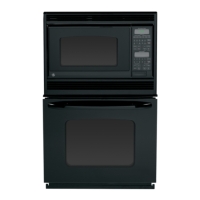
Do you have a question about the GE JKP26 and is the answer not in the manual?
Guidelines for safe handling and cleaning of the oven door and gasket.
Instructions and precautions for operating the self-cleaning function of the oven.
Details on oven knobs, clock, timer, and lighting controls.
Information on oven shelves, door, gasket, vent, and elements.
Location of model/serial numbers and automatic door latch.
Explains the purpose and operation of various control panel buttons like CLEAR/OFF, TIMER, CLOCK, etc.
Describes the meaning of display messages and function indicators.
Step-by-step guide to setting the oven's clock.
Instructions for setting and using the oven timer function.
Explains display messages and how power outages affect the oven.
Recommendations for first-time oven use and familiarization.
How the oven lights operate in single and double oven models.
Instructions for using the oven temperature probe for cooking.
Details on oven shelf design, stop-locks, and how to remove/replace them.
Guidance on optimal shelf positions for various cooking tasks.
Explanation of the automatic shut-off safety feature for extended periods.
How to set the oven temperature and start the baking process.
Chart for suggested shelf positions based on food type for baking.
Instructions for baking or roasting using knob-controlled ovens.
Guidance on when and how to preheat the oven for baking.
Advice on choosing the right baking pans for optimal browning.
How to position pans in the oven for even cooking and browning.
Guidelines on using aluminum foil correctly during baking to avoid affecting heat circulation.
How to set the oven for immediate start and automatic stop after cooking.
Step-by-step process to set a delayed start time for baking.
Instructions for adjusting the oven thermostat using touch pads.
Guide for adjusting the oven thermostat on models with control knobs.
How to set up and perform roasting using the oven controls.
Using aluminum foil to line the broiler pan for easier cleanup during roasting.
Necessity and method of using a meat thermometer for doneness.
A table providing roasting temperatures and times for various meats and poultry.
How to prepare and perform broiling for optimal results.
Instructions for using the broil function with touch pads.
Proper use of aluminum foil on broiler pans and racks to ensure correct broiling.
Detailed table of food types, positions, times, and comments for broiling.
Steps to prepare the oven before starting a self-cleaning cycle.
How to initiate and set the duration for the self-cleaning cycle.
Procedure to stop or cancel an active self-cleaning cycle.
How to schedule the self-cleaning cycle to start at a later time.
What to expect and do after the self-cleaning cycle is complete.
Addresses odors, sounds, ash, and shelf issues during self-cleaning.
Instructions for cleaning the bake and broil elements.
Methods for cleaning oven shelves, including potential self-cleaning effects.
How to clean the broiler pan and rack, including dishwasher use.
Step-by-step guide for replacing the oven light bulb.
Instructions for removing and cleaning the lift-off oven door for single/upper ovens.
Specific guidance for cleaning the lift-off oven door on lower ovens.
Tips for cleaning and maintaining the porcelain enamel interior.
How to clean the oven window and painted exterior surfaces.
Cleaning instructions for the control panel and removable knobs.
Solutions for error codes like "F-AND-A-NUMBER" and "door" messages.
Diagnosing issues with the oven not turning on or the light not working.
Addressing problems with broiling, roasting, baking, and temperature accuracy.
Resolving issues related to self-cleaning cycles and unusual odors.
Information on scheduling expert repair service for GE appliances.
Details on contacting the GE Answer Center for questions and assistance.
Information on obtaining Braille controls and TDD/TTY services.
Options for purchasing service contracts and ordering replacement parts.
Details of the one-year limited warranty for manufacturing defects.
Exclusions from warranty coverage, including improper installation and misuse.
 General
| Brand | GE |
|---|---|
| Model | JKP26 |
| Fuel Type | Electric |
| Oven Capacity | 4.4 cu. ft. |
| Self-Cleaning | Yes |
| Convection Cooking | No |
| Control Type | Electronic |
| Number of Oven Racks | 2 |
| Type | Oven |


 To Next Page