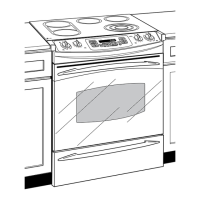
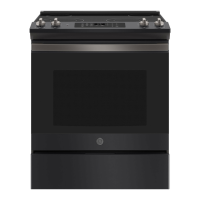
Usingthe ovencontrols.
(Throughout this manual, features and appearance may vary from your model.)
0--
Features and appearance may varl4
10
OvenControl Clockand TimerFeaturesandSettings
BAKE Pad
Touch to select tile bake flUlCfion.
OVENLIGHTON/OFFPad
Touch to turn tile o_en light on or off.
BROIL HI/LO Pad @
Touch to select tile 1)roll flUlCfion.
CONVECTIONBAKEMULTI/1RACKPad
Touch to select baking with tile con',ection
fiulction.
CONVECTIONROAST Pad
Touch to select roasting with tile
conx ecti(in ttlnctioil.
PROOFPad
Totl(h to select a wann environillent tlseltil
for IiSiIlg yeast-leaxened products.
STARTPad
Must be touched to staIl }lIl} cooking or
cleaning flinction.
D&play
Shows tile time of day, oven tenlperature,
whether tile oven is in tile bake, broil or
self:cleaning nlode and tile times set for
tile [iIller or atltOIllatic ()veil opei'ations.
If "F- and a number or letter" flash in the display and
the oven control signals, this indicates a function
error code. Touchthe CLEAR/OFFpad Allow the oven to
coolfor onehour Put the ovenbackinto operation. If the
function errorcoderepeats,disconnect thepower to the
ovenand call for service.
If your oven was set for a timed oven operation
and a power outage occurred, the dock and all
programmedfunctions must bereset
The time of day will flash in the display when there
has been a power outage.
SELFCLEANLO/STD Pad
Touch to select self:cleaning tml('fion. See
tile Usingthe self-cleaning oven section.
0
0
0
DELAYSTARTPad
Use along with COOK TIMEor
SELFCLEANLO/STDpads to set tile oven
to start and stop automatically at a tinie
VO/I set.
COOKTIMEPad
Totl('h and then totl('h tile ntli/lber pads to
set tile }lIlIO/Int 01[ [lille veil w}lnt v()/li" l()od
to cook. Tile oven will shtIt off w]'|en tile
cooking tiIne has run out.
CLEAR/OFFPad
Touch to cancel ALLoven operations
except tile clock and tiIneI:
CLOCKPad
Touch before setting tile clock.
Number Pads
Use to set anv filn(-tion I'eqtliIJng ntlll/bei's
such as tile tiIne _ff day Oil tile clock, tile
tiIneI; tile oven tenlperature, tile internal
toed ten/perature, tile start tiine and
length (:4 operation for finied baking
and self:cleaning.
KITCHENTIMER ON/OFFPad
Touch to select tile tiiner teatuI'e.
PROBEPad
Touch when using tile pI'obe to cook load.
WARM Pad
Touch to kee I) cooked foods wamI. See tile
Howto Set the Ovenfor Warmingsection.
WARMING ZONE Pad
Tou('h this pad when using tile center
sui'lilce unit to keep load waml until ready
to seiwe.



 To Next Page