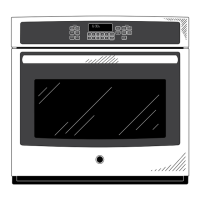
To Next Page
D
dawn77Sep 8, 2025
How to fix a GE JT5500SFSS light that does not work?
- Ssabrina56Sep 8, 2025
If your oven light isn't working, the light bulb may be loose or defective. Try tightening or replacing the bulb.

How to fix a GE JT5500SFSS light that does not work?
If your oven light isn't working, the light bulb may be loose or defective. Try tightening or replacing the bulb.
What to do if my GE JT5500SFSS Oven is smoking excessively during the clean cycle?
Excessive smoking during the clean cycle is often due to excessive soil or grease. Press the Cancel/Off pad, open the windows to rid the room of smoke, wait until the LOCKED light goes off, wipe up the excess soil, and then reset the clean cycle.
Why won't my GE Oven self-clean?
If your oven won't self-clean, it could be due to: * The temperature being too high. Allow the oven to cool and reset the controls. * Improperly set oven controls.
Why is my GE Oven not clean after running a clean cycle?
If your oven isn't clean after a clean cycle, it could be due to: * Improperly set oven controls. * The oven being heavily soiled. Clean up heavy spillovers before starting the clean cycle. Heavily soiled ovens may need to self-clean again or for a longer period of time.
Why does "LOCK DOOR" flash on my GE JT5500SFSS Oven display?
The "LOCK DOOR" message flashes when the self-clean cycle has been selected, but the door is not closed. Simply close the oven door.
Why does the glass on my GE JT5500SFSS Oven door appear tinted or have a rainbow color?
The inner oven glass is coated with a heat barrier to reflect the heat back into the oven to prevent heat loss and keep the outer door cool while baking. This is normal. Under certain light or angles, you may see this tint or rainbow color.
Why does my GE JT5500SFSS Oven have a strong odor when it's new?
An odor from the insulation around the inside of the oven is normal for the first few times the oven is used. This is temporary and will go away after several uses or a self-clean cycle.
Why is there fan noise coming from my GE JT5500SFSS Oven?
A cooling fan may automatically turn on to cool internal parts. This is normal. The cooling fan may run for up to 1-1/2 hours after the oven is turned off.
Why does my GE Oven sometimes take longer to preheat to the same temperature?
Several factors can affect preheating time: * Cookware or food in the oven will cause it to take longer to preheat. Remove items to reduce preheat time. * Adding more racks to the oven will increase preheat time. Remove some racks. * Different cooking modes use different preheat methods. Some modes will take longer than others (i.e., convection bake multi).
Why are the clock and timer not working on my GE JT5500SFSS?
If the clock and timer aren't working, a fuse in your home may be blown, or the circuit breaker tripped. Replace the fuse or reset the circuit breaker.
General safety guidelines and warnings for oven operation.
Warning about chemicals known to cause cancer or reproductive harm.
Precautions regarding flammable materials and fire prevention.
Safe practices for oven use, door operation, and self-cleaning.
Details on how the oven's remote enable equipment complies with FCC rules.
Covers the terms, conditions, and coverage of the GE electric range warranty.
Outlines what is not covered by the warranty and limitations on implied warranties.
Information on purchasing extended warranty plans for additional coverage.
Information on how to schedule service and contact GE for assistance.
Details on how to purchase replacement parts and available accessories.
Instructions for safely removing protective shipping materials from the appliance.
How to choose between convection and traditional cooking modes.
Using clock, timer, probe, light, remote, and lock controls.
Choosing upper/lower oven and convection/traditional cooking modes.
Using timer, clock, probe, light, remote, and lock controls for double ovens.
How to access, change, and set various special features like temp offset and tone.
Explanations of features like Auto Recipe Conversion, 12hr Shutoff, Sabbath mode, and Default reset.
Detailed operation of temperature adjustment and the notification light bar.
Step-by-step guide for enabling and using Sabbath mode.
Recommended rack positions for baking and roasting results.
Instructions for removing, replacing, and lubricating extension racks.
How to use traditional flat racks and their removal/replacement.
Important warnings about placing items on the oven floor and using aluminum foil.
Explains convection and traditional bake/roast modes for various cooking needs.
Details traditional and convection broil modes for searing and browning foods.
Guides on using proof, warm, and probe modes for specific cooking tasks.
Advice on choosing appropriate cookware for optimal baking results.
Table detailing recommended cooking modes and rack positions for various foods.
Additional tips and suggestions for achieving optimal cooking results.
Instructions for cleaning the control panel, oven exterior, and stainless steel surfaces.
Details manual cleaning, steam clean, and self-clean modes for the oven interior.
Procedures for cleaning oven racks and lubricating extension rack slides.
Instructions for cleaning the oven's temperature probe.
Step-by-step guide for replacing the oven light bulb.
Instructions for safely removing and reinstalling the oven door.
Addresses problems with oven not cooking correctly, temperature accuracy, baking, and broiling.
Solutions for oven not working, unusual sounds, and clock/timer malfunctions.
Resolving problems with oven light, self-cleaning, door lock, error codes, and display errors.
Troubleshooting unusual odors, fan noise, and oven door glass appearance.
Solutions for slow preheating and problems with remote oven operation.
 General
| Brand | GE |
|---|---|
| Model | JT5500SFSS |
| Fuel Type | Electric |
| Oven Capacity | 5.3 cu. ft. |
| Self-Cleaning | Yes |
| Convection Cooking | Yes |
| Interior Light | Yes |
| Wi-Fi Connect | No |
| Number of Burners | 5 |
| Number of Oven Racks | 2 |
| Color | Stainless Steel |
| Voltage | 240 V |
| Cooktop Surface | Glass |
| Width | 30 inches |
| Depth | 28.5 inches |
| Height | 47 inches |
| Weight | 200 lbs. |
| Type | Freestanding |