Fahrenheit
or Celsius
temperature
selection
Your oven control is set to use the Fahrenheit
temperature selections, but you may change this
to use the Celsius selections.
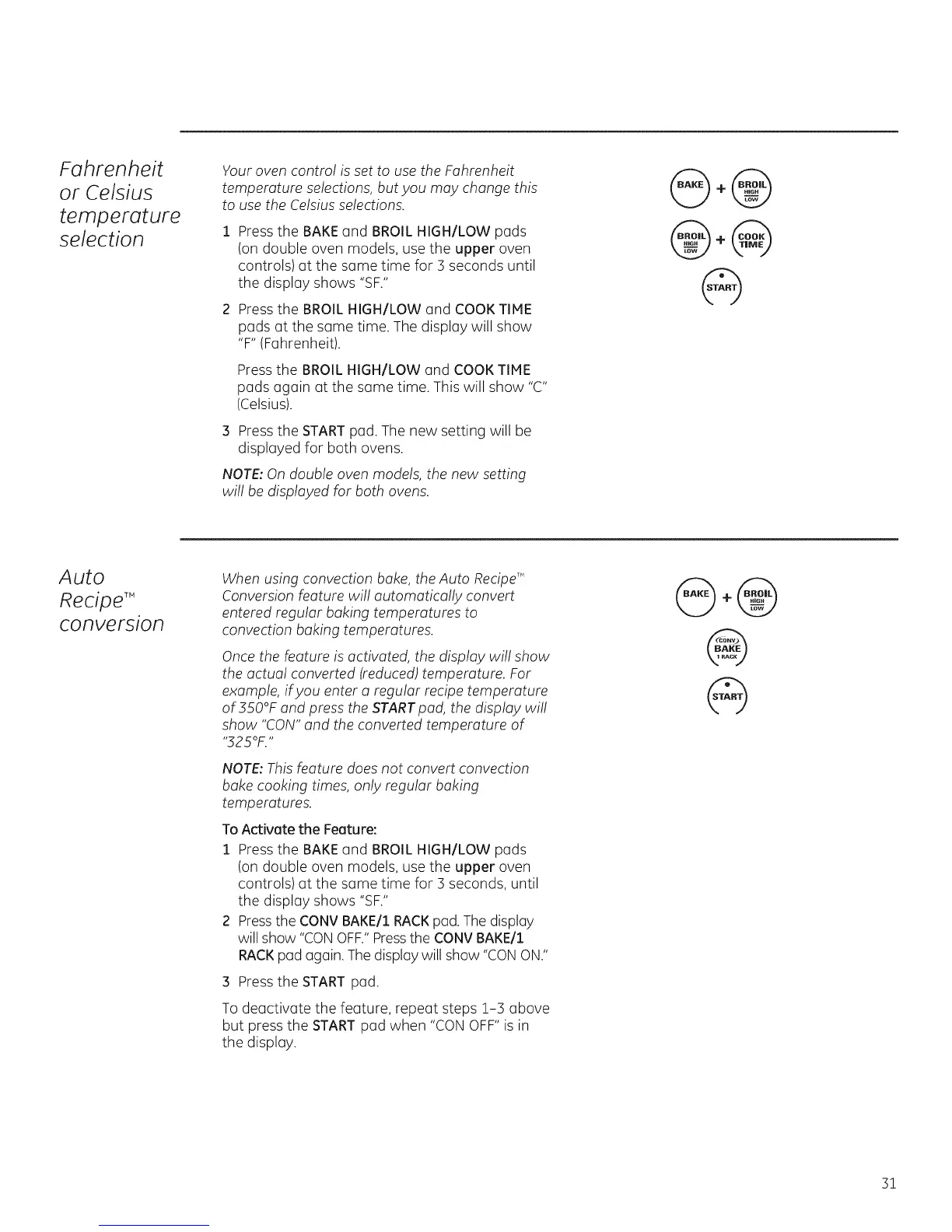
Press the BAKE and BROIL HIGH/LOW pads
(on double oven models, use the upper oven
controls) at the same time for 3 seconds until
the display shows "SF."
Press the BROIL HIGH/LOW and COOK TIME
pads at the same time. The display will show
"F" (Fahrenheit).
Press the BROIL HIGH/LOW and COOK TIME
pads again at the some time. This will show "C"
(Celsius).
Press the STARTpad. The new setting will be
displayed for both ovens.
NOTE:On double oven models, the new setting
will be displayed for both ovens.
Auto
Recipe TM
conversion
When using convection bake, the Auto RecipeT"
Conversion feature will automatically convert
entered regular baking temperatures to
convection baking temperatures.
Oncethe feature is activated, the display will show
the actual converted (reduced)temperature. For
example, if you enter a regular recipe temperature
of 350°F and press the STARTpad, the display will
show "CON"and the converted temperature of
,,325OF.,,
NOTE:Thisfeature does not convert convection
bake cooking times, only regular baking
temperatures.
To Activate the Feature:
1 Press the BAKEend BROIL HIGH/LOW pads
(on double oven models, use the upper oven
controls) at the same time for 3 seconds, until
the display shows "SF."
2 Pressthe CONV BAKE/1RACKpad. The display
will show "CONOFF."Pressthe CONVBAKE/1
RACKpad again. Thedisplay will show "CONON."
3 Press the START pad.
To deactivate the feature, repeat steps 1-3 above
but press the START pad when "CON OFF" is in
the display.
31







 To Next Page