
 Need help?
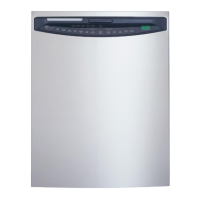
Do you have a question about the GE PDW7880PSS - Profile 24" - Dishwasher and is the answer not in the manual?
Essential safety warnings, precautions, and installation guidelines for safe appliance operation.
Warnings regarding child entrapment, disposal, and general appliance usage precautions.
Overview of the control panel, status lights, time display, and cycle/enhancement selections.
Steps for starting, cleaning, checking water temp, using rinse aid, and preparing dishes.
Instructions for manual and SmartDispense™ detergent usage, filling, and water hardness calibration.
Guidelines for loading racks, silverware, place settings, and general dishwasher care/protection.
Addresses issues like dishes not cleaning, spots, cloudiness, suds, and detergent problems.
Covers problems with marks, drying, stains, unit not running, lights, water, steam, and noise.
Details GE's limited warranty, what is covered, what is excluded, and legal information.
Information on website, scheduling service, parts, and appliance registration.
This document is an owner's manual for GE Profile Triton XL Dishwashers, specifically the GSD6900 and PDW7000 Series, providing comprehensive information on their operation, maintenance, and troubleshooting.
The GE Profile Triton XL Dishwasher is designed to efficiently clean dishes, glassware, flatware, and cookware. It features an automatic liquid dishwasher detergent dispenser (SmartDispense™) that automatically dispenses detergent based on soil level and water hardness, or a manual detergent dispenser for powder, liquid, gel, or tablet detergents. The dishwasher offers various wash cycles, including ANTI-BACTERIA, COOKWARE (POTS & PANS), NORMAL WASH, SPEED CYCLE, CHINA CRYSTAL, GLASSES, and RINSE ONLY, to accommodate different types of loads and soil levels. It also includes enhancements like ADDED HEAT or EXTRA HOT WASH for improved wash and dry performance, PRE WASH for heavily soiled items, and HEATED DRY for faster drying. The dishwasher is equipped with a CleanSensor™ that measures soil and water temperature to optimize cycle performance. A Time Remaining Display (on some models) shows the minutes left until the cycle is complete, and Status Indicator Lights keep the user informed about the current stage of the wash cycle. For safety, it has a control lock feature to prevent accidental operation.
To use the dishwasher, users first need to check the water temperature, ensuring it's between 120°F and 150°F for effective cleaning and to prevent dish damage. The manual provides instructions on how to check water temperature using a thermometer. For optimal drying and to prevent spots and film buildup, the use of Jet-Dry® or Cascade Crystal Clear® Rinse Agent is recommended. The rinse agent dispenser holds 3.5 oz. and its release amount can be adjusted based on water hardness and foam presence.
Dish preparation prior to loading is minimal, requiring only scraping off hard soils, bones, toothpicks, skins, seeds, leafy vegetables, meat trimmings, and excessive grease or oil. Prerinsing of normal food soil is not required. Acidic food soils that can discolor stainless steel should be removed.
Loading instructions are detailed for both upper and lower racks, as well as the silverware basket, with specific guidelines for 10 and 12 place settings. The upper rack is versatile, accommodating glasses, cups, saucers, pots, pans, and dishwasher-safe plastics. Some models feature an adjustable upper rack and a utility shelf for added flexibility, as well as a wine glass holder. The lower rack is ideal for plates, saucers, and cookware, with recommendations for placing large items and soiled sides facing the center. Fold-down tines (on some models) offer flexibility for oversized items. The three-piece silverware basket can be configured to fit on the right side of the lower rack, and its end sections are removable. Flatware should be loaded with knife handles up and spoon handles down, mixing items to prevent nesting. Lids for the silverware basket are provided to avoid nesting and contain small items. Users are advised to ensure no items protrude through the bottom of the rack or block the rotation of the middle spray arm to avoid poor wash performance.
The SmartDispense™ Detergent Dispenser, if available, needs to be filled with liquid or gel automatic dishwashing detergent. It holds 45 oz. and an indicator light will signal when it's time to refill. Users are cautioned not to mix chlorine bleach-based detergents with enzyme-containing ones to prevent congealing and blockage. Powder detergent, tablets, or hand soaps should not be added to the SmartDispense™ system. For the manual dispenser, the amount of detergent depends on water hardness, with a table provided as a guide.
Operating the dishwasher involves selecting the desired wash cycle and enhancements, then touching START/RESET. The dishwasher remembers the last cycle used. If the door is closed, indicator lights turn off after two minutes if START/RESET is not selected; opening and closing the door or pressing any pad reactivates the display. In case of a power failure, NORMAL and HEATED DRY are automatically programmed. The control panel can be locked to prevent accidental selections by touching and holding the HEATED DRY pad for 3 seconds. To cancel a cycle after washing starts, touch START/RESET; the light will flash while water is pumped out, and the dishwasher can be reprogrammed once the light stops flashing.
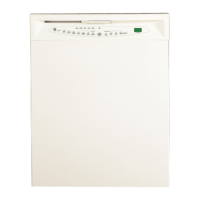
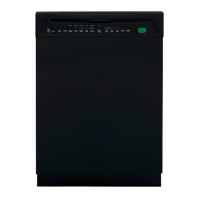
The manual provides instructions for caring for the dishwasher's exterior door panel, stainless steel interior, and control panel. Cleaning methods vary depending on the door panel type (painted, stainless steel, or CleanSteel). Painted door panels should be cleaned with a clean, soft, lightly dampened cloth and can be polished with appliance wax. Stainless Steel door panels can be cleaned with Stainless Steel Magic or a similar product. CleanSteel door panels require a clean, soft, lightly dampened cloth. Users are warned against using appliance wax, polish, bleach, chlorine-containing products, scouring pads, or powdered cleaners on stainless steel or CleanSteel doors, as these can scratch the finish. The stainless steel tub and inner door are designed for high reliability and will not rust or corrode even if scratched or dented. The control panel should be cleaned with a lightly dampened cloth.
For dishwashers left in unheated places during winter, instructions are provided to protect against freezing, which involves cutting off electrical power, turning off the water supply, disconnecting the water inlet line, and draining water from the water inlet line and water valve.
The manual also explains how to clean the air gap, a device that protects the dishwasher against water backing up if a drain clogs. This involves turning off the dishwasher, lifting the cover, removing the plastic cap, and cleaning with a toothpick.
Troubleshooting tips are included for common issues such as error messages, beeping, dishes not being clean, spots and filming on glassware, cloudiness on glassware, suds in the tub, detergent left in dispenser cups, dishwasher not running, control panel lights going off, water standing in the tub, water not pumping out, steam, sanitized light not illuminating, and noise. These tips offer solutions ranging from checking water temperature and pressure, cleaning the air gap or disposer, proper rack loading, using fresh detergent, adjusting rinse agent settings, to resetting the control panel. For issues like yellow or brown film from iron deposits, a special filter in the water supply line or a water softener is recommended. For white film from hard water minerals, Jet-Dry® or Cascade Crystal Clear® rinse agents are suggested, or running the dishwasher with citric acid.
 General
| Brand | GE |
|---|---|
| Model | PDW7880PSS |
| Product Line | Profile |
| Type | Built-In |
| Place Settings Capacity | 16 |
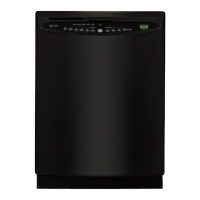
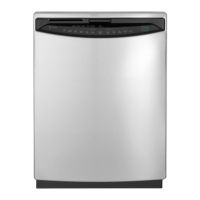
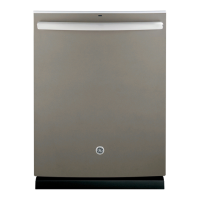
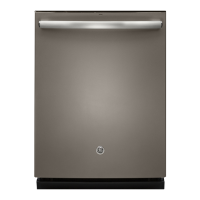
| Color/Finish | Stainless Steel |
| Control Type | Electronic |
| Drying System | Heated Dry |
| Energy Star Certified | Yes |
| Voltage | 120 V |
| Installation | Built-In |
| Third Rack | Yes |
| Stemware Holders | Yes |
| Adjustable Upper Rack | Yes |
| Soil Sensor | Yes |
| Stainless Steel Tub | Yes |
| Tub Material | Stainless Steel |
| Width | 24 inch |
| Height | 34 inch |
| Depth | 24 inches |
| Wash Cycles | Normal, Heavy, Light, Rinse |
| Options | Delay Start, Hi-Temp Wash, Sani Rinse |
| Filtration System | Triple Filtration |
| Upper Rack Features | Adjustable, Fold-Down Tines |
| Lower Rack Features | Adjustable Tines |


 To Next Page