Need help?
Do you have a question about the GE PHNT12 and is the answer not in the manual?
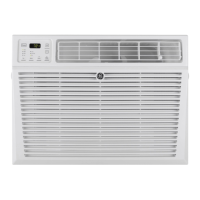
This is a user manual for a GE Appliances Room Air Conditioner, models PHNT10 and PHNT12.
The GE Appliances Room Air Conditioner is designed to provide cooling and dehumidification for indoor spaces. It can be controlled via a remote control or through a SmartHQ app for Wi-Fi enabled models, allowing users to adjust temperature, fan speed, and operating modes. The unit is designed to be installed in a window.
The air conditioner requires a 115/120-volt, 60-Hz grounded outlet protected with a 15-amp time-delay fuse or circuit breaker. It uses a 3-prong grounding plug. The unit is designed to operate within a temperature range, with cooling effective from 70-109°F (21-43°C) for tropical models and 70-90°F (21-32°C) for indoor temperatures. The unit's dimensions are critical for installation, requiring specific window width and height measurements. The manual provides detailed instructions for window depth and chase-way position based on window width.
Control Panel and Remote Control: The unit features a control panel with buttons for Power, WiFi, Delay, Mode (Cool, Eco, Fan Only, Dry), Temp/Time (Increase/Decrease), and Fan Speed (Auto, High, Med, Low). A remote control provides similar functionality. Display: The display shows the set temperature or remaining time on the delay timer. Operating Modes:
Filter Cleaning: The air filter should be checked and cleaned at least every 250 hours or more often if necessary. Filters can be cleaned with warm, soapy water or in a dishwasher. Front Filter: Access the front filter by first opening the inlet grille, then pulling the tabs on the top sides of the grille towards you and setting it aside. Side Filter: Located on the left side of the unit, it can be pulled straight out for cleaning. Plug Filter: Located on the right side of the unit, it can be removed by pulling straight out. Outdoor Coils: The coils on the outdoor side of the air conditioner should be checked regularly. If they are clogged with dirt or soot, they may need to be professionally cleaned. Draining the Unit: The air conditioner will accumulate water on both the indoor and outdoor sides. For cold season preparation, this water needs to be removed. The Drain Cap on the right side of the unit and the Filter Plug can be removed to drain water. Remote Control Battery Replacement: The remote control uses two "AAA" (1.5 volt) batteries. These should be replaced when the remote control stops working or if the unit will not be used for a long time. Do not mix old and new batteries or different types of batteries. Winter Storage: If the unit remains installed during winter, the indoor side may become cold. Outdoor covers are available to mitigate this. Troubleshooting: The manual includes a comprehensive troubleshooting guide for common issues like error codes, unit not starting, airflow restrictions, and unusual noises. It provides possible causes and solutions for each problem.
 General
| Brand | GE |
|---|---|
| Model | PHNT12 |
| Category | Air Conditioner |
| Language | English |

 To Next Page