About CustomCoolf(onsome models) GEAppliances.com
\
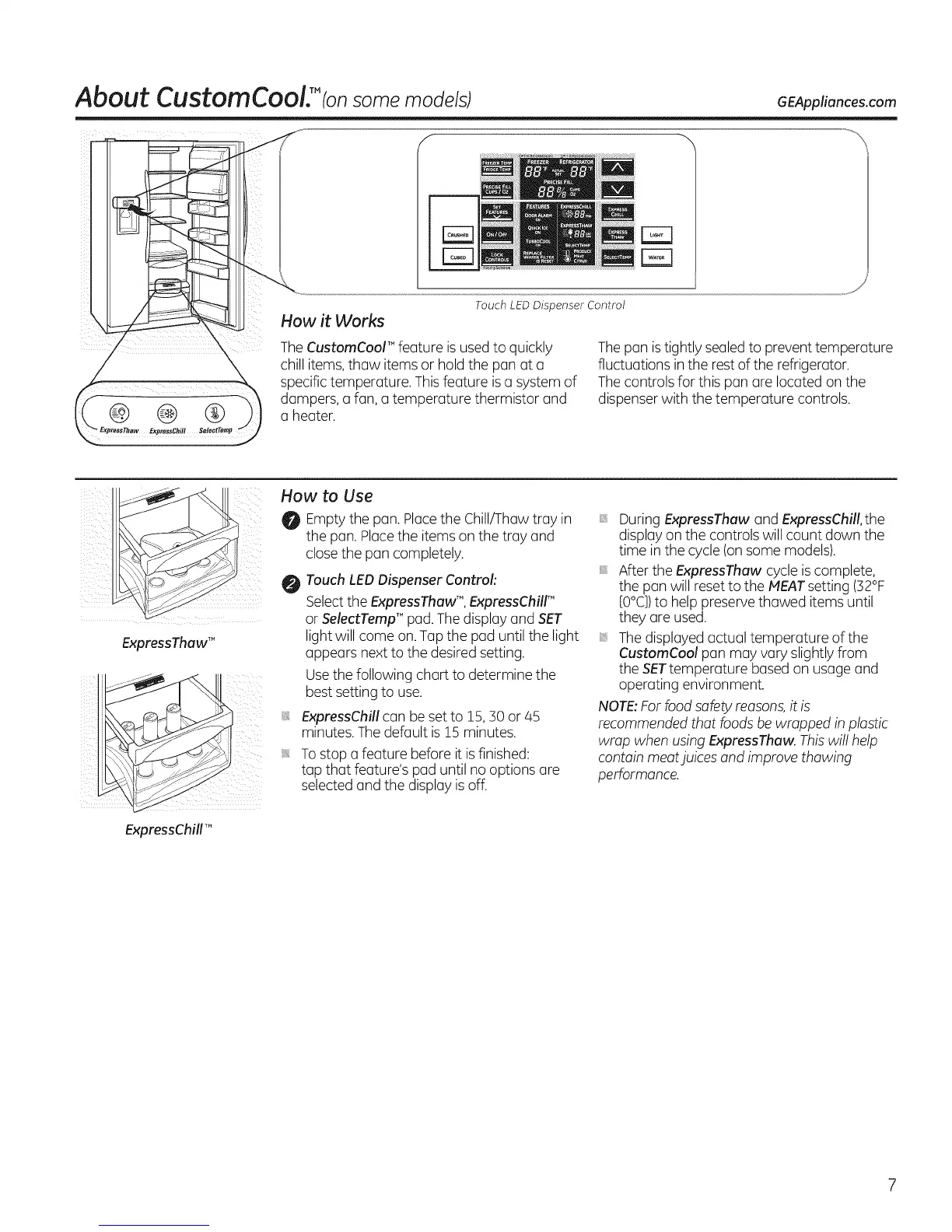
Touch LEDDispenser Control
How it Works
TheCustomCoor" feature isusedto quickly
chill items,thaw items or hold the pan at a
specific temperature. Thisfeature is a system of
dampers, a fan, a temperature thermistor and
a heater.
Thepan istightly sealedto prevent temperature
fluctuations inthe rest of the refrigerator.
Thecontrols for this pan are located on the
dispenser with the temperature controls.
ExpressThawTM
ExpressChillm_
How to Use
Emptythe pan.Placethe Chill/Thaw tray in
the pan. Placethe itemson the tray and
close the pan completely.
Touch LEDDispenser Control:
Selectthe ExpressThawTM, ExpressChilr"
or SelectTempTM pad. Thedisplay and SET
light will come on. Tap the pad until the light
appears next to the desired setting.
Usethe following chart to determine the
best setting to use,
ExpressChill can be set to 15, 30 or/45
minutes.Thedefault is 15 minutes.
Tostop a feature before it is finished:
tap that feature's pad until no options are
selected and the display is off.
DuringExpressThaw and ExpressChill,the
display on the controls will count down the
time inthe cycle (onsome models).
After the ExpressThaw cycle iscomplete,
the pan will resetto the MEATsetting (32%
[0°C])to help preserve thawed items until
they are used.
Thedisplayed actual temperature of the
CustomCool pan may vary slightly from
the SETtemperature based on usage and
operating environment.
NOTE:For food safety reasons,it is
recommended that foods be wrapped in plastic
wrap when usingExpressThaw. Thiswill help
contain meatjuices and improve thawing
performance.



 To Next Page