Other Features Your Model May Have ___
SCROLLSPIEEO
(On some models)
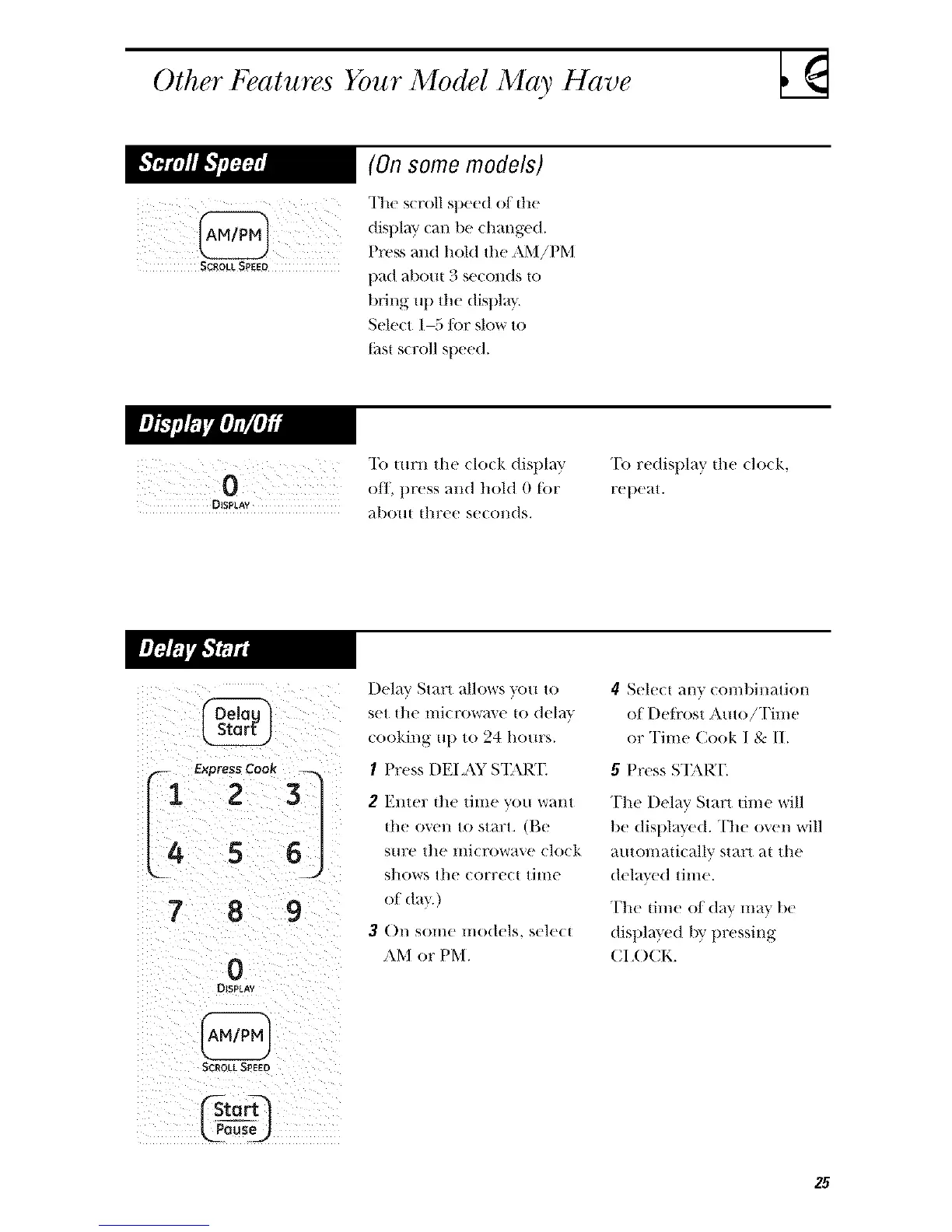
The scroll sl)eed of the
display can be d/m/ged.
I)ress and hold the AM!PM
t)ad about 3 seconds to
bring up tile dist)la }.
Select 1-5/or slow to
tilsl scroll speed.
DISPLAY
To turn the (lock display
off, t)ress and hold 0 tor
al)om tllree se(ollds.
"[b redisplay the do(k,
ret)e_tt.
r-- ExpressCook
1 2 3
4 5 6
7 8 9
0
DISPtAY
SCROLL SPEED
Deh_v Start allows s_)u to
set the lIlicr()W_l_e tO del_ls
cooking ut ) to 24 hours.
I Press DEI AY S'I'AR]_
2 Enter the time you want
{he oven to start. (Be
sm:e the microwave clock
shows tile correc{thlle
of da}.)
3 On solne models, sele(t
AM or PM.
4 Select any con/t)ination
of I)eti'ost Amo!Time
or Time Cook I & II.
5 Press S'I;_\RT.
The Delay Start dine will
be displa}'ed. The oven will
auton/adcallv start at the
delased time.
The time of din,' mas be
displmed by t)ressing
CI ,()CK.
25



 To Next Page