WWA7600S
@
Two
Speed
S
Load Size
WARM
@
HOT
CO
LD
+
+
COLD
\
COLD
+
● WARM
COLD wARM
Fix
Cycle
Washer
Q
WWA6600S
E
I
@
SixCyc,eWasher
Regular
~
pERMPRESS
Permanent Press
,>KM~
M;o
&
Knik
‘“ALLmam’’’:mwM
‘0’”-”
:Y;p
COLD
WARM
Load Size
~j~~ Temp
(d)-
‘GH7s01L<j~,Mw
NORWL
\
1
—
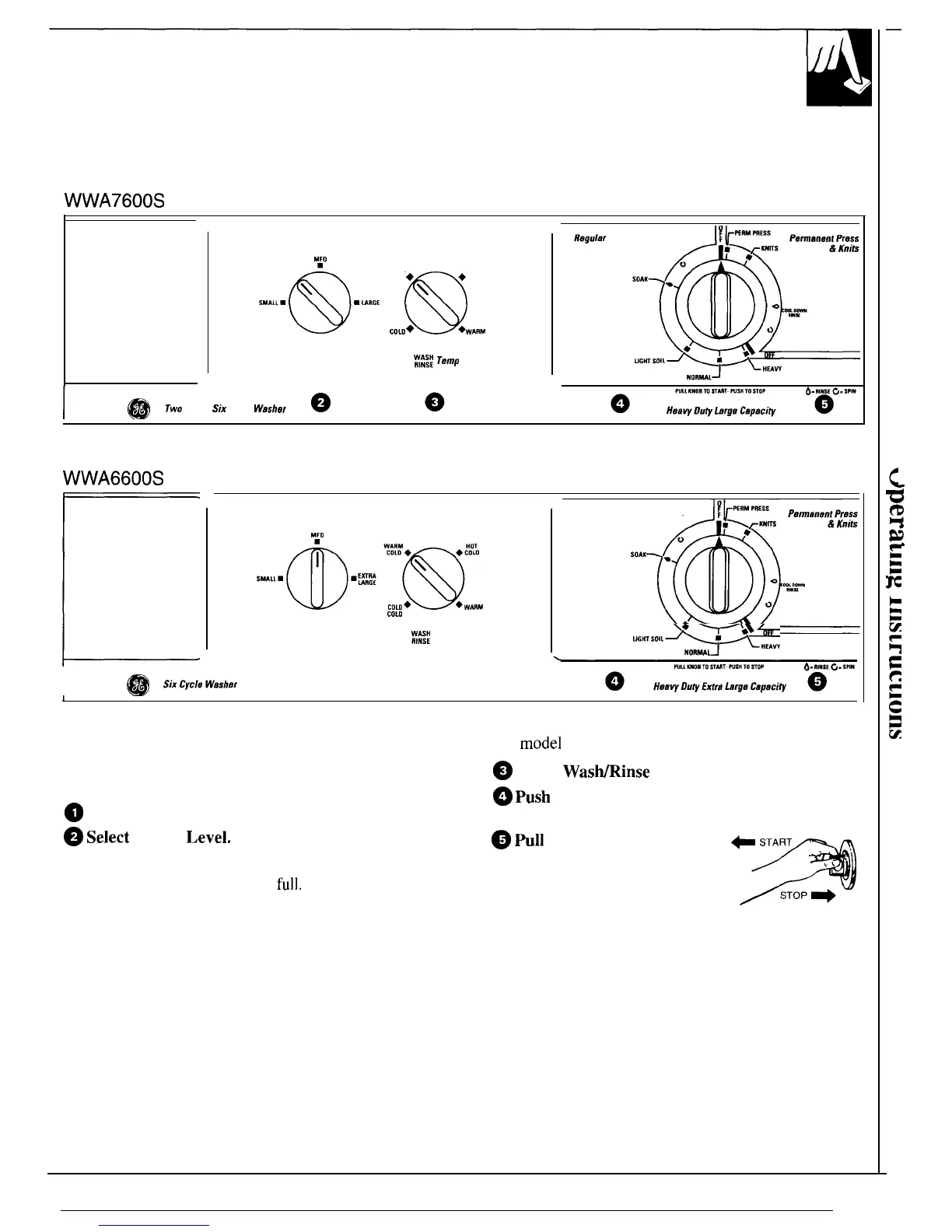
Setting the Controls —
Controls and features will vary from
model
to model
Use the Suggested Fabric and Cycle Settings guide
~
Select
Was~inse
Temperature.
to help you make the proper selections.
~
Select Wash Spin Speed.
~
Select
Water
Level.
SMALL: Washer is less than 1/3 full of clothes.
MEDIUM: Between 1/3 and 1/2
full.
LARGE: Between 1/2 and 2/3 full.
EXTRA LARGE: Over 2/3 full.
If you wish to increase the water level (on models so
equipped) after you’ve made a selection, turn knob to
RESET and select new level.
~
fish
Cycle Selector knob
in and turn clockwise to
your selected wash setting.
~
~11
Cycle Selector knob
+
START
out to start the washer.
If
you wish to change setting
after washer has started, push
9
,\
‘
STOP
+
Cycle Selector knob into stop
the washer and reset to the new
position. Setting can be changed at any time.
7



 To Next Page