EasyManua.ls Logo

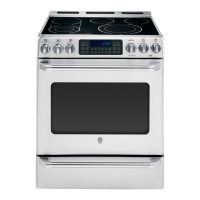
GEAppliances Cafe CS980STSS - User Manual

GEAppliances Cafe CS980STSS
56 pages
Print Icon
To Next Page IconTo Next Page
Loading...
49-88060 02-16 GE
Safety Information ............2
Warranty .......................7
Assistance / Accessories .....8
Using The Range
Surface Units .....................9
Cookware for Radiant
Glass Cooktop ..................11
Griddle ...........................12
Oven Controls ....................13
Special Features .................14
Oven Racks ......................16
Aluminum Foil and Oven Liners . . .16
Cookware ........................16
Probe ............................17
Cooking Modes ..................18
Cooking Guide ...................19
Lower Oven Drawer ..............20
Adjust the Lower Oven
Thermostat ....................20
Care and Cleaning
Cleaning the Range – Exterior ....21
Cleaning the Range – Interior .....22
Cleaning the Glass Cooktop .......23
Maintenance .....................25
Troubleshooting Tips ........26
Ranges
Electric Slide-In
Write the model and serial
numbers here:
Model # __________________
Serial # ___________________
You can find the rating label
behind the range drawer.
For a Spanish version of this
manual, visit our website at
GEAppliances.com.
Para consultar una version
en español de este manual
de instrucciones, visite
nuestro sitio de internet
GEAppliances.com.
Owner’s Manual

Questions and Answers

  • J
    Jonathan DorseySep 23, 2025
    How to prevent excessive condensation in the drawer of GEAppliances Ranges?
    • M
      Marcus BrownSep 23, 2025
      To address excessive condensation in the drawer of your GEAppliances Ranges: * Remove any liquid present in the drawer. * Cover uncovered foods with a lid or aluminum foil. * Reduce the temperature setting.
  • R
    Raymond TuckerAug 25, 2025
    What to do if the oven does not work on GEAppliances Cafe CS980STSS?
    • R
      Ryan VazquezAug 25, 2025
      If your GEAppliances Ranges oven isn't working, start by checking the fuse or circuit breaker in your home and replace the fuse or reset the breaker, if necessary. Verify the oven controls are properly set. Also, make sure the oven isn't accidentally in Sabbath Mode; check the Special Features section to confirm.
  • C
    Crystal OrtizAug 25, 2025
    Why clock and timer do not work on GEAppliances Ranges?
    • J
      Jennifer MckinneyAug 26, 2025
      If the clock and timer on your GEAppliances Ranges aren't functioning, check the following: * Ensure that a fuse in your home hasn't blown or a circuit breaker hasn't tripped; replace the fuse or reset the breaker if needed. * Confirm that the range's plug is fully inserted into a properly grounded electrical outlet. * Check that the oven controls are correctly set; refer to the Using the kitchen timer section.
  • T
    Tiffany FoxAug 26, 2025
    Why food does not bake properly in GEAppliances Cafe CS980STSS?
    • T
      Tina HawkinsAug 27, 2025
      If food isn't baking properly in your GEAppliances Ranges oven, consider these potential causes: * Ensure the oven controls are set correctly; refer to the Cooking Modes section. * Verify the rack position and ensure the rack is level; see the Cooking Modes section and Cooking Guide. * Use the correct cookware of the proper size; consult the Cookware section. * Adjust the oven temperature, if needed; see the Special Features section. * Be aware that ingredient substitutions can alter the outcome of your recipe.
  • F
    fordheidiAug 27, 2025
    What to do if the oven will not self-clean on GEAppliances Cafe CS980STSS?
    • E
      erika83Aug 27, 2025
      If your GEAppliances Ranges oven won't self-clean, ensure the oven isn't too hot; allow it to cool down before resetting the controls. Also, verify that the oven controls are properly set by referring to the Cleaning the Oven section.
  • G
    Gavin DavisSep 13, 2025
    What does it mean when "F— and a number or letter" flash in the display on GEAppliances Cafe CS980STSS?
    • M
      Mark ByrdSep 13, 2025
      If you see an error code (F— and a number or letter) flashing in the display of your GEAppliances Ranges, press the Clear/Off pad and allow the oven to cool for one hour before putting it back into operation. If the error code repeats, disconnect all power to the oven for at least 30 seconds, then reconnect it. If the error persists, call for service.
  • I
    Isaac GardnerSep 12, 2025
    Why are there areas of discoloration on the GEAppliances Cafe CS980STSS Ranges cooktop?
    • C
      christopher50Sep 12, 2025
      For areas of discoloration on your GEAppliances Ranges cooktop, if it's due to food spillovers, refer to the Cleaning the glass cooktop section. If you have a light-colored cooktop, discoloration when hot is normal and temporary; it will disappear as the glass cools.
  • K
    Kelly HamiltonSep 12, 2025
    Why are oven racks difficult to slide in GEAppliances Ranges?
    • G
      Glenn ReyesSep 12, 2025
      If the oven racks in your GEAppliances Ranges are difficult to slide, especially if they are shiny and silver-colored and have been cleaned in a self-clean cycle, apply a small amount of vegetable oil to a paper towel and wipe the edges of the oven racks with it. Do not use lubricant sprays.
  • S
    sydney99Sep 4, 2025
    How to prevent excessive smoking during broiling on GEAppliances Cafe CS980STSS?
    • M
      Michael Barr MDSep 4, 2025
      If you experience excessive smoking while broiling in your GEAppliances Ranges, lower the rack position of the food to increase the distance from the burner element.
  • J
    Jacqueline OchoaSep 2, 2025
    Why does the display go blank on GEAppliances Ranges?
    • A
      Anthony SavageSep 2, 2025
      If the display on your GEAppliances Ranges goes blank, check if a fuse in your home has blown or the circuit breaker has tripped, and replace the fuse or reset the breaker if necessary. Also, check whether the clock is turned off (see the Special features section) or if the oven is in Sabbath Mode (verify in the Special Features section).

Summary

Safety Information

Important Safety Information

Safety alert symbol, DANGER, WARNING, CAUTION definitions, and general safety advice.

Anti-Tip Device Installation

Instructions and warnings regarding the anti-tip device for range stability and safety.

General Safety Instructions

Flammable Materials Away From Range

Warnings about storing flammable items near the range to prevent fire.

Fire Safety and Spread Prevention

Cooktop Safety Instructions

Safety precautions for using the cooktop, including unattended units and oil handling.

Radiant Cooktop Safety Instructions

Oven Safety Instructions

Self-Cleaning Oven Safety Instructions

Safety precautions for operating the self-cleaning feature, including preparation and precautions.

Using the Range: Surface Units

Surface Unit Operation & Controls

How to set surface unit controls, indicator lights, and dual-ring elements.

Bridge and Warming Zones

Instructions and safety for using the bridge zone and warming zone.

Using the Range: Oven Controls

Oven Control Functions Overview

Explains basic controls like Start, Clear/Off, Clock, Timer, Light, and Lockout.

Cooking Modes & Settings Selection

Covers Convection, Bake, Broil modes, Cooking Time, and Delay Start functions.

Oven Probe Usage Reference

Refers to probe usage section for instructions on using the oven probe.

Using the Oven: Special Features

Using the Oven: Probe

Using the Range: Cooking Modes

Baking Mode Overview

General advice for baking, including preheating and food placement.

Broiling Mode Guide

Safety and usage tips for broiling, including rack positions and monitoring food.

Convection Cooking Modes

How to use Convection Bake and Convection Roast modes for even cooking.

Cleaning the Range - Exterior

Interior Range Cleaning

Oven Interior Cleaning Methods

Manual and self-clean methods for cleaning the oven interior and racks.

Cleaning the Glass Cooktop

Troubleshooting Tips

Common Range Problems and Solutions

A table of common problems, their causes, and recommended solutions.

GEAppliances Cafe CS980STSS Specifications

General IconGeneral
TypeSlide-In
Fuel TypeGas
Cooktop TypeGas
Number of Burners5
Wi-Fi ConnectivityYes
Self-CleaningYes
ColorStainless Steel
Convection OvenYes
Width30 in.
BTU18, 000

Related product manuals