PROGRAMMING OPERATIONS
To approach into all functions, it has to be opened, by disconnecting the co-
ver downsides.
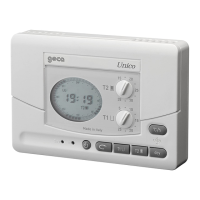
At this point all the functions are discovered on the frontal part as Fig. 7.
The main feature of this appliance is the graphic display, which shows a dia-
gram comprising 24 columns representing the hours of the day; each column
height indicates the temperature programmed for that particular hour. The
segment at the top on the left (T in fig.7) moves along the writing directly abo-
ve to indicate the day concerned by the program. The programmed tempe-
rature is displayed at the top on the right (A in fig.7) during programming;
while the time and ambient temperature are displayed alternatively by pres-
sing the key D in fig.7, during normal operation. Once the chronothermostat
has been correctly installed and powered, switch the selector R of fig.7 on
wwwfor the command of heating equipments, or on for the command of
conditioning equipments.
As soon as it is supplied with power supply, LIRICO shows a standard pro-
gram, while the clock starts from the hour 00.00 on Monday (LU).
To modify the standard program, use the DAY key (E in fig.7) to move along
to the right day and change the daily display using the four centre keys for-
ming a cross; two of these (L, I in fig.7) move the cursor horizontally along
he hour axis, whereas the tow (N, M in fig. 7) vary the set temperature
(shown on the numerical display).
The weekly temperature program can be modified at any time by means
of the four keys forming a cross +h, -h, +C°, -C° and the DAY key.
After programming the first day, the following ones can be programmed in
two different ways:
-Press the DAY key (E in fig. 7) to move on to the following day and display
the stored program (if there is none, the standard display will be shown), whi-
ch can be modified as previously described.
-Copy the day just programmed into the following one using the COPY func-
tion (C key in fig.7).
-After programming the whole week, you only need to set the hour and the



 To Next Page