5
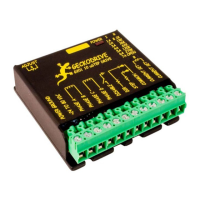
G201 STEP MOTOR DRIVE
REV 16: August 6, 2009
3) When the cover is fully forward, look to see the LED is aligned with the hole.
4) Gently press the cover down, making sure the LED moves into the hole.
5) Replace the screws on the bottom of the drive.
It is recommended to use small needle-nose pliers or tweezers to move the jumpers on the internal headers.
RESTORING FACTORY DEFAULTS
To restore the G201 to the factory settings set the trimpot to the 11 o’clock position and put the jumpers on “STANDBY ENABLE”
and “NORMAL” on the option jumper block.
DISCLAIMER
CERTAIN APPLICATIONS USING POWER PRODUCTS MAY INVOLVE POTENTIAL RISKS OF DEATH, PERSONAL INJURY
OR SEVERE DAMAGE TO PROPERTY. GECKODRIVE INC. PRODUCTS ARE NOT DESIGNED, AUTHORIZED OR
WARRANTED TO BE SUITABLE FOR USE IN LIFE-SUPPORT DEVICES OR OTHER CRITICAL APPLICATIONS. INCLUSION
OF GECKODRIVE INC. PRODUCTS IN SUCH APPLICATIONS IS UNDERSTOOD TO BE FULLY AT THE PURCHASER’S
OWN RISK
In order to minimize risks associated with the purchaser’s application, adequate design and operating safeguards must be
provided by the purchaser to minimize inherent or procedural hazards. GECKODRIVE INC. assumes no liability for applications
assistance or the purchaser’s product design. GECKODRIVE INC. does not warrant or represent that any license, either express
or implied, is granted under any patent right, copyright or other intellectual property right of GECKODRIVE INC.


 To Next Page
 Loading...