Need help?
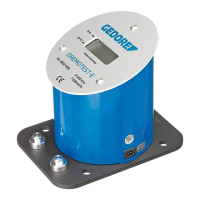
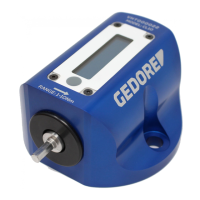
Do you have a question about the Gedore Dremotest E 8612-050 and is the answer not in the manual?
Explains hazard symbols (WARNING, CAUTION, NOTICE) and their meanings.
Details required PPE like eye protection, gloves, and safety shoes.
Defines the product's purpose and warns against misuse.
Provides precautions for safe operation and preventing damage.
Outlines requirements for a safe operating area.
Lists all items included in the product package.
Defines key terms like Taring, First Peak, and Calibration.
Instructions for securely fastening the device for use.
Steps for powering the torque tester on and off.
Procedure for zeroing the measurement for accurate readings.
How to change between N·m and lbf·ft units.
Connecting the tester to a PC for data transfer.
Step-by-step guide for performing torque wrench tests.
Explains audible alerts for excessive torque application.
Procedures for verifying and adjusting measurement accuracy.
Guidelines for cleaning and storing the torque tester.
 General
| Model | Dremotest E 8612-050 |
|---|---|
| Accuracy | ±1% |
| Direction of Rotation | Clockwise and Counterclockwise |
| Display | LCD |
| Interface | USB |


 To Next Page