Indicator Light
1. Add fingerprint
Blue light: The fingerprint light turns to blue as to indicate the lock is ready
to add fingerprint.
2.
Fingerprint, mobile phone APP unlock
Green light: Success (the buzzer beeps once, and the fingerprint light
flashes green.
Red light: Failed (the buzzer beeps twice,the fingerprint light flashes red.
3.
Low power
Green+red light: When the lock is unlocked with fingerprint or mobile APP
the buzzer beeps once and fingerprint light flash green and red.
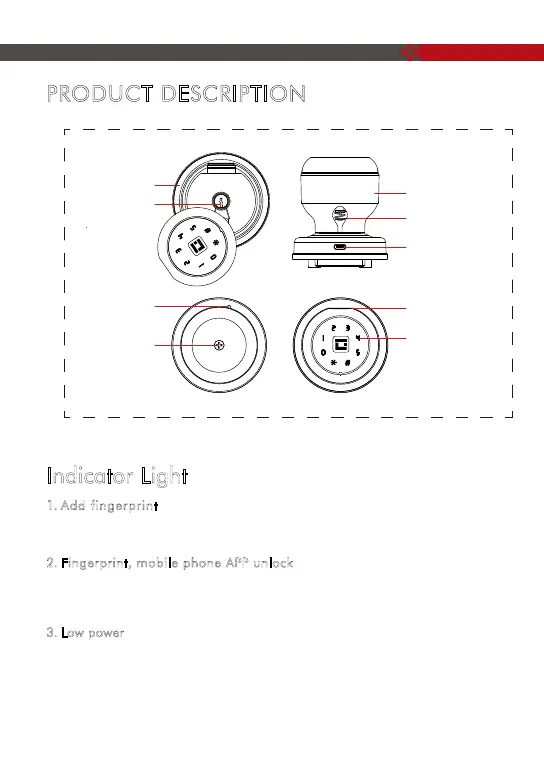
PRODUCT DESCRIPTION
Exterior knob
Set button
Mechanical
key hole
Battery cover
screw
Interior knob
Fingerprint reader
Mechanical key
cover button
Type-C USB
interface
Backlit keypad
3



 To Next Page