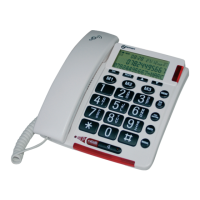
5678
13. ALPHANUMERIC KEYPAD, STAR ( ), HASH ( )
In predial or editing mode: Press to insert a digit / character /
/ .
key in idle mode: Press and hold to enable or disable the
keypad lock.
key in idle mode: Press and hold to turn on/off the ringer.
0 key in idle/pre-dial mode/number editing mode: Press and
hold to insert a pause.
14. R
During a call: Press to answer a new call if you subscribed to Call
Waiting service from your service provider.
15. PHONEBOOK (
)
In idle mode: Press to access the phonebook.
The phone settings are always set in the same manner:
Press Menu/OK
button to open the main menu. Then use
the ▼▲buttons to select an entry and confirm it by pressing the
Menu/OK
button.
The factory preset PIN code is 0000
Example:
Set the language on the base
Press MENU / OK,
then select ▼▲language, press
MENU / OK
, then select ▼▲desired language and then
press MENU / OK to confirm.
Set the language on the handset
Press MENU / OK , then select ▼▲HS settings, press
MENU / OK
, then select ▼▲language, press MENU / OK
, than select ▼▲desired language and then press MENU /
OK to confirm.
MENU SETTING
Base
PHONEBOOK
►VIEW ►ADD ►EDIT ►DELETE ►DELETE ALL ►PB STATUS
CALL LOG
►MISSED ►RECEIVED ►DIALLED
DATE & TIME
►TIME FORMAT ►SET CLOCK
LANGUAGE
►ENGLISH ►DEUTSCH ►FRANÇAIS ►ITALIANO
►NEDERLANDS…
SETTINGS
►RING SETUP ►DELETE HS ►DIAL MODE ►FLASH TIME
►KEY TONE ►CHANGE PIN ►BS DEFAULT
PAGE ALL HS
REGISTRATION
ANS. MACHINE
►MSG PLAYBACK ►DELETE ALL ►MEMO ►TAM ON/OFF
►TAM SETTINGS (ANSWER MODE, OGM SETTINGS,
ANSWER DELAY, RECORD TIME, TAM LANGUAGE, BS
SCREENING, REMOTE ACC, COMPRESSION, CHANGE PIN,
TAM DEFAULT)
Handset
PHONEBOOK
►VIEW LIST
under an entry: ►ADD ►VIEW ►EDIT ►DELETE ►DELETE
ALL ►PB STATUS ►FASTDIAL
CALL LIST
►VIEW LIST
under an entry: ►ADD TO PB ►DELETE ►DELETE ALL
►DETAILS ►CATEGORY
BS SETTINGS
►BS RINGER ►RING VOLUME ►DELETEHS
►DIAL MODE ►FLASH TIME►CHANGE PIN
HS SETTINGS
►RING SETUP►TONE SETUP►SELECT BASE
►LANGUAGE ►RENAME HS ►HS DISPLAY ►AUTO
ANSWER
DIRECT MEM
►M1-M2-M3-M4
DATE & TIME
►DATE FORMAT ►TIME FORMAT ►SET TIME ►SET DATE
ALARM
►ON ►OFF
REGISTRATION
►BASE 1, 2, 3 or 4
DEFAULT
►PIN? ----
ANS. MACHINE
►MSG PLAYBACK ►DELETE ALL ►MEMO ►TAM ON/OFF
►TAM SETTINGS (ANSWER MODE, TAM LANGUAGE, OGM
SETTINGS, ANSWER DELAY, RECORD TIME, COMPRESSION,
BS SCREENING,REMOTE ACC, CHANGE PIN)
REGISTRATION & DE-REGISTRATION
Note: Handset and base station are pre-registered.
Up to five handsets can be registered to a single base station.
In the case of re-registration, the PIN code is 0000.
Registration a handset
On Handset :Press MENU/OK select▼▲
REGISTRATION, Press MENU/OK
select ▼▲BASE(1-4),
Press MENU/OK
enter PIN.
At the same time on Base: Press MENU/OK
, select ▼▲
REGISTRATION, press MENU/OK
to see PLEASE WAIT
(If the registration is successful, there will be a confirmation
beep).
De-Registration
On Base: Press MENU/OK , select ▼▲SETTINGS, press
MENU/OK
select ▼▲DELETE HS, press MENU/OK
enter PIN, press
MENU/OK
select ▼▲one of the handsets that you want to de-register, press
MENU/ OK
to confirm.
INTERCOM
Internal Call
Base: Press INT/ /CLEAR ( ), select ▼▲HS 1 - 5,
press MENU /OK
to connect.
Handset: Press C / MUTE
, Enter the desired handset
number on keypad.
Base is "7"
Call All Handsets
Base: Press INT/ /CLEAR ( ), select ▼▲ALL
HANDSETS, press MENU /OK
to connect.
Handset: Press C / MUTE
, Enter "9" on keypad.
Transfer an External Call
Base: Press MENU /OK , select ▼▲handset number, press
or on handset. After connection quit the call on base.
Handset: Press MENU / OK
, select ▼▲INTERCOM, Press
MENU / OK
,
Enter the desired handset number on keypad. After connection
quit the call on handset.
Conference Call
Handset: Press MENU / OK
, select ▼▲INTERCOM,
Press MENU / OK
,
Enter the desired handset number on keypad.
After connection press and hold
until CONFERENCE is
shown.
Your telephone base includes a telephone answering machine
that records unanswered calls when it is on. The answering
machine can store up to 59 messages within the maximum
recording time of approximately 15 minutes. As well as recording
incoming messages, you can record memos for other users of
your phone.
Press
ANS ON/OFF to switch the answering machine ON or
OFF
REMOTE OPERATIONS
If you are away from your home, you can call your answering
machine to switch on or off the answering machine and listen to
your messages remotely using another tone-dialing phone.
1. Place a call from a tone-dialing phone.
2. When the answering machine answers the call and starts
playing OGM, press .
3. Enter the 4-digit Remote Access PIN (default PIN is 0000).
4. Press the following keys to carry out your desired function.
A
Functions
While message is not playing
While message is playing
2
*
Enter the 4-digit remote access PIN
NOTE:
When your answering machine memory is full and the answer
mode is in ANS & RECORD, the answer mode will change to
ANSWER ONLY automatically.
It will change to ANS & RECORD mode automatically after some
messages have been deleted.
You cannot delete new messages before they were listened
MAINTENANCE
Clean the surface of the housing with a soft, fluff-free cloth. Do
not use any cleaning agents or solvents.
GUARANTEE
From the moment your Geemarc product is purchased, Geemarc
guarantee it for the period of two years. During this time, all
repairs or replacements (at our discretion) are free of charge.
Should you experience a problem then contact our help line or
visit our website at www.geemarc.com.
The guarantee does not cover accidents, negligence or
breakages to any parts. The product must not be tampered with
or taken apart by anyone who is not an authorized Geemarc
representative.
The Geemarc guarantee in no way limits your legal rights.
IMPORTANT: YOUR RECEIPT IS PART OF YOUR
GUARANTEE AND MUST BE RETAINED AND PRODUCED IN
THE EVENT OF A WARRANTY CLAIM.
Please note: The guarantee applies to the United Kingdom only.
DECLARATIONS:
CE Directives
Geemarc Telecom SA hereby declares that this product
is in compliance with the essential requirements and other
relevant provisions of the Radio and Telecommunications
Terminal Equipment Directive 2014/53/UE and in particular article
3 section 1a,1b and section 2. The telephone does not operate if
the line current is lower than 18mA.
The CE declaration of conformity may be consulted at
www.geemarc.com
Electrical connection: The apparatus is designed to operate
from a 230V 50Hz supply only. (Classified as hazardous voltage
according to EN60950 standard). The apparatus does not
incorporate an integral power on/off switch. To switch off the
apparatus, disconnect the power adaptor.
When installing the apparatus, ensure that the mains power
socket is readily accessible.
Telephone connection:
Voltages present on the telecommunication network are classified
TNV-3 (Telecommunication Network Voltage) according to the
EN60950 standard.
Recycling Directives
The WEEE (Waste Electrical and Electronic Equipment)
has been put in place for the products at the end of their
useful life are recycled in the best way.
When this product is finished with, please do not put it in your
domestic waste bin. Please use one of the following disposal
options:
- Remove the batteries and deposit them in an appropriate WEEE
skip.
Deposit the product in an appropriate WEEE skip.
- Or, hand the old product to the retailer. If you purchase a new
one, they should accept it.
Thus if you respect these instructions you ensure human health
and environmental protection.
For product support and help visit our website at
www.geemarc.com
telephone 01707 387602
or fax 01707 832529
UGAMPLIDECTCOMBI295_En_A3_V1.1


 To Previous Page
 Loading...