6
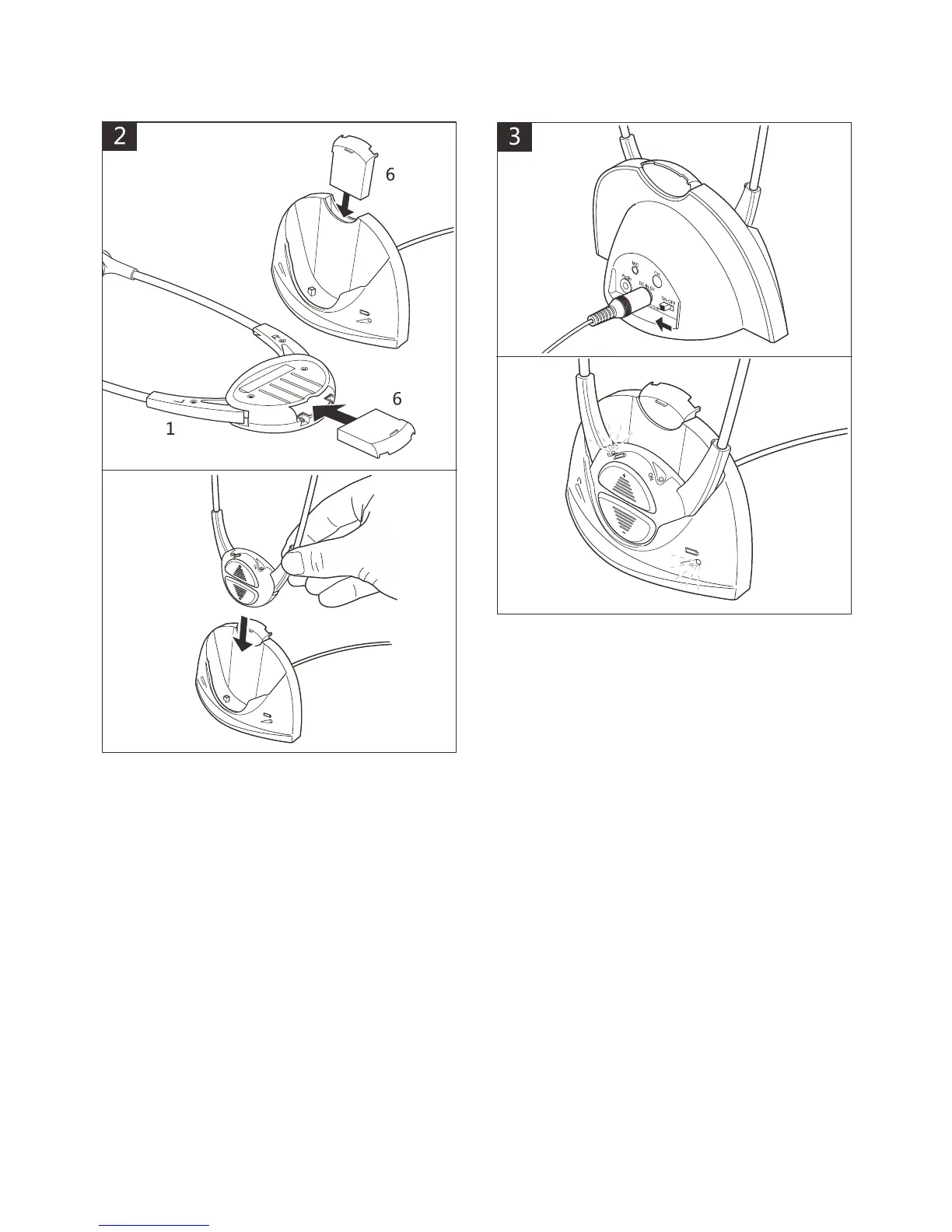
Insert batteries (6) into Headset and
Base.
Place Headset in Base.
Caution: Please be sure to insert the
battery correctly (see above).
Turn power on at mains and Base.
Red lights will show on Base and
Headset to indicate batteries are
charging.
After 2-3 hours, when fully charged the
red lights will be off.



 To Next Page