11
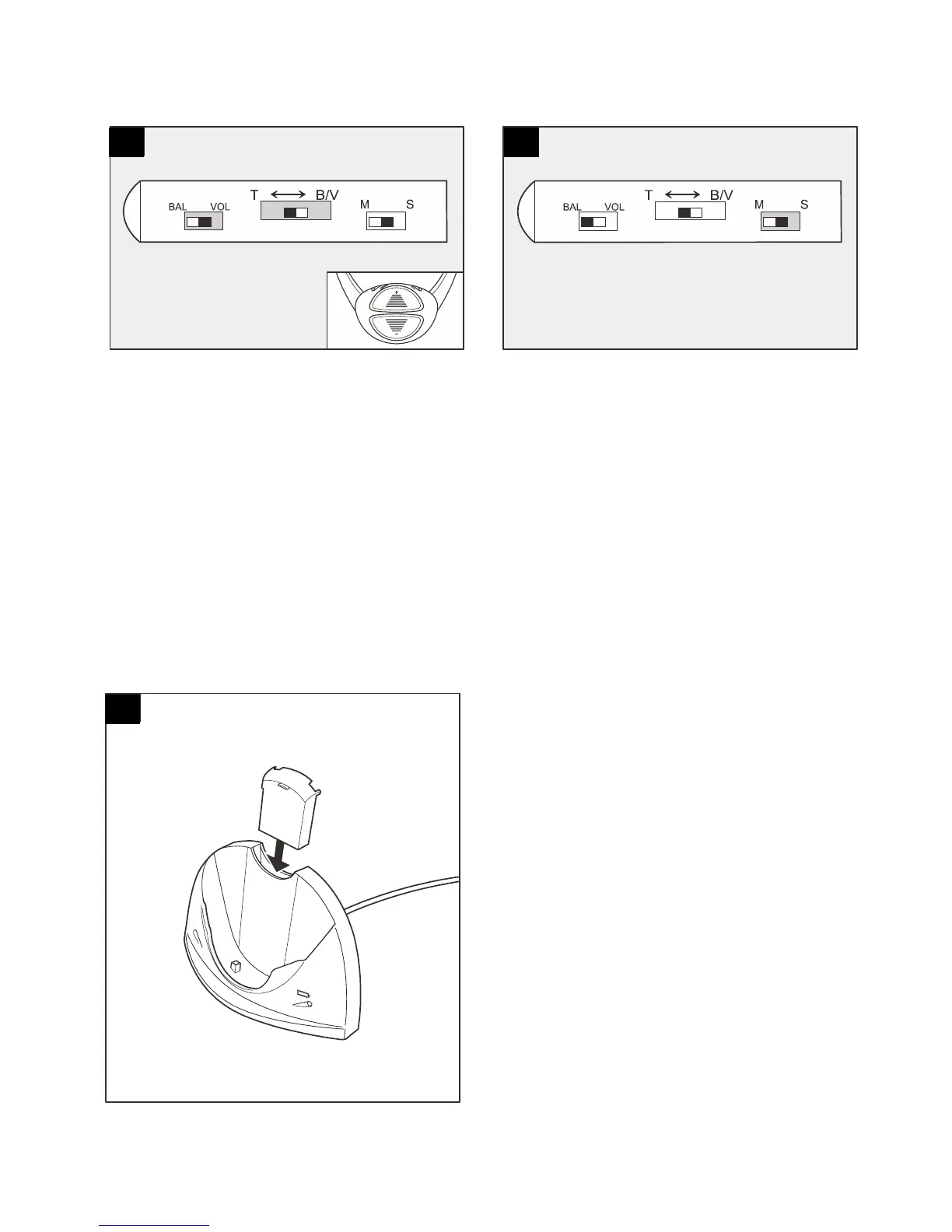
Tone adjustment:
Set ‘BAL VOL’ slider to ‘VOL’
Set ‘T <-> B/V’ slider to ‘T’
Press ‘+’ button to increase treble and
decrease bass. Press ‘-’ button to
increase base and decrease treble.
Headset beeps when tone adjustment
reaches maximum, middle or minimum.
Mono / Stereo adjustment:
Set ‘MS’ slider to ‘S’, Headset will be in
‘Stereo’.
Set ‘MS’ slider to ‘M’, Headset will be in
‘Mono’.
Battery status & recharging:When battery power is low, Headset
green light will flash and a low ‘beep’ will be heard through Headset.
Charging battery in Base: Insert
battery into Base charging
compartment and switch on
power. During charging the red
light will stay lit until fully charged.
14
15
16



 To Next Page