8
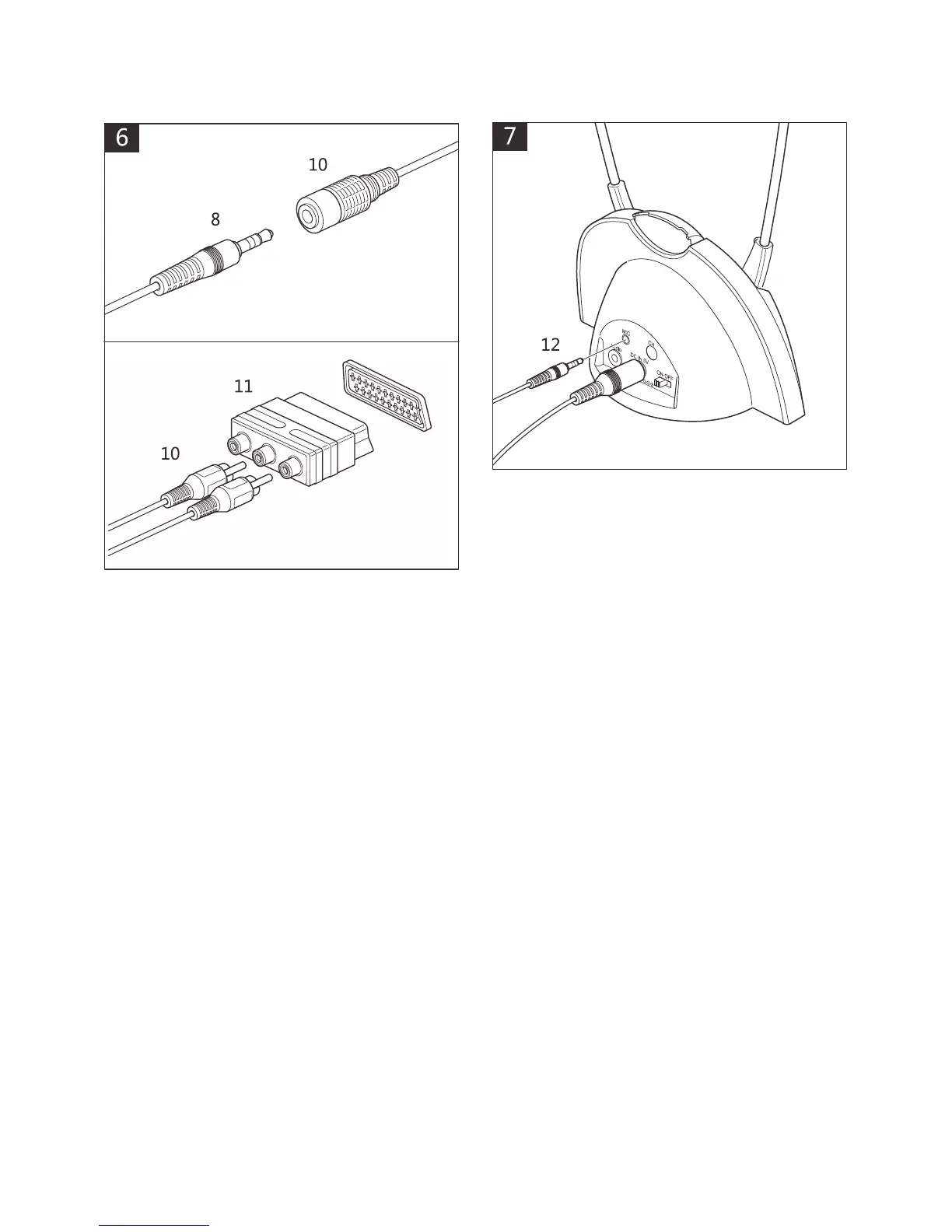
Using scart adaptor: Insert 3.5mm
jack (8) into 3.5mm to RCA cable (10).
Insert scart adaptor (11) into a
compatible scart socket on the TV, HiFi
equipment.
Connect to corresponding red and
white RCA jacks (10) to scart adaptor
(do not use the yellow socket).
Note:
Some televisions and audio
devices have an audio output SCART
level greater than the 300mV standard.
This can cause some distortion or a
very high acoustic level, even with the
Volume set to Low. If this happens,
please contact the Geemarc Customer
Services department. They will be able
to provide you with a solution to
attenuate the sensitivity of your
CL7310.
Microphone connection: Only use the
supplied Geemarc microphone. Plug
microphone jack (12) into ‘MIC’ socket
on Base and place microphone near
source you wish to listen to.
Note: Volume levels will be lower and
background noise may be picked up
when using the microphone.



 To Next Page