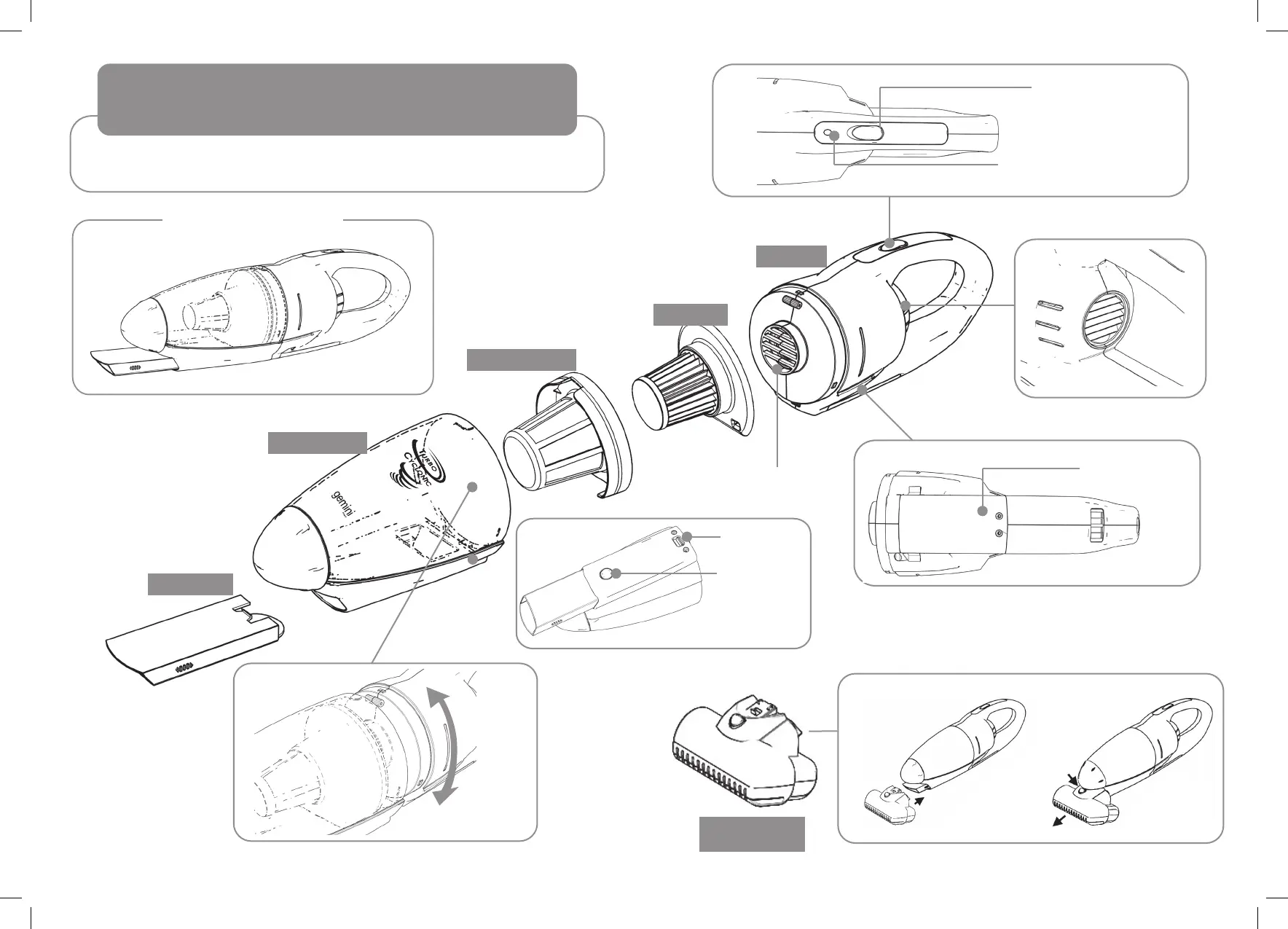
Part Names And Directions For Use
Please charge the battery rst if you are using the product for the rst time
or after storing the product for a long time.
Crevice Tool
Dust Container
Filter Bafe Plate
Spring Return Button
EPA Filter
LED is ON during
charging the battery
Main Body
Inlet of Main Body
(Do not Switch ON when the
Filters were detached.)
Exhaust
Port
Battery Door for
Recycling
4 5
( It will not go OFF after the completion)
Dust Container
Release Button
Crevice Tool
Release Button
Insert the Dust Mites
Power Remover
onto the crevice
tool and lock
Install Uninstall
Press the release
button and remove
the Dust Mites
Power
Remover
Dust Mites
Power Remover
Insert the dust container
by rotate and insert
Handheld Unit


 To Next Page