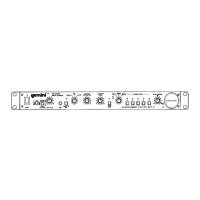
The Gemini RMR-1000 is a rackmount digital recorder designed for professional audio applications, offering cross-platform connectivity and sound reproduction. This device is built to provide reliable, uninterrupted service with proper care and maintenance.
Function Description:
The RMR-1000 serves as a digital recorder capable of playing and recording audio from various sources. It supports both SD cards and USB memory sticks for media playback and recording. The unit is designed for rackmount installation, making it suitable for integration into existing audio setups. It features controls for adjusting recording levels, navigating tracks, and managing playback modes.
Important Technical Specifications:
- Power Input: 100-250V, 60/50Hz AC.
- Media Compatibility: SD card slot (supports cards up to 4GB, not compatible with SDHC cards), USB port for memory sticks.
- Audio Inputs: LINE IN (audio input for external audio source playback).
- Audio Outputs: LINE OUT (audio output for each SD/USB player), Headphone Inputs (3.5 mm jack).
- Rackmount Size: Standard rackmount dimensions.
Usage Features:
Front Panel Controls:
- POWER BUTTON (1): Toggles the unit on and off.
- RECORD VOLUME (2): Adjusts the recording level.
- SKIP BUTTON BACK (3): Restarts the current track or selects the previous track.
- SKIP BUTTON FORWARD (4): Selects the next track.
- RECORD BUTTON (5): Initiates recording mode.
- STOP BUTTON (6): Stops playback and returns to the cue position.
- PLAY BUTTON (7): Toggles between play and pause.
- REPEAT BUTTON (8): Repeats the current track or all tracks.
- CONT. / SINGLE BUTTON (9): Switches between SINGLE and CONTINUOUS play modes. In SINGLE mode, playback stops after each track. In CONTINUOUS mode, all tracks play sequentially and then stop. The selected mode is indicated on the LCD.
- SD / USB BUTTON (10): Selects between SD or USB mode when both an SD card and a USB stick are connected.
- HEADPHONE INPUTS (11): 3.5 mm jack for connecting headphones.
- DISPLAY (12): Shows the current status of the unit.
- DELETE BUTTON (13): Deletes songs from the SD card or USB stick.
- SD CARD SLOT (14): For inserting SD cards. Contacts must face downwards. Supports cards up to 4GB; not compatible with SDHC cards.
- FOLDER BUTTON (15): Navigates through folders or tracks in USB or SD mode.
- USB PORT (16): For connecting USB memory sticks.
- +10 BUTTON (17): Jumps forward 10 tracks with a single press.
- HEADPHONE VOLUME (18): Adjusts the volume for headphones.
Rear Panel Connections:
- LINE OUT (19): Audio output jacks for the SD/USB player.
- LINE IN (20): Audio input for connecting external audio sources.
- AC CORD (21): Connects the unit to a power source.
Maintenance Features:
- Warranty: Gemini products are covered by a one (1) year limited warranty from the original purchase date, protecting against defects in materials and workmanship. Exceptions include laser assemblies on CD players, cartridges, and cross-faders, which are covered for 90 days.
- Warranty Exclusions: The warranty does not cover damage from abuse, misuse, abnormal use, faulty installation, improper maintenance, or unauthorized repairs.
- Service & Repair: For service in the USA, customers should contact Gemini Customer Service at (732) 346-0061 to obtain a Return Authorization Number (RA#) and the address of an authorized service center. The RA# must be written on the outside of the package to avoid processing delays.
- Shipping for Repair: For warranty service, customers pay for shipping to Gemini, and Gemini covers return shipping within the continental United States. For non-warrantied products, repair charges do not include return freight, which will be added to the total.
- Repair Time: Under normal circumstances, product repair at Gemini takes no more than 10 working days, with an estimated return time of 2-3 weeks.
- Product Registration: Users are encouraged to register their RMR-1000 at www.geminisound.com to receive product updates and enhancements.
- Professional Service Recommendation: All maintenance and service on this product should be performed by Gemini or its authorized agents. Gemini will not accept liability for loss or damage caused by maintenance or repair performed by unauthorized personnel.
The RMR-1000 is designed for ease of use and integration into professional audio environments, providing robust recording and playback capabilities with comprehensive support and service options.

 Need help?
 General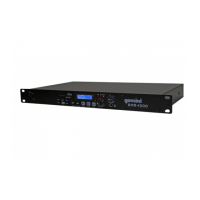

 To Next Page