Need help?
Do you have a question about the Gemini SDJ-4000 and is the answer not in the manual?
Specifies optimal temperature, avoid direct sunlight, and stable surface placement for the unit.
Explains V-CASE software for music analysis, BPM, key, cue points, and exporting to USB.
Covers the HD display, navigate knob, back, browse, and load functions.
Details playlist management, viewing options, and USB 1/2 ports.
Explains MIDI connectivity and how to access unit settings.
Covers vinyl simulation, master output, and various playback modes.
Details functions for setting hot cues, beat matching, and quantization.
Describes crossfader operation, effects, and audio input selection.
Explains performance pad functions and headphone output controls.
Explains how to set and recall hot cues, and their playback behavior.
Details the operation of loop recording and slicing segments.
Describes the Key Shift feature and how it relates to musical scales.
Explains loading samples and triggering one-shot audio clips.
Details browsing, selecting, and exporting tracks or playlists to USB.
Details the 1-year limited warranty coverage and exclusions.
Outlines the procedure for returning defective units for service.
Provides contact information for Gemini customer service in the USA.
Covers patent information, liability limitations, and maintenance advice.
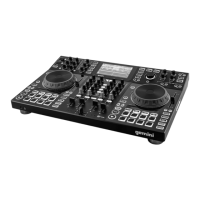
 General
| Mixer section | Yes |
|---|---|
| Product color | Black |
| Scratcher type | Digital Vinyl System (DVS) scratcher |
| USB direct playback | - |
| Built-in optical drive | No |
| Audio formats supported | AAC, AIFF, MP3, WAV |
| Number of mixer channels | 4 channels |
| Number of scratcher platters | 2 |
| XLR out | 1 |
| Audio (L/R) in | 4 |
| Power supply type | DC |
| Display type | LCD |
| Display diagonal | 7 \ |
 Weight and Dimensions
| Depth | 436.12 mm |
|---|---|
| Width | 660.4 mm |
| Height | 111 mm |
| Weight | 9071.85 g |

 To Next Page