BCB US Rev.00 01-2019 pag. 25
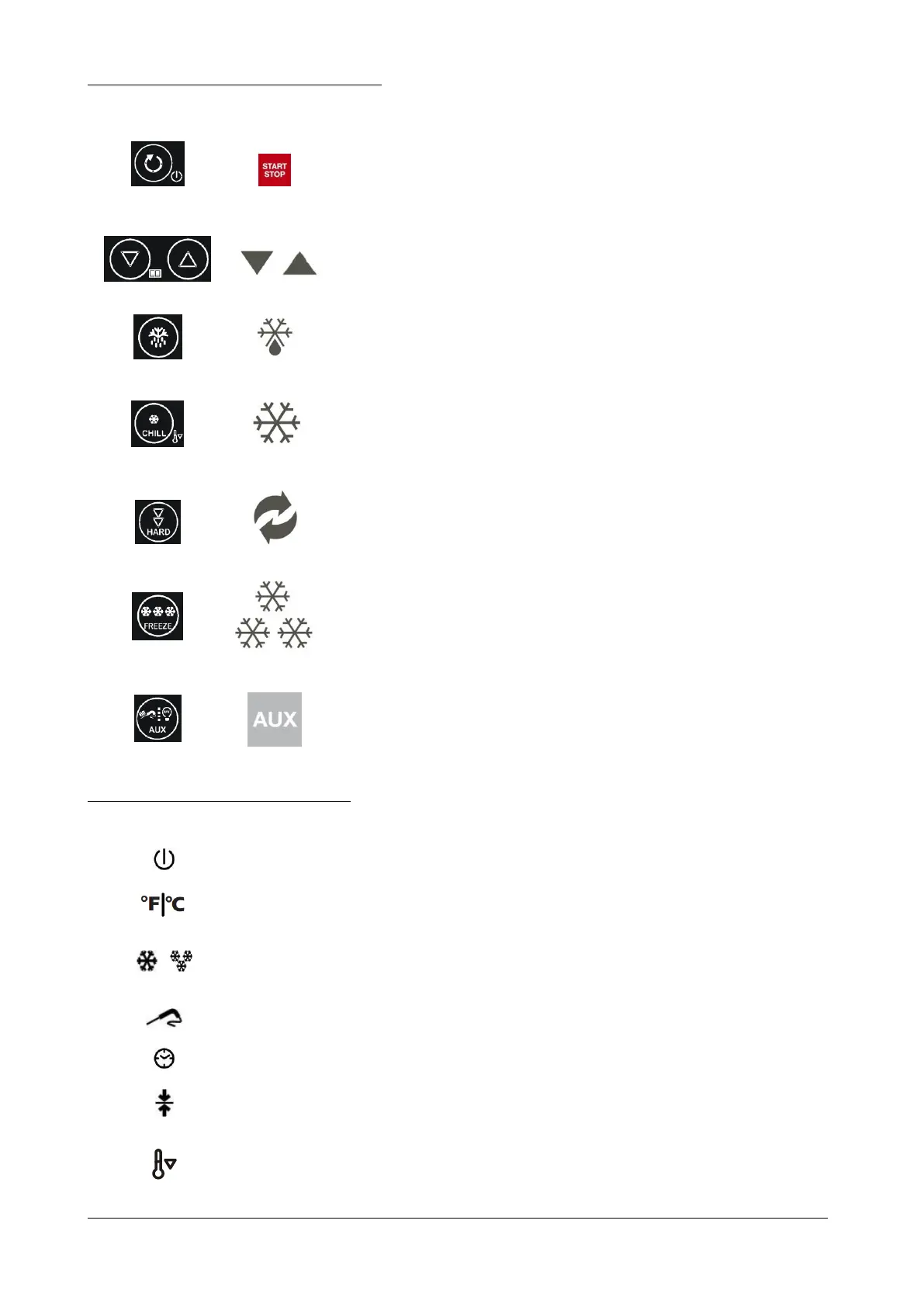
The buttons on the control panel are as follows:
With the machine OFF (0) press once to go to
STANDBY (1). With the machine on STANDBY press
once to START a cycle. When a cycle is in progress
press once to STOP it. In whatever situation the
machine is, if the button is held down for 3 seconds
the circuit board is cut OFF.
Used to increase or decrease the value shown on the
display.
With the machine on STANDBY and/or during the
storage, press once to start a defrost cycle.
With the machine on STANDBY press once to select
a time controlled chilling cycle.
Keep held down the button for 3 second in order to
start the continuous cycle
With the cycle selected, press once in order to select
HARD or SOFT process.
With the machine on STANDBY press once to select
a time controlled freezing cycle.
Press this button in order to use the accessory, as UV
lamp, warmed probe, where installed.
The icons on the control panel display are:
Illuminated when the machine is OFF; not illuminated in all other
situations.
Can be illuminated in red or green to indicate the temperature
measuring unit.
Flash when the cycles they refer to are in progress; remain
illuminated during the following holding cycle.
Illuminated during a temperature controlled cycle
Illuminated during a time controlled cycle.
Illuminated or flashing during the holding period.
Illuminated or flashing during the pre-cooling phase, also
CONTINUOUS CYCLE.



 To Next Page