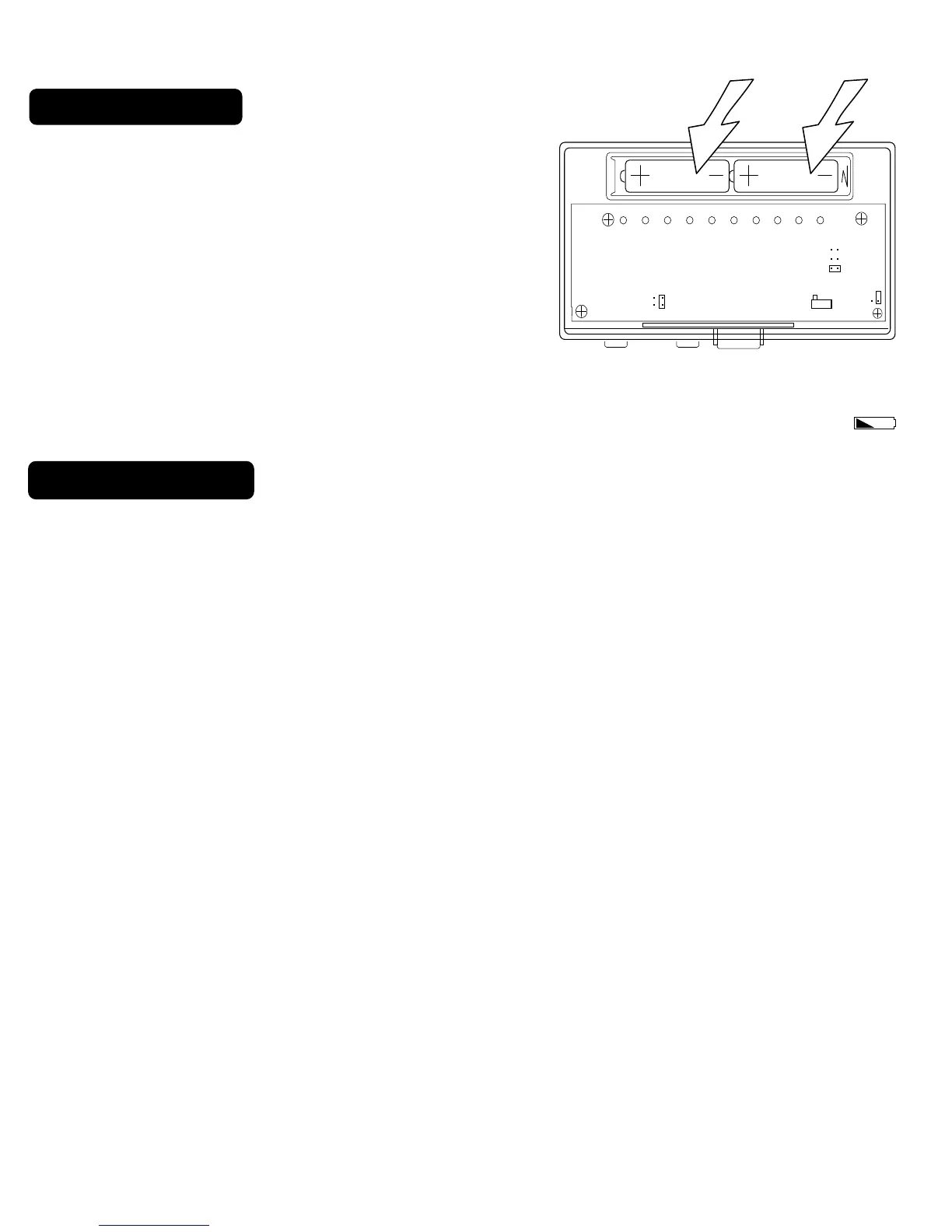
6 Install Batteries
The GT5020 requires batteries to operate your system
and retain its programming in memory.
.
Switch MODE switch to OFF and the FAN switch to
AUTO.
.
Insert 2 AA alkaline batteries according to the
polarity noted in the compartment.
.
Press the RESET button to clear the transient
program memory. Initially, LCD display will go off.
NOTE: Replace the batteries when this LOW battery indicator appears on the display or once a year.
With batteries removed, you have approximately 30sec before your custom programming is lost.
7 Power Options
PG 6
Please be aware of the following power options
1) The GT5020 can run on batteries only. (2AA Alkaline)
The batteries will last well over 1 year. If the batteries are not replaced the thermostat
will stop working.
2) The GT5020 can run on the C wire if available. (24 VAC ONLY)
As shown in the wiring diagrams, The C wire is the other side of the 24VAC heating transformer. If the
C wire is used, the batteries are for AC power loss only and are not required.
AAAA AA



 To Next Page