Operating Manual
1469-2425EFS—03
ENGLISH
M32292
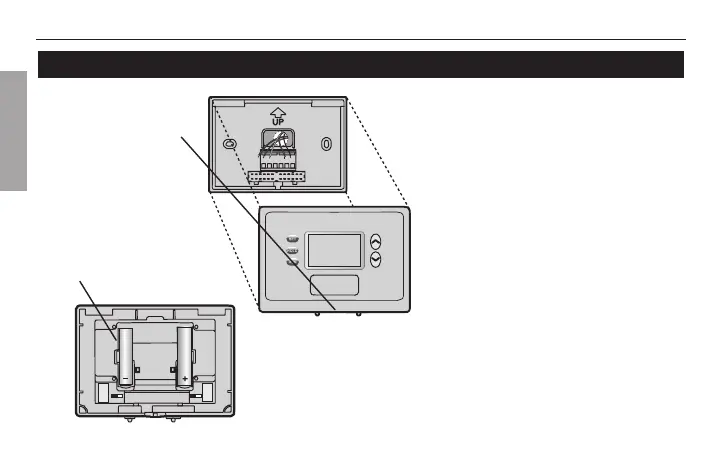
Loosen the screw at the
bottom of the thermostat,
then pull at bottom to
remove thermostat from
wallplate.
Turn thermostat over, insert
fresh AAA alkaline batteries,
then reinstall thermostat.
Battery replacement
Install fresh batteries when the LO
BATT warning begins flashing. The
warning flashes about two months
before the batteries are depleted.
Replace batteries once a year, or
before leaving home for more than
a month. Most settings are stored in
permanent memory. Only the clock
and current day must be set after
you replace the batteries.



 To Next Page