© 2013 I-View Now, LLC. All Rights Reserved.
Gen IV HDE-X Installation Guide rev 1.1 Page 4
Installation Worksheet
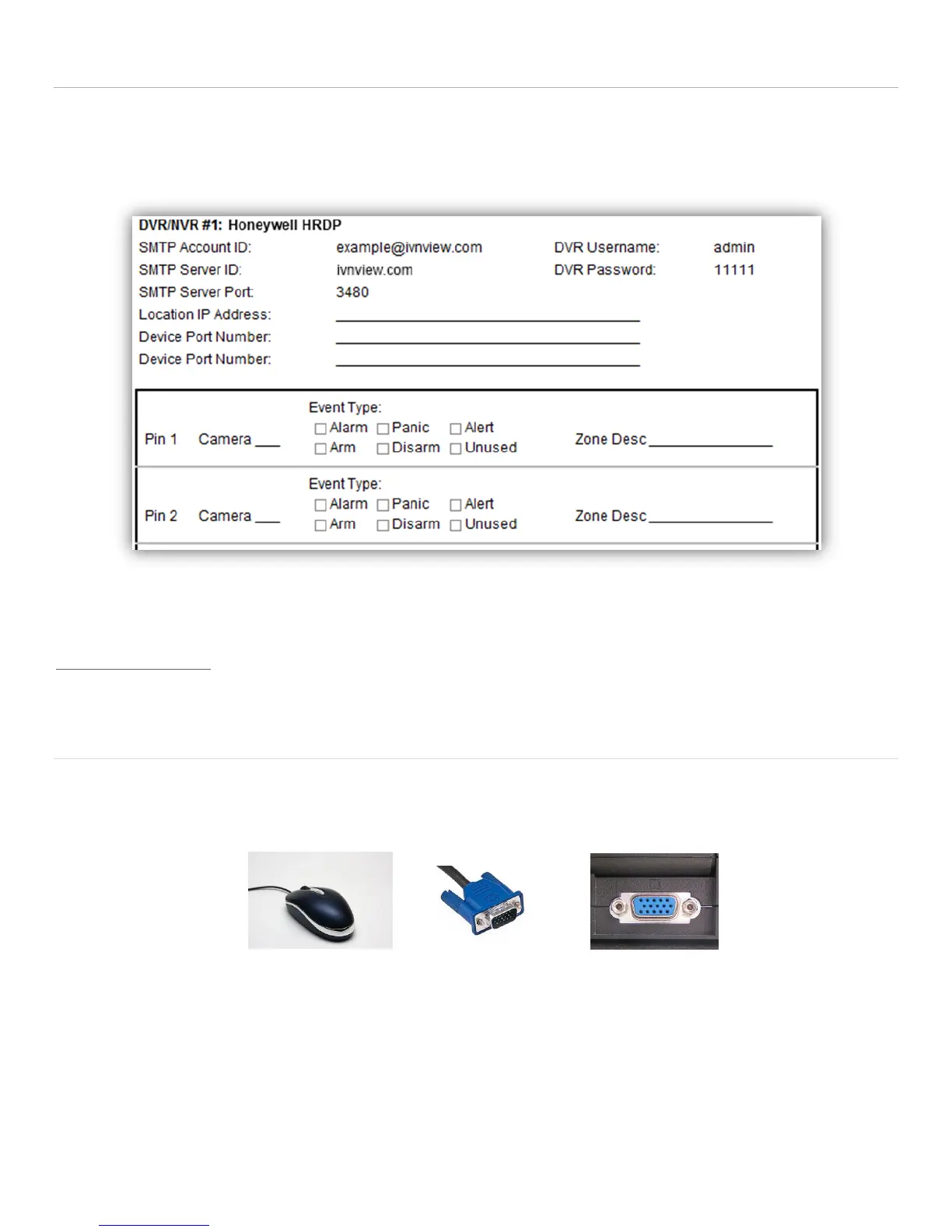
The I-View Now Portal will provide an Installation Worksheet after entering the DVR make and model into the system.
This sheet will contain configuration information for the DVR’s notifications area, and provides a form to fill in details
about the site setup (alarms, zone names). An example worksheet is printed below.
You will need to retrieve the IP address while on-site. Either ask the customer/IT department for the IP address, or visit
http://whatismyip.org while on-site for the correct address.
Default DVR Login
Plug a monitor into the VGA output on the DVR. Also, plug the mouse provided with the DVR into the front side USB port
of the DVR unit. The default password is admin. Be aware that the Menu’s presented in this manual can vary slightly
depending on the exact model and firmware version.
User Name: admin
Password: admin



 To Next Page