EasyManua.ls Logo

General Monitors S4000CH - User Manual

General Monitors S4000CH
74 pages
Print Icon
To Next Page IconTo Next Page
Loading...
The information and technical data disclosed in
this document may be used and disseminated
only for the purposes and to the extent
specifically authorized in writing by General
Monitors.
Instruction Manual 10-16
General Monitors reserves the right to change
published specifications and designs without
prior notice.
MANS4000CH
Part No. MANS4000CH
Revision N/10-16
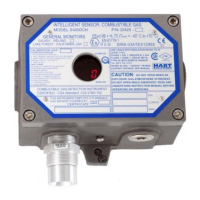
Model S4000CH
Intelligent Sensor for
Combustible Gas Detection

Table of Contents

Questions and Answers

  • W
    wadejuliaAug 16, 2025
    What to do if General Monitors Accessories show F12 ARGC fault?
    • M
      Michael RogersAug 16, 2025
      This error indicates a problem with the ARGC system, such as a stuck plunger, or a poisoned sensor. Inspect the sensor and ARGC. Attempt recalibration to resolve the error. If recalibration doesn't work, check the ARGC, ensuring the gas tank isn't empty, the gas line isn't leaking, and the regulator is correctly set. Clear the F12 error by applying the magnet over the display.
  • Y
    ygilesAug 19, 2025
    What to do if General Monitors S4000CH Accessories display F4 Sensor Error?
    • K
      karl73Aug 19, 2025
      Check all sensor connections to ensure integrity. Verify that the cable from the S4000CH to the remote sensor isn't damaged. If connections are proper, attempt to recalibrate the unit. If calibration fails, replace the sensor and recalibrate.
  • P
    Patrick PowellAug 22, 2025
    Why does my General Monitors Accessories show F3 Flash Checksum Error?
    • L
      Lance RogersAug 22, 2025
      This error usually happens after a lightning strike or a large voltage transient on the power or signal lines. The unit must be returned to the factory or an authorized service center for repair.
  • C
    Cody BeardAug 25, 2025
    What to do if General Monitors S4000CH Accessories F2 Failed to Complete Calibration?
    • R
      Ryan MoraAug 26, 2025
      Remove any gas that may be present. Clear the fault by applying the magnet to the GM logo on the cover. Then, attempt to calibrate the device.
  • S
    Sarah MontgomeryAug 28, 2025
    What causes F10 Switch Error on General Monitors S4000CH Accessories?
    • S
      Sean BradleyAug 28, 2025
      Check the wiring on the remote reset and remote calibrate switches. Once the short circuit is cleared, the unit will return to normal operation. If the magnetic switch is shorted, the unit must be returned to the factory or authorized service center for service.
  • L
    Luke MooreAug 31, 2025
    What to do if General Monitors Accessories display F7 EEPROM Error?
    • G
      Gary TorresAug 31, 2025
      The unit must be returned to the factory or authorized service center for repair.
  • A
    Amanda LarsenSep 2, 2025
    What to do if General Monitors S4000CH Accessories show F11 Internal Error?
    • J
      Jon HancockSep 3, 2025
      The unit must be returned to the factory for service.
  • B
    Brandon FloresSep 6, 2025
    How to fix F6 Low Supply Voltage on General Monitors S4000CH?
    • K
      Kristina GarciaSep 6, 2025
      Make sure the supply voltage is at least +20 VDC at the S4000CH.
  • L
    Lisa KaneSep 9, 2025
    How to resolve F9 Gas Check Period Exceeded on General Monitors Accessories?
    • M
      Michael BradySep 9, 2025
      Place the magnet over the GM logo on the cover to return the unit to normal operation.
  • J
    jenniferdunnSep 12, 2025
    What to do if General Monitors S4000CH Accessories show F8 Failure to Complete Setup?
    • L
      lopezlauraSep 12, 2025
      Exit setup mode. If needed, re-enter setup mode to change user selectable options.

Summary

Quick Start Guide

Mounting and Wiring

Guidance on physically installing and connecting the sensor unit.

Tools Required

List of tools necessary for installation and initial setup.

1.0 Introduction

1.2 Special Warnings

Important safety precautions and warnings for handling the sensor.

1.3 System Integrity Verification

Procedures for verifying system functionality and component connections.

2.0 Product Description

2.1 General Description

Overview of the S4000CH intelligent sensor's capabilities and features.

3.0 Installation

3.3 Choosing Product Locations

Guidelines for selecting optimal mounting locations for the sensor.

3.4 Mounting and Wiring

Detailed instructions for mounting the unit and making electrical connections.

3.5 Terminal Connections

Information on connecting wires to the sensor's terminal blocks.

3.7 Start-Up Checklist

Pre-operational checks to ensure correct setup and safety.

3.8 Start-Up

Procedure for powering on the unit for the first time and initial stabilization.

3.14 Calibration

Procedures and recommendations for calibrating the sensor.

4.0 Maintenance

4.1 General Maintenance

Routine maintenance tasks and precautions for the sensor unit.

5.0 Troubleshooting

5.1 Fault Codes & Their Remedies

Diagnosing and resolving issues using fault codes and troubleshooting steps.

6.0 Modbus Interface

6.1 Baud Rate

Configurable communication baud rates for Modbus.

6.2 Data Format

Selectable data formats for Modbus communication.

6.3 Modbus Read Status Protocol (Query;Response)

Details on querying sensor status via Modbus.

6.4 Modbus Write Command Protocol (Query;Response)

Details on sending commands to the sensor via Modbus.

6.7 S4000 CH Command Register Locations

Register map for accessing sensor parameters via Modbus.

6.8 S4000 CH Command Register Details

Detailed description of Modbus command registers and their functions.

7.0 Appendix

7.2 Principle of Operation

Explanation of the catalytic bead sensor technology.

7.3 Specifications

Technical specifications including system, mechanical, and electrical data.

7.5 Sensitivities to Other Gases

Information on how the sensor responds to various other gases.

7.6 Spare Parts and Accessories

List of available spare parts and optional accessories for the unit.

ADDENDUM

Product Disposal Considerations

Guidelines for the proper disposal of the product.

General Monitors S4000CH Specifications

General IconGeneral
BrandGeneral Monitors
ModelS4000CH
CategoryAccessories
LanguageEnglish

Related product manuals