9
1
Prewash
Cotton-
&linen
Sythe-
tics
Handwash
Quick
Wool
Silk
2
3
4
5
6
7
8
9
10
11
123
ONX-997
ǃćǃ
ćǃćǃ
ć
USP
ć
USP
ć
USP
USP
ć
ć
USP
ć
USP
USP
ǃćǃ
ćǃćǃ
ć
ǃćǃ
ćǃć
ǃć
ǃć
ǃć
ǃć
ƾ
ƾ
ƾ
ƾ
ƾ
ƾ
ƾ
ƾ
ƾ
ƾ
ǃć
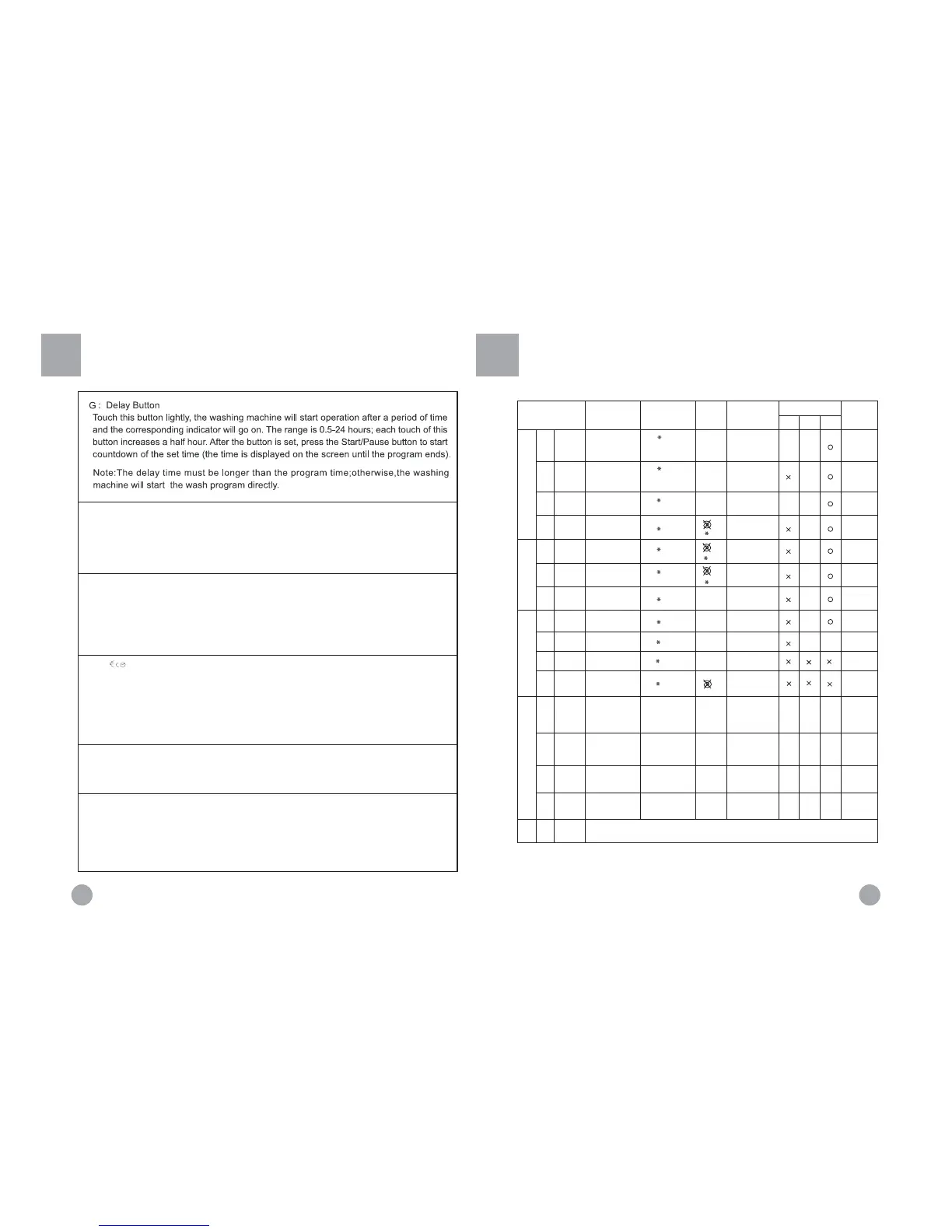
Mode Selection
(Program Knob
Position)
Recommend
ed Laundry
Temperature
Default
Program
Time
Default
Setting
Detergent
Heavy-soil
laundry
Wool fabrics
Silk fabrics
Slight-soil cotton,
linen and synthetic
fabrics
1) The wash temperature indicates the maximum temperature.
2) The above wash cycle times are intended as a guide only. The actually used time may vary due to
different water pressure, initial water temperature, etc.
Note: ƻ indicates that softener can be added if needed; ƾ indicates that detergent must be added; X
indicates that detergent must not be added. * indicates cold water
Guide to Operational Program Selection
8
H : Extra rinse button
Touch this button lightly, the indicator will go on. An additional rinse
operation will be activated.
Note: Select this function when programe 1-6 or 9 is selected.
J : button
Before a washing program, press this button to set the required washing load (L--1~L--A), the
washing machine will automatically adjust the water consumption, heating time and washing time.
Users can select the washing load as required for economical operation.
Note: 1. "L 1--A" refers to the five levels of washing load. If the laundry is more than half
of the drum content, it is recommended to select L--4 ~ L--A; otherwise, select L--1~L--3.
2.For"synthetics","sport" and "quick wash" ,you can only select L--1~L--3
3. Please adjust the detergent quantity as per the washing load selected
Start / Pause button
When the washing machine is plugged and a program is selected, lightly touch this
button to start operation. During a wash cycle, touch it lightly, the display will begin
blinking and operation will stop. Touch it again to resume operation.
K ġ
L ġSpinning speed setting button
Touch this button lightly to select the desired speed. There are speed indicators
over this button.
Note: Please refer to Guide to Operational Program Selection and Washing
Instructions for the required washing temperature and spinning speed for
different laundry. If you have no specific requirements, please use default
settings.
Ti me
I ġRinse hold button
F Rinse hold button
Touch this button lightly, the overhead indicator will go on. When the washing
machine is at the last rinsing operation, it will not drain but to start a soaking
cycle. Now "hold" will appear on the display. If you want to spin the laundry,
press this button again, the indicator will go off and operation will resume.
Note: Select this function when "prewash","cotton&linen","synthetics"
"single rinse"is selected.
cotton fabric
Sport
Single
rinse
Single
spin
Single
drain
Synthetic fabrics
Sport
ƾ
ƾ
Woolens with a felt-free
finish and special-care
items identified as machine
washable


 To Previous Page
 Loading...