7
Operational Functions
D Washing temperature knob
Touch this button lightly to select the required temperature (when a temperature is
selected, the corresponding indicator will go on).
10
ƽ
ƽ
ƽ
ƽ
Washing Methods
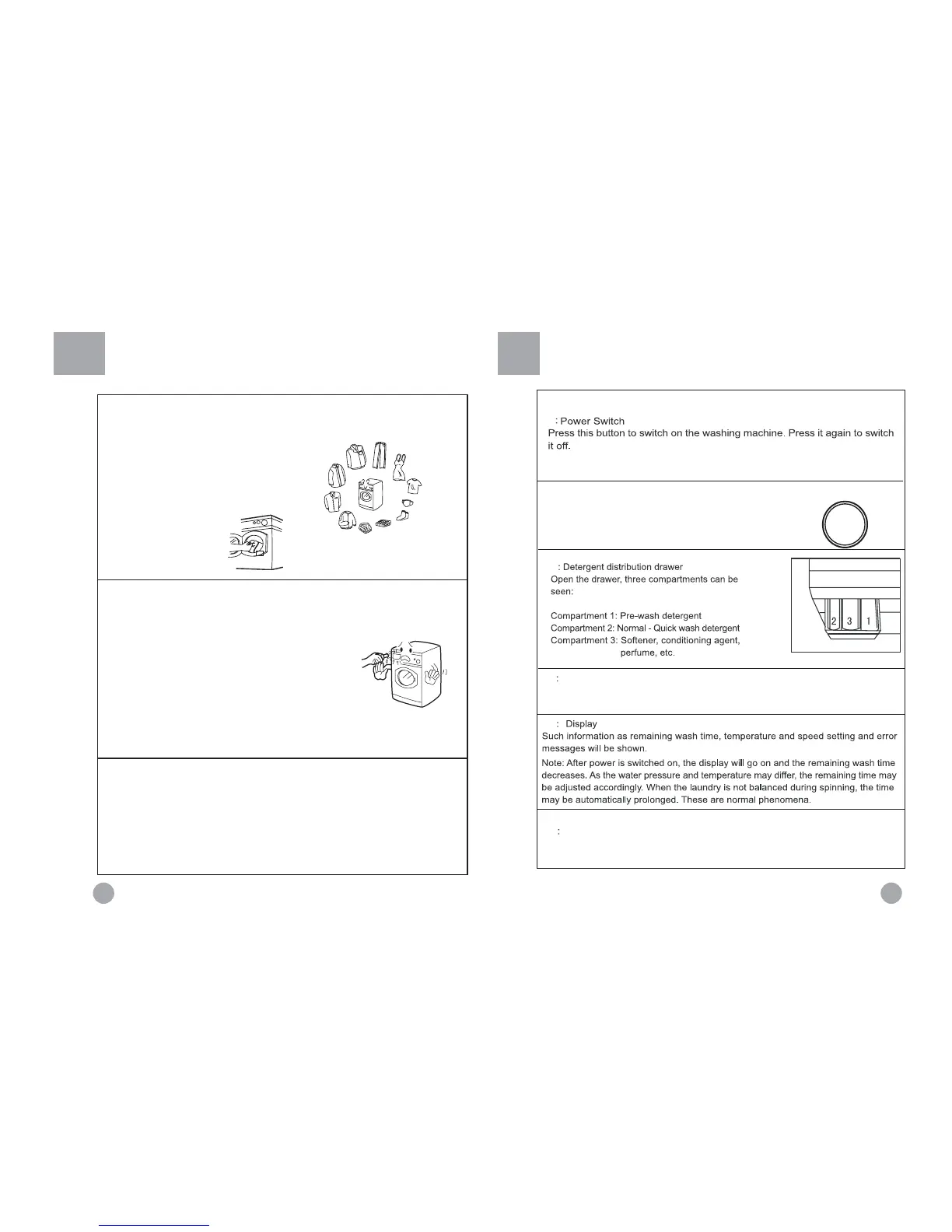
1. Loading
Open the door, put in the laundry piece by
piece. Close the door tightly.
Notes:
1) When first using the washing machine, let
it run unloaded for one program to prevent
the laundry from being tainted by oil or dirty
water from the washing machine.
2) Do not overload the
washing machine.
Load Reference
Overalls
(cotton appr 950g)
Jeans
(appr 800g)
Blended fabric
clothes
(appr 800g)
Pajamas
(appr 200g)
T-shirt
(cotton appr 300g)
ƽ
Underwear
(blended fabrics appr
70g)
ƽ
Socks
(blended fabrics appr
50g)
ƽ
Single bed sheets
(cotton appr 800g)
Woolen blankets
ƽ
(appr 3000g)
Shirts
(appr 300g)
ƽ
Jackets
(cotton appr 800g)
ƽ
2. Adding detergent
Slide out the detergent drawer and put the required
detergent, softening agent into the corresponding boxes.
Push back the drawer gently.
(Refer to the instructions on the drawer)
Caution:
1) For pre-washing program, detergent should be added to both
compartments 1 and 2. For other programs, do not add
detergent to compartment 1.
2) Do not overuse softener; otherwise, it will damage the artificial
fibers. Refer to the instructions during use.
3. Selecting washing
To get the best washing effect, an appropriate washing program should be
selected according to the guide to ppetational program selection.
B: Wash programming knob
By turning the knob clockwise/counterclockwise, the
required program can be selected.
(Refer to Guide to Operational Program Selection).
F
Washing indicator
It indicates the washing process of the selected program.When the light is on,
it shows that the washing process being indicated is running.
C
A
(



 To Next Page