ADVANCED SETTINGS
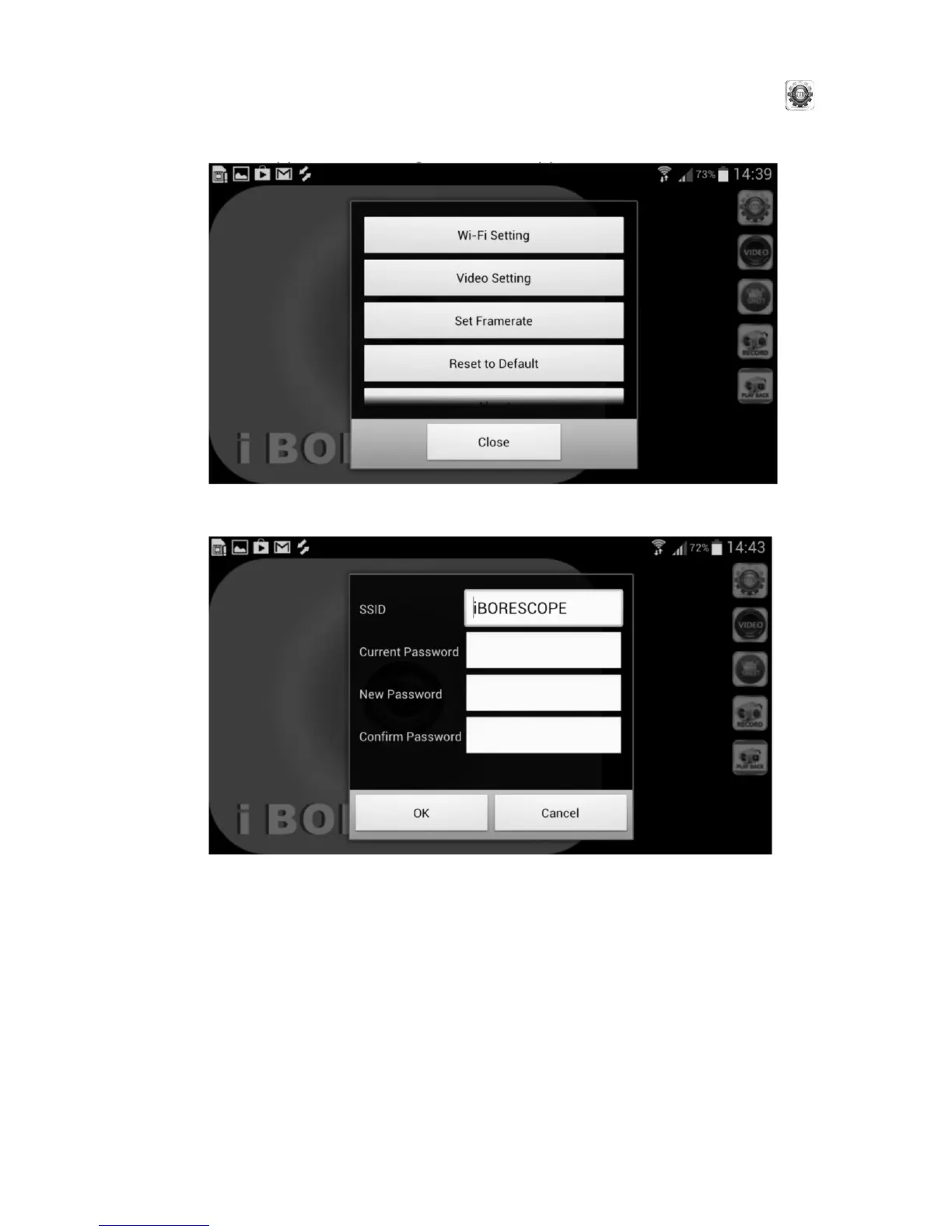
To change the iBORESCOPE Android app’s advanced settings, touch the
(SETTING) button at the upper right of the app. The following screen will appear.
Using this screen, you can change either the default WiFi Service Set Identifier
(SSID) of iBORESCOPE or password of 12345678 to any string of at least eight
letters from A to Z and numbers from 0 to 9. If you make a change, remember
to touch the OK button to save the setting.
14
Touching the Wi-Fi Setting row produces the following screen.


 To Next Page